A Recap of the Hands-on AI Workshop at the OceanBase Annual Conference
🌟 Tip: The PowerMem used in this Workshop is an incredibly handy AI memory management tool. You’re welcome to try it out at https://github.com/oceanbase/powermem and give your AI applications “long-term memory” too!
Introduction
This Workshop was a special event during the OceanBase product launch, focused on quickly building AI-native applications with OceanBase seekdb. Breaking away from the conventional PPT-presentation format, the event emphasized hands-on coding. Under the guidance of technical experts from the LangChain Community, Dify, and OceanBase, hundreds of developers completed the full seekdb development flow in just two hours — from environment setup and Agentic RAG building to constructing an agent with “long-term memory.”
Participants got a firsthand sense of how a lightweight database with native AI capabilities can effectively lower the barrier to application development. This article offers a detailed recap of this hands-on Workshop.
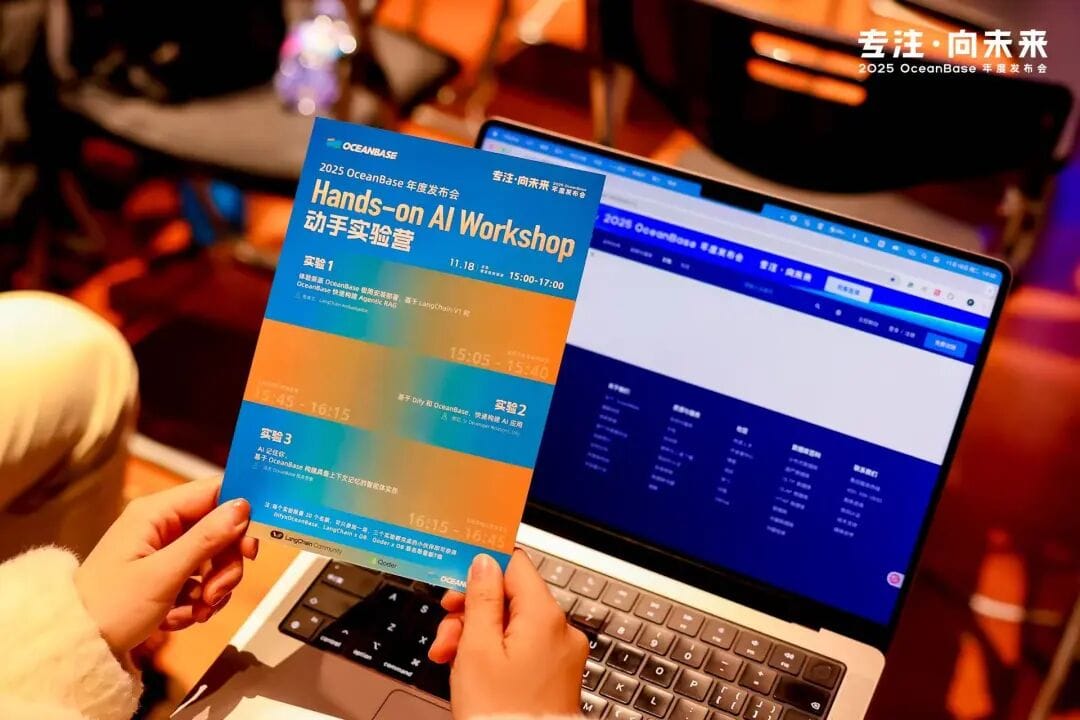
1. Introduction to OceanBase seekdb
All experiments in this Workshop were based on OceanBase seekdb, a lightweight embedded database introduced by OceanBase for AI application scenarios.
What problem does it solve? In current AI application development architectures, developers typically need to maintain both a relational database (for structured data) and a vector database (for unstructured vector data). This architecture carries high data-consistency maintenance costs and can introduce latency from cross-system queries. seekdb is designed to unify the storage and retrieval of both structured and unstructured vector data, simplifying the AI application data stack in a lightweight 1-core/2 GB package.
2. Workshop Environment Setup Guide
The first part of the Workshop covered basic environment setup. To avoid the latency that high Wi-Fi concurrency might cause on site, we provisioned an Alibaba Cloud ECS server as the lab environment for each participant. Below is the detailed installation flow for your local machine (Mac/Windows), primarily via the CLI:
Docker (used in all three experiments)
- Mac: Download and install Docker Desktop.
- Windows: Download Docker Desktop as well; you’ll need to enable WSL2, then launch the Docker app after installation.
Python 3.10+ (used in all three experiments)
Download the official Python installer and install it. After installation, verify:
1
python --version # should output 3.10 or higher
uv (Python package manager)
1
pip install uv
seekdb (used in all three experiments)
We’ll use Docker to quickly spin up a seekdb instance. For the network conditions in mainland China and different chip architectures, the corresponding mirror sources are provided.
1
2
3
4
5
6
7
8
9
10
11
12
13
14
# pull the docker image
docker pull swr.cn-north-4.myhuaweicloud.com/ddn-k8s/docker.io/oceanbase/seekdb:latest
docker tag swr.cn-north-4.myhuaweicloud.com/ddn-k8s/docker.io/oceanbase/seekdb:latest docker.io/oceanbase/seekdb:latest
# arm machines
docker pull swr.cn-north-4.myhuaweicloud.com/ddn-k8s/docker.io/oceanbase/seekdb:latest-linuxarm64
docker tag swr.cn-north-4.myhuaweicloud.com/ddn-k8s/docker.io/oceanbase/seekdb:latest-linuxarm64 docker.io/oceanbase/seekdb:latest
# Option 1: install via docker
docker run -d \
--name seekdb \
-p 2881:2881 \
-v ./data:/var/lib/oceanbase/store \
oceanbase/seekdb:latestpowermem (used in experiment 3)
1
pip install powermem
Dify (used in experiment 2)
1
2
3
git clone https://github.com/langgenius/dify.git
cd dify/docker
docker-compose up -dJupyter (used in experiment 1)
1
pip install jupyter
Qoder: Download from https://qoder.com/download (choose the Qoder package that suits your machine. Note that Qoder requires registration before use.)
3. Quickly Building Agentic RAG with LangChain V1 and OceanBase seekdb
Instructor: LangChain Ambassador Zhang Haili
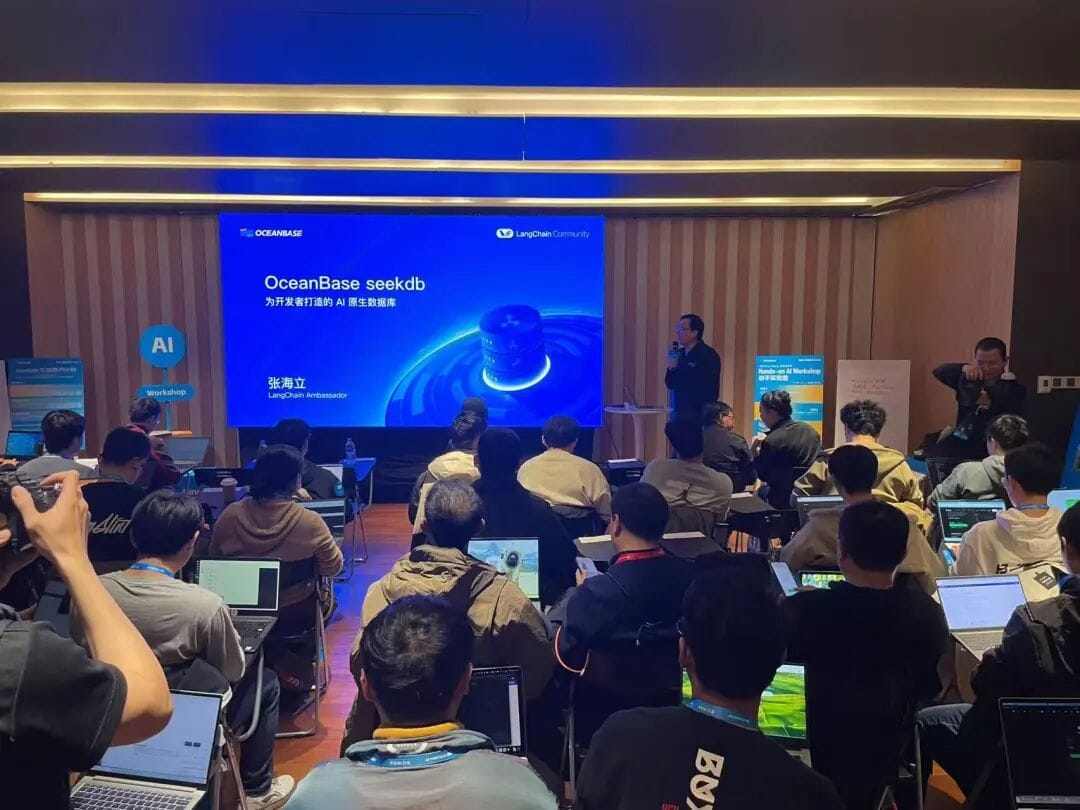
This experiment builds on the latest agent-construction standard of LangChain v1 and the vector storage and hybrid retrieval capabilities of OceanBase seekdb, enabling an AI to understand a Nike 2023 financial report (PDF) and answer related financial questions. The core logic: chunk the document -> store in seekdb -> wrap as a Tool -> bind to an Agent.
- Convert an unstructured Nike 2023 financial report PDF into vector data a computer can understand.
- By defining a retrieval tool and calling LangChain v1’s
create_agentinterface, build an AI Agent with reasoning capabilities.
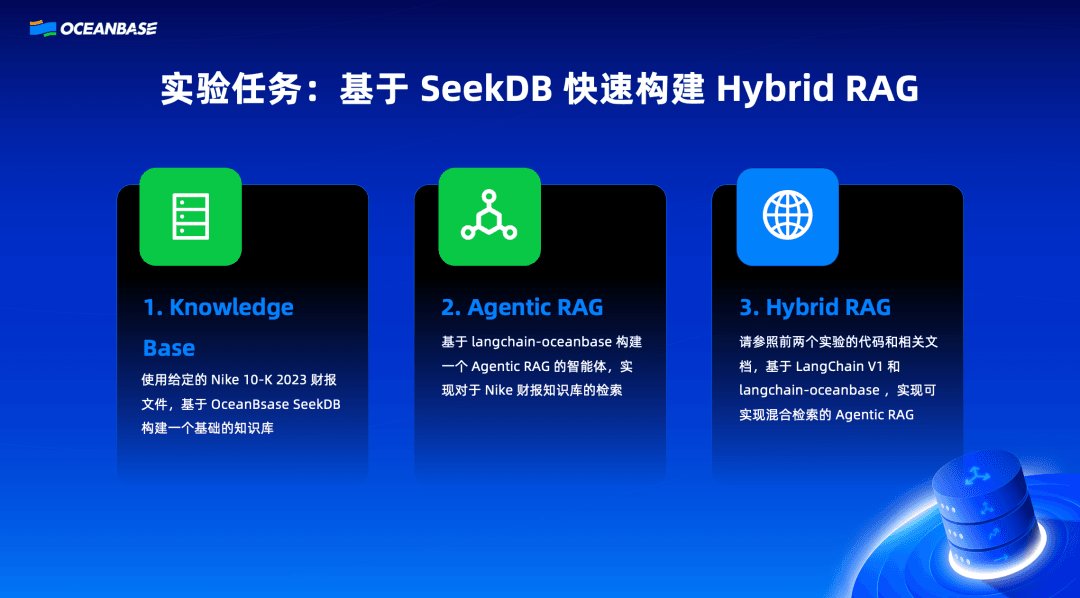
Core Operational Steps
Step 1: Document Processing and Vectorization First, we need to load the PDF document and split it into small chunks suitable for the model. In LangChain, we use PyPDFLoader to load the document, then use RecursiveCharacterTextSplitter to split it.
1 | from langchain_community.vectorstores import OceanBase |
Behind the scenes in this step, seekdb automatically creates a table and stores the text’s embedding vector and original content in the same row record.
Step 2: Building the Retrieval Tool We wrap the docsearch generated in the previous step into a LangChain Tool.
1 | retriever_tool = create_retriever_tool( |
Note that the description parameter is very important—the LLM relies on this description to decide when to call this tool.
Step 3: Initializing and Running the Agent Use LangChain V1’s create_tool_calling_agent interface to bind an LLM (such as GPT-4 or Tongyi Qianwen) to the tool we defined.
For detailed steps, see: https://ask.oceanbase.com/t/topic/35634850
4. Quickly Building AI Applications with Dify and OceanBase
Instructor: Zheng Li, Sr. Developer Relations, Dify
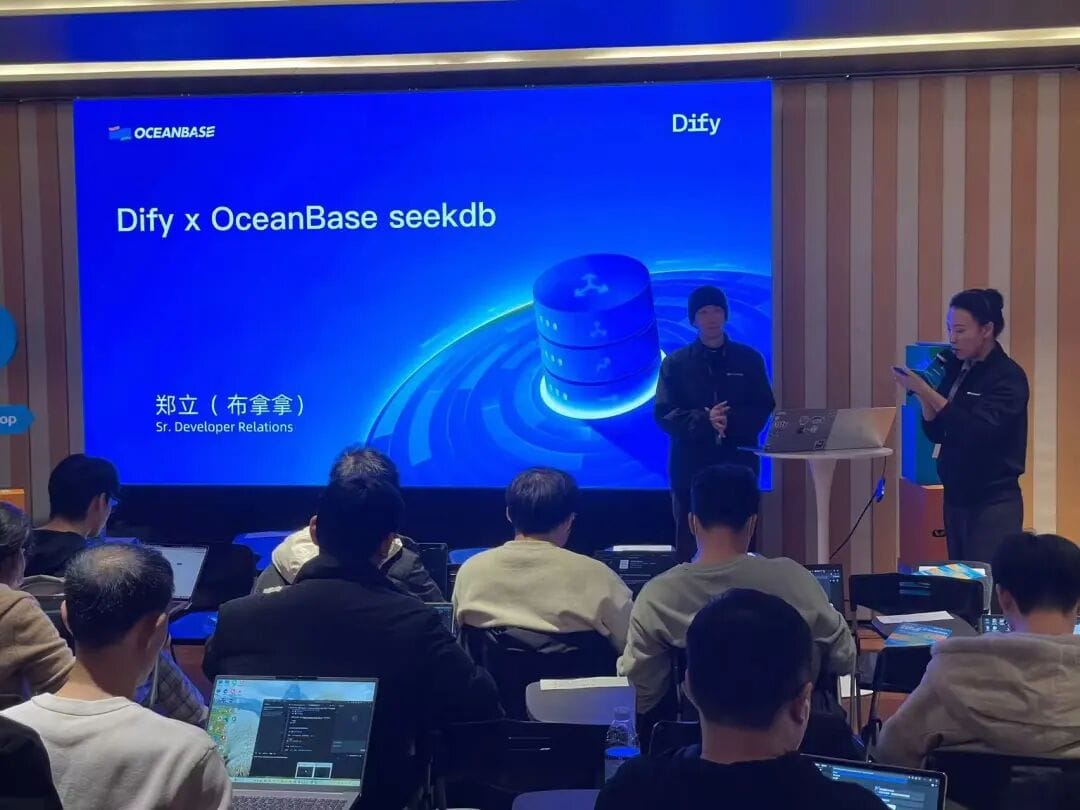
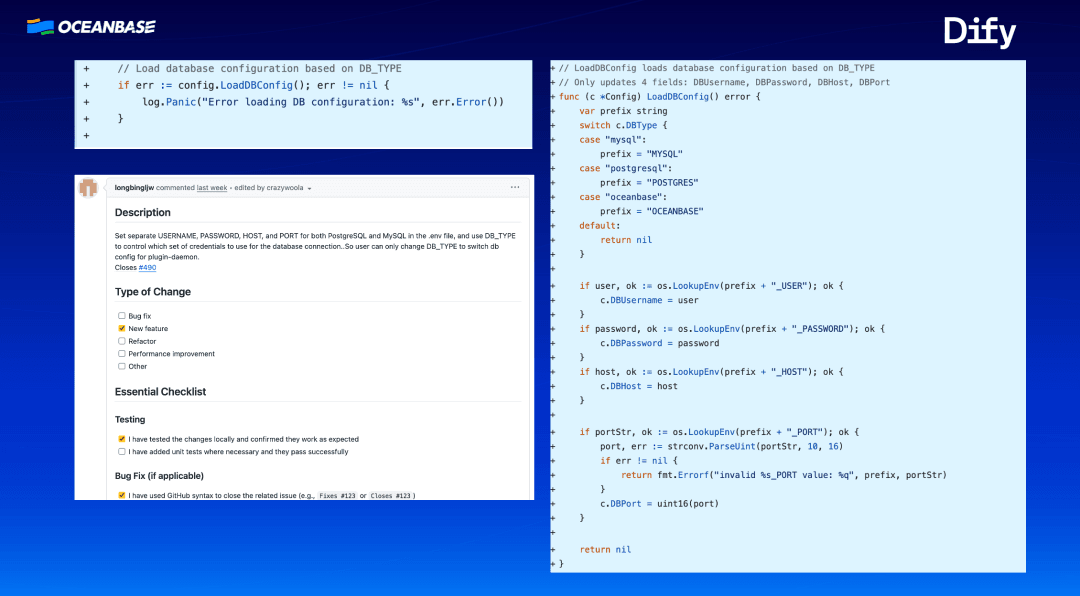
This experiment aims to validate OceanBase seekdb’s ability to provide unified support for AI applications. By deploying seekdb and modifying Dify’s core configuration, the originally separate vector store and metadata database are unified and replaced with seekdb. While simplifying the architecture, this also validates full usability in a RAG scenario.
Core Operational Steps
Step 1: Modify the Docker Compose Configuration Enter Dify’s docker directory and edit the .env file or docker-compose.yaml. You need to point Dify’s database connection to the seekdb container we started.
Step 2: Configure the Vector Backend In Dify’s system settings file or environment variables, set the Vector Store type to OceanBase. When a user uploads a knowledge base file in the Dify interface, Dify writes the chunked vector data into seekdb’s vector table.
Step 3: Build a Knowledge Base Application After restarting the Dify container group, enter the web interface.
For detailed steps, see: https://ask.oceanbase.com/t/topic/35634856
5. Make AI Remember You: Building an Agent with Contextual Memory on OceanBase
Instructor: Tang Qing, OceanBase Technical Expert
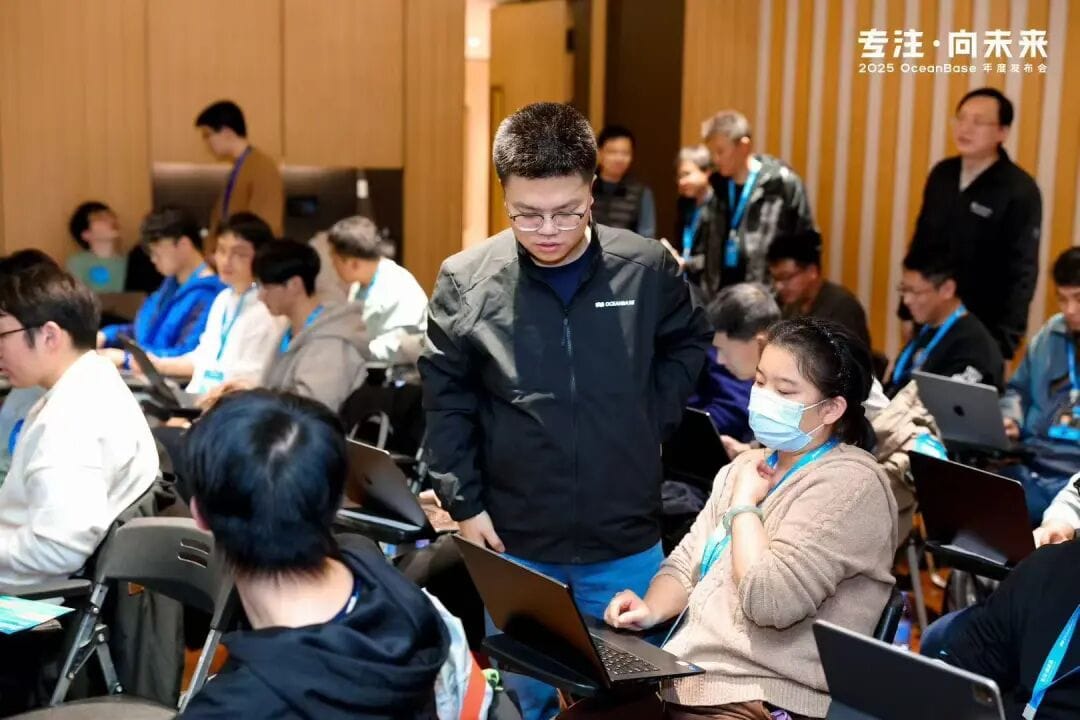
The core goal of this experiment is to solve the problem of AI agents “forgetting” conversational context. By integrating OceanBase seekdb as a hybrid storage foundation for vector and structured data, and using PowerMem for memory management, it demonstrates how to give an AI “long-term memory.”
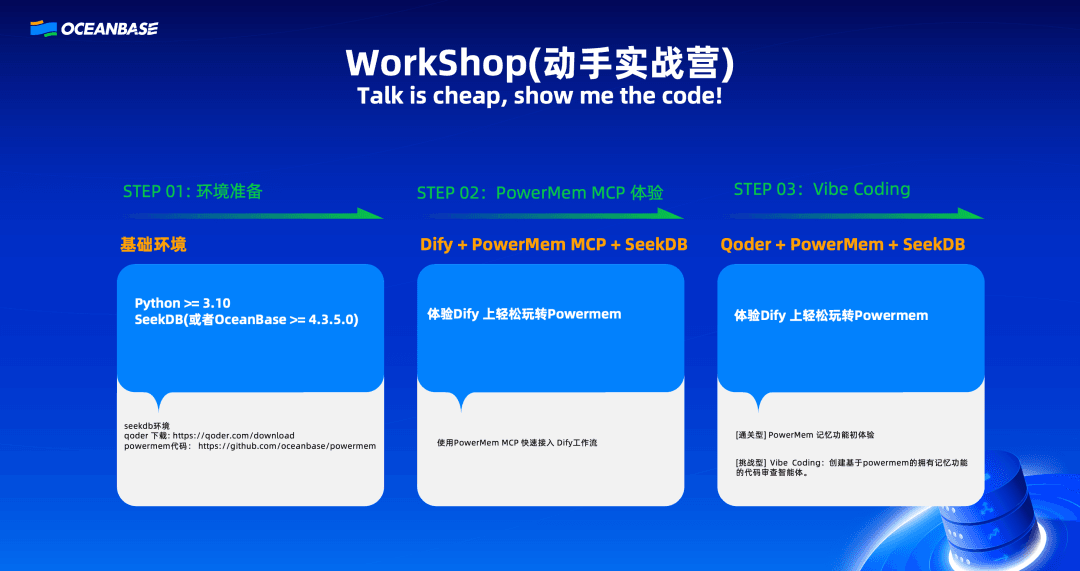
Step 1: Deploy PowerMem and integrate the Dify + PowerMem MCP environment. We configure PowerMem MCP within the Dify environment to connect the underlying memory channel. This step also gives it the ability to access OceanBase seekdb for long-term memory storage and retrieval.
Step 2: The Vibe Coding challenge. We copy a prompt into the AI coding assistant Qoder, asking it to automatically generate a code-review agent by referring to PowerMem’s official examples.
For detailed steps, see: https://ask.oceanbase.com/t/topic/35634483
In Closing
Through the three experiments above, we validated OceanBase seekdb’s real-world capabilities in AI application development from different angles. This Workshop is only a starting point. The lightweight and easy-to-use nature of seekdb is meant to let every developer explore the development of AI-native applications right on their own laptop, at the lowest possible cost.
Here, we want to extend special thanks to the open source partners who took part in co-building this community ecosystem. Thanks to Dify, the LangChain Community, and Qoder for their strong support, and thanks to every developer who participated.