A Spoon-Fed Tutorial (Bonus Edition) — Deploying Dify on K8s
Background
A while back, OceanBase teamed up with Dify[1] to complete MySQL compatibility in the v1.10.1 release. In this same version, Dify also began experimenting with using an all-in-one database to address the scaling complexity brought by a multi-component architecture, and chose OceanBase seekdb[2] as its first practice target. For details, see: “Dify x OceanBase seekdb User Guide”.
In that article, we already covered how to configure seekdb as Dify’s metadata database / vector database, and how to build AI applications with Dify.
Recently, we’ve noticed another trend: more and more enterprises are choosing to deploy Dify on K8s. Whether for high availability, elastic scaling, or integration with the enterprise’s internal DevOps system, K8s has become the preferred platform for taking Dify into production.

And across technical forums and chat groups like v2ex and linux.do, you can always find questions about “how to deploy Dify on K8s.”
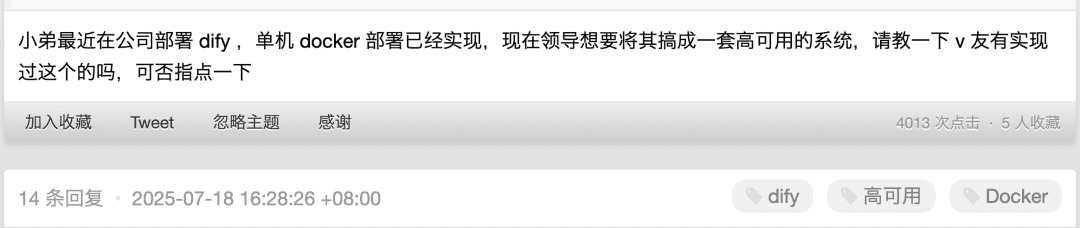
So this time, we’ve put together another bonus installment of “Dify x OceanBase seekdb” to walk you through how to deploy and use Dify on K8s.
Welcome to follow the OceanBase community’s official account “Lao Ji’s Tech Talk,” where we keep publishing technical content related to #databases, #AI, and #OceanBase!
Deploying and Using Dify on K8s
This tutorial walks you through using Helm (the K8s package manager) to deploy, in three commands, a Dify instance on K8s configured with seekdb as both the vector database and the metadata database.
Note:
If you haven’t installed helm / kubectl yet, install them first. The installation steps may differ slightly across operating systems.
- You first need a K8s cluster you can connect to and test against. Then, in the kubeconfig file (usually at ~/.kube/config), you should have already configured how to connect to and operate this K8s cluster.
1 | Desktop-of-Zlatan .kube % pwd && ls |
- With the first command, add a Helm repository that holds the chart for the Dify application (a Helm Chart is the packaging format for K8s applications, containing the templates and configuration needed for deployment).
1 | helm repo add dify https://chris-sun-star.github.io/dify-helm |
- With the second command, update the local Helm repository index to ensure you get the latest chart list and version information.
1 | helm repo update |
- With the third command, install the Dify application into the K8s cluster. This command creates resources in K8s according to the templates defined in the chart and deploys the Dify application.
1 | helm install dify -n dify --create-namespace dify/dify |
Note:
The chart’s default configuration in this Helm repository sets the Service type to NodePort.
You can also create a LoadBalancer-type Service by specifying
--set service.type=LoadBalancerin the helm install command above.
- This outputs NOTES. Copy and run the commands in the NOTES, and you’ll see the web link you can use to access the Dify service in a browser (you’ll need to wait until all Pods have started).
1 | NAME: dify |
- You can use the kubectl command to list all running Pods in the namespace named dify.
1 | kubectl get pods -n dify |
- You may need to wait a few minutes here until all Pods are in the Running state. Any Pod with an abnormal STATUS will restart automatically until it succeeds.
1 | liboyang@Desktop-of-Zlatan .kube % kubectl get pods -n dify |
- If a Pod responds slowly and restarts many times, the interval between restarts will increase each time; you can manually restart the abnormal Pod.
1 | kubectl delete pod -n dify dify-plugin-daemon-74894f6f58-xlpsp |
- The expected final result should be:
1 | liboyang@Desktop-of-Zlatan .kube % kubectl get pods -n dify |
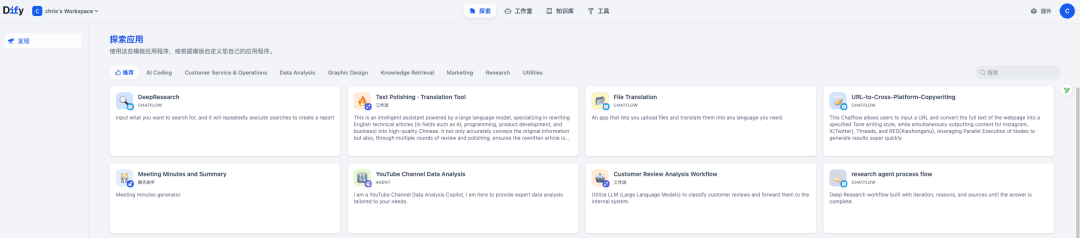
- Finally, copy and run the commands in the NOTES to get the web link, and you can start building applications with Dify on K8s~
1 | export NODE_PORT=$(kubectl get --namespace dify -o jsonpath="{.spec.ports[0].nodePort}" services dify) |
Building AI Applications with Dify
As for how to build AI applications with Dify next, that’s not the focus of this article. You can refer to several articles previously published on the OceanBase community’s official account:
- Building a Basic AI Application with Dify
- Using the PowerMem Plugin from the Dify Marketplace to Give AI Applications Long-Term Memory
Note:
- In the Dify deployed on K8s above, seekdb is the vector database and metadata database that Dify depends on~
- PowerMem[3] is an AI memory system that developers can quickly integrate into their projects. Feel free to give it a try~

References
[1] Dify: https://github.com/langgenius/dify
[2] seekdb: https://github.com/oceanbase/seekdb
[3] PowerMem: https://github.com/oceanbase/powermem/tree/main