A Step-by-Step Tutorial II — A Guide to Using Dify x OceanBase seekdb
The noble person is not different by nature; they are simply good at making use of external things.
—— Xunzi
🎯 “Good at making use of external things”—isn’t that exactly the golden duo of Dify + seekdb? Want to try it hands-on? Come take a look at https://github.com/oceanbase/seekdb, pair it with Dify to build your own dedicated knowledge base, and get it done in minutes~
This article is the second seekdb tutorial, following the previous masterpiece by the community heavyweight, A Step-by-Step Tutorial — Building a RAG Application with OceanBase seekdb.
You’re all welcome to follow the steps in this article and quickly use Dify x seekdb to build your own AI application, and feel free to chime in with criticism, corrections, gripes, and complaints in the comments~
In this humble follow-up of a tutorial, I’ll introduce: on the Dify platform—the one most familiar to AI application developers—how to harness the power of OceanBase seekdb to greatly simplify the multi-component deployment complexity of application development, while improving vector hybrid search capabilities.

This article is divided into three parts, which you can read selectively:
- Part one briefly introduces the pain points of multi-component dependencies in traditional Agentic RAG, and the corresponding solution in Dify v1.10.1.
- Part two covers how to configure Dify’s metadata database / vector database to be OceanBase seekdb, in order to quickly simplify Dify’s multi-component deployment complexity and improve the hybrid retrieval effectiveness of the vector database that AI applications depend on.
- Part three covers how to quickly build AI applications with Dify x OceanBase seekdb.
Background
The Pain Points of Traditional Agentic RAG
Traditional Agentic RAG relies on multiple heterogeneous components—a relational database + a vector database + full-text search—leading to complex operations, difficult data synchronization, and high consistency risk. In typical practice, to keep both the test and production environments running stably, users often need to manage and coordinate the following major components at the same time:
- A relational database, mainly used to store users, application configuration, agent task state, and the metadata of knowledge base documents—strongly transactional, structured business data.
- A vector database, responsible for storing the high-dimensional vectors that result from passing Context Chunks through an Embedding Model. This is the foundation of semantic search, enabling the Agent to understand the deeper meaning of text.
- Full-text search, responsible for building an inverted index over the knowledge base content to support keyword-based sparse retrieval. This ensures that users or the Agent can perform precise text matching or fuzzy search.
Each of these components is, within its own domain, a mature and specialized product solution. But once they are combined into the data layer of an application, what follows is enormous operational pressure and cost. You have to manage backups, upgrades, and monitoring independently for each system. A problem in any single link can cause a global failure of the entire Agentic RAG pipeline. The more complex the system, the greater the human effort required—and the higher the risk.
Dify v1.10.1[1]
As an industry-leading open source agent platform, Dify has already been widely deployed in domestic enterprise applications. However, because there was previously no official MySQL compatibility support, most enterprises were forced to make customizations at the source-code level, making maintenance difficult and timely feedback to the community hard to provide. To address Dify’s high deployment and maintenance complexity and its MySQL compatibility issues, the OceanBase open source team and the AI Technology Platform group at SF Express jointly completed Dify’s MySQL compatibility development based on OceanBase’s powerful SQL compatibility, providing an out-of-the-box solution for community and enterprise users and significantly reducing deployment and operations costs.
After solving the MySQL compatibility problem, Dify also began to consider deeper architectural optimizations. While providing MySQL compatibility, OceanBase also has the ability to bring metadata, vector, and full-text indexing capabilities together in one place, offering a new way to address the scaling complexity caused by a multi-component architecture and to achieve architectural simplification. Therefore, in the recently released v1.10.1, Dify began experimenting with an integrated database, and chose OceanBase as its first such practice.
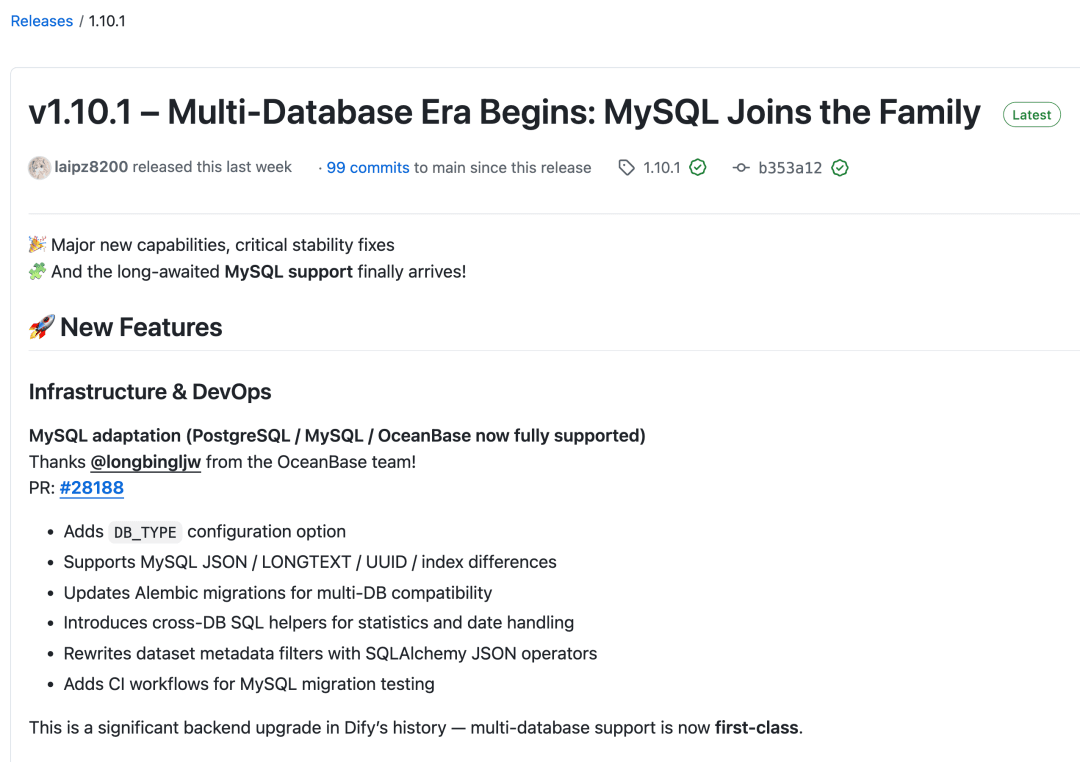
Starting with Dify v1.10.1, Dify officially supports MySQL / OceanBase / seekdb as Dify’s metadata database, greatly benefiting the vast number of users on the MySQL tech stack. In the configuration options for the metadata database and vector database, OceanBase’s integrated database and OceanBase’s AI-native database seekdb have been added, in order to simplify Agentic RAG deployment complexity.
At the same time, it also supports using OceanBase / seekdb for unified storage and retrieval of business metadata, semantic vectors, and full-text indexes, achieving a thorough streamlining of the data layer, ensuring transactional consistency, and greatly simplifying the operational burden.
- MetaDB layer: Dify has adapted a MySQL-type MetaDB, introducing
DB_TYPE, with a single migration script compatible with PostgreSQL / MySQL / OceanBase. OceanBase / seekdb can be used directly as Dify’s metadata database. - Vector & retrieval layer: OceanBase is already an official Dify VectorStore, supporting vector retrieval, Hybrid Search (vector + full-text), metadata filtering, score-threshold control, and offering a multi-language fulltext parser option.
- Runtime environment & quality: Docker Compose includes a dedicated OB profile—just start the container and it’s ready to use; CI runs vector-related tests against a real OB instance for assurance.
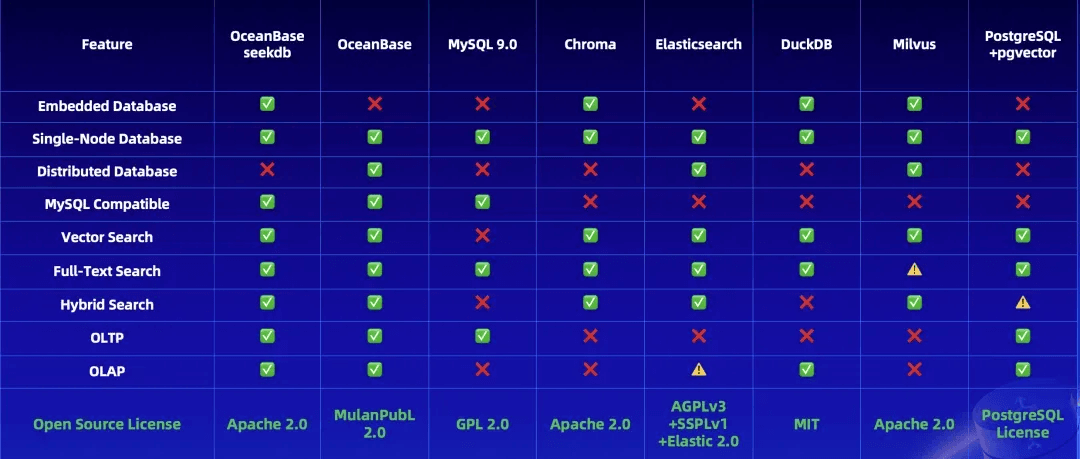
Next, I’ll introduce: how to configure Dify’s metadata database / vector database to be OceanBase seekdb, and how to quickly build AI applications with Dify.
Replacing the Metadata Database / Vector Database That Dify Depends On
Prerequisites
Before you begin, make sure your environment meets the following requirements:
- Container Runtime: Docker & Docker Compose
- Git: Version control tool
Deploying Dify
Clone the Dify Code
1 | git clone https://github.com/langgenius/dify.git |
Configure seekdb as the Database Dify Depends On (Apply Configuration)
Case 1: Use seekdb as the metadata database only
Modify the .env file:
1 | DB_TYPE=mysql |
Case 2: Use seekdb as the vector database only
Modify the .env file:
1 | VECTOR_STORE=oceanbase |
Case 3: Use seekdb as both the metadata database and the vector database (recommended)
Modify the .env file:
1 | DB_TYPE=mysql |
Start the Services (Start Dify)
Use Docker Compose to build and start the Dify services:
1 | cd dify/docker |
You should see output similar to the following.
1 | liboyang@Desktop-of-Zlatan docker % docker compose up -d |
If, when running docker compose up -d, you encounter a network timeout error similar to Get "https://registry-1.docker.io/v2/", you can try adding a registry-mirrors configuration to Docker’s config file to accelerate Docker image pulls, then run docker compose up -d again.
1 | { |
You can use docker ps to check the status of each container; after startup, you should see all containers running normally.

After the containers start, Dify’s metadata database initialization and migration run automatically; this step takes about 1–2 minutes.
Use the following three commands to check the logs of the api service; one of the three containers will acquire the lock and execute the migration task. Seeing the keyword Database migration successful! in any container confirms the migration succeeded.
1 | docker logs -f docker-api-1 |
The other two containers may show Database migration skipped, indicating that the database schema migration was skipped in those containers. If there are no other ERROR messages, the Dify interface should open normally.
Verification and Installation (Verification)
- Access the Dify console: open your browser and visit
http://localhost(or your server IP).
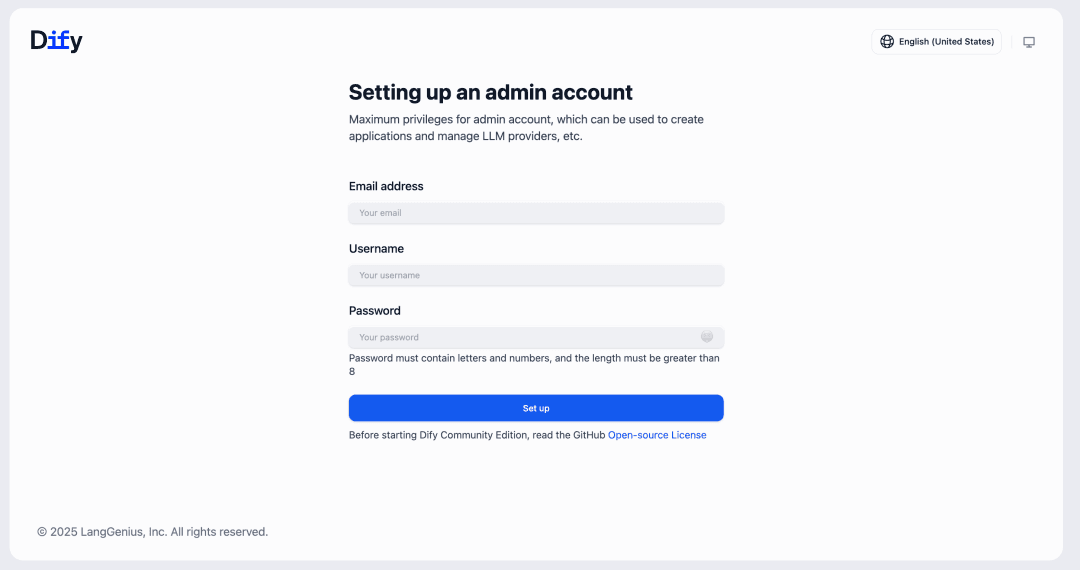
- Create an account: register an administrator account and log in via
http://localhost/install. - Test the vector capabilities: create a Knowledge Base, upload a document, and observe the chunking and indexing process. If embedding and retrieval succeed, the SeekDB vector store is configured correctly. Before creating a knowledge base for the first time, you’ll also need to configure an API KEY; detailed steps are introduced in the “Building AI Applications with Dify” section below.
- If you’re interested, you can also connect to seekdb via
mysql -h127.0.0.1 -P2881 -uroot -Dtest -pyour_password(the password after-pis the one configured in your.envfile), and then useshow databases;andshow tables;to inspect the table structures corresponding to the documents in your knowledge base.
Building AI Applications with Dify
The following introduces how to use Alibaba Cloud Bailian’s model services to quickly build a basic application with Dify x OceanBase seekdb. Those already familiar with Dify can skip this directly.
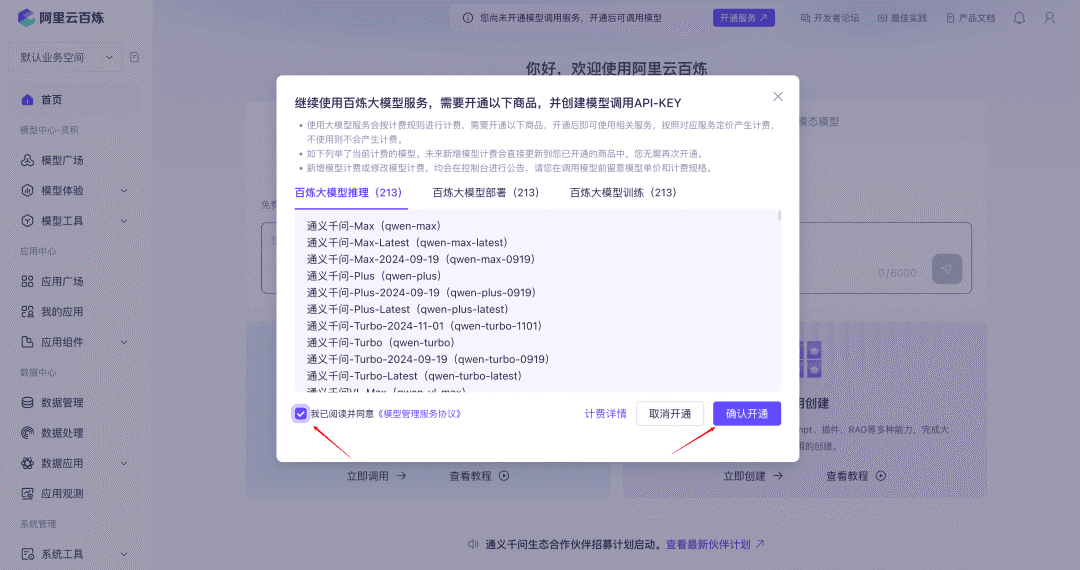
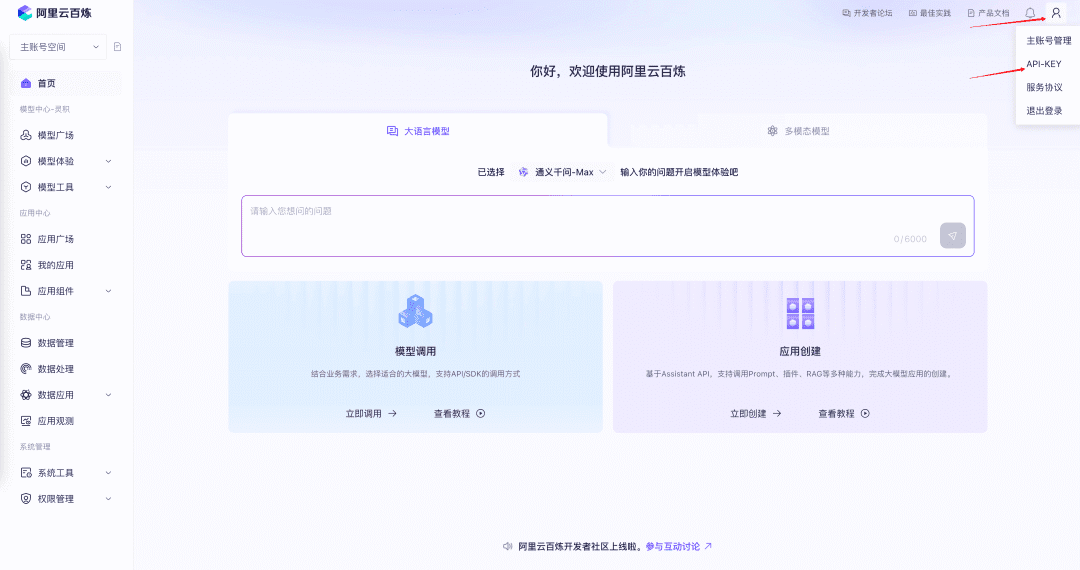
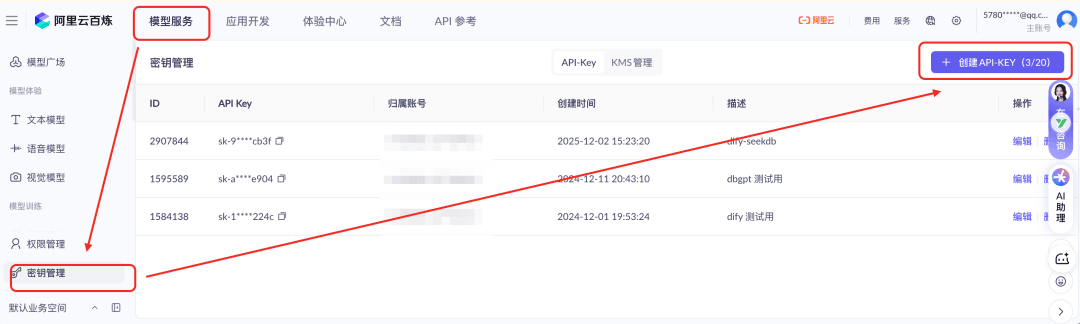
Activate Alibaba Cloud Bailian Model Services and Obtain an API KEY
First, we need to register an Alibaba Cloud Bailian[2] account, activate the model invocation service, and obtain an API Key.
Note:
This is merely using Bailian models as an example (mainly because, on first registration and use, you can grab plenty of free credits). It is not a recommendation of any particular model service.
The Dify platform supports a very rich variety of models—you can choose the LLM service that suits your needs.
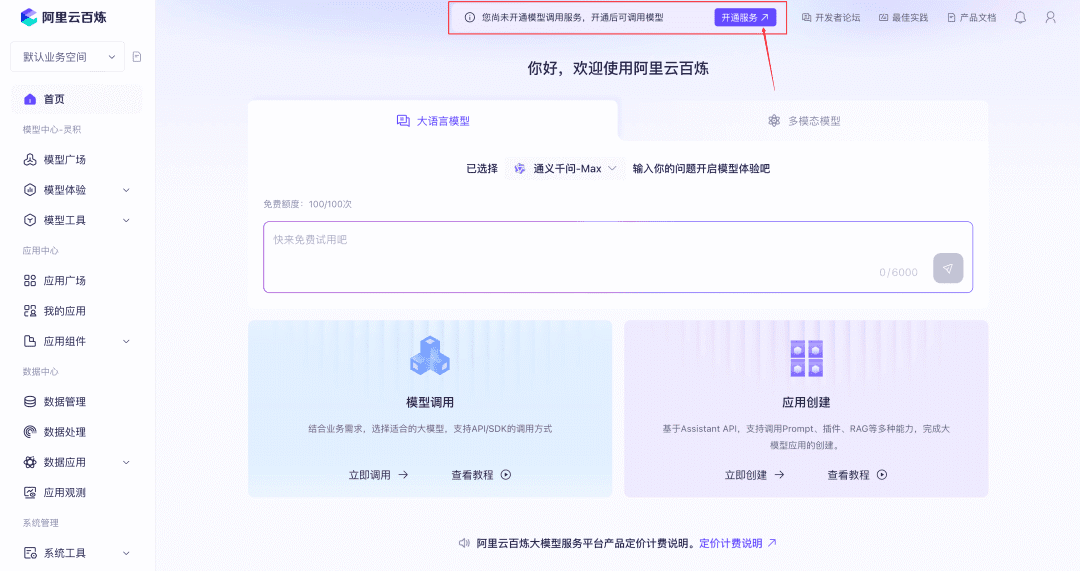
Set the Model Provider and System Model in Dify
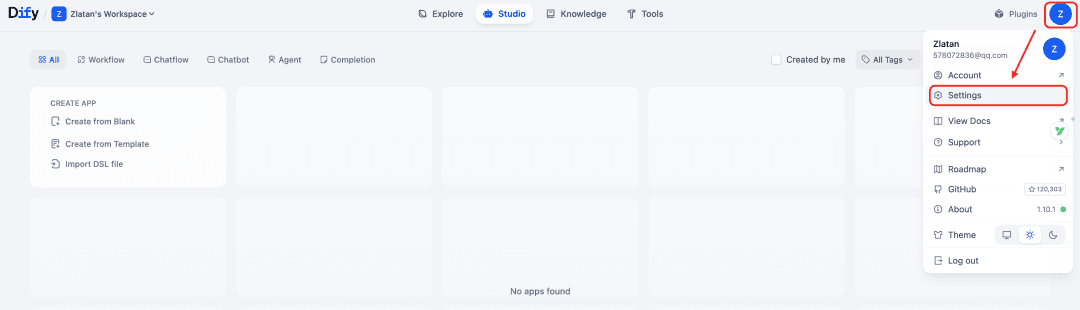
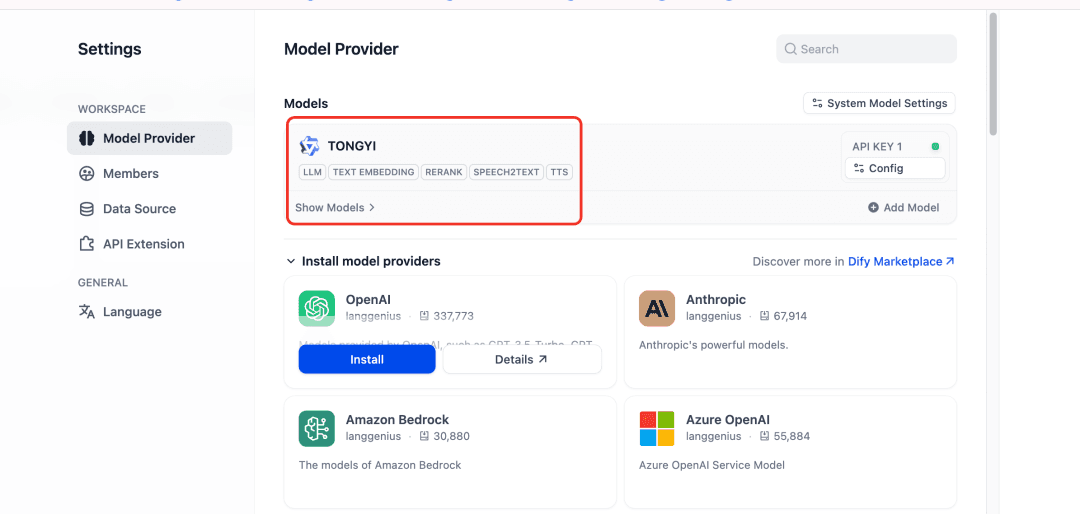
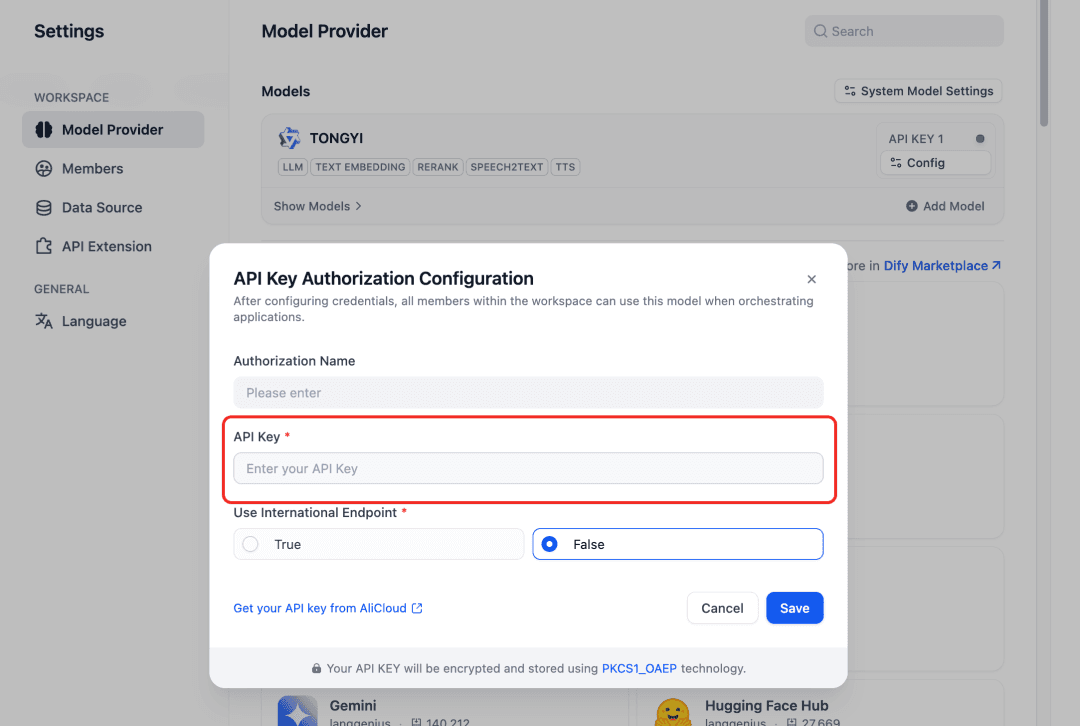
Just enter the API Key you obtained earlier.
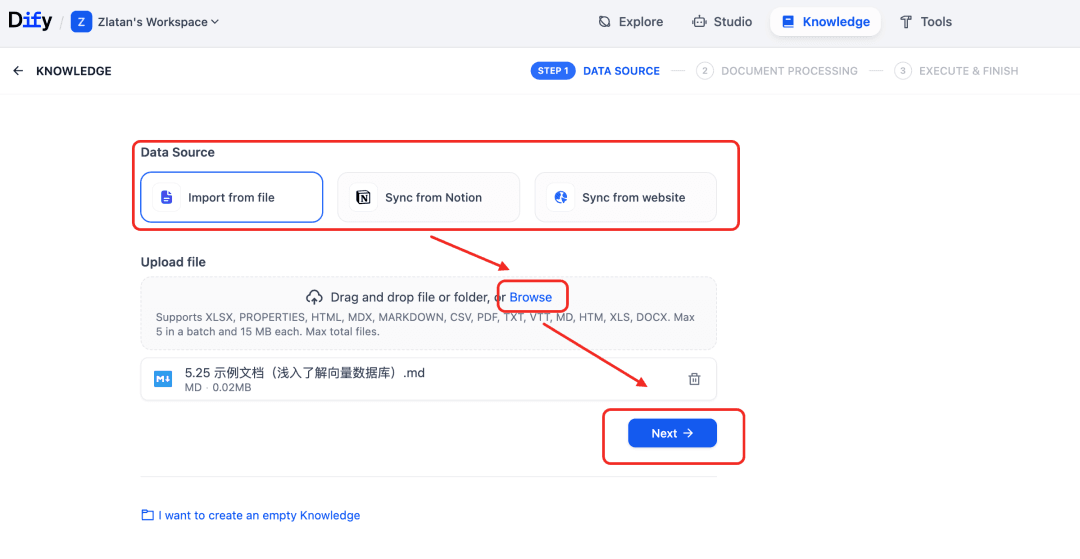
Create a Knowledge Base

For the indexing method, choose “High Quality.”
You can choose the highest-version embedding model, for example text-embedding-v4.
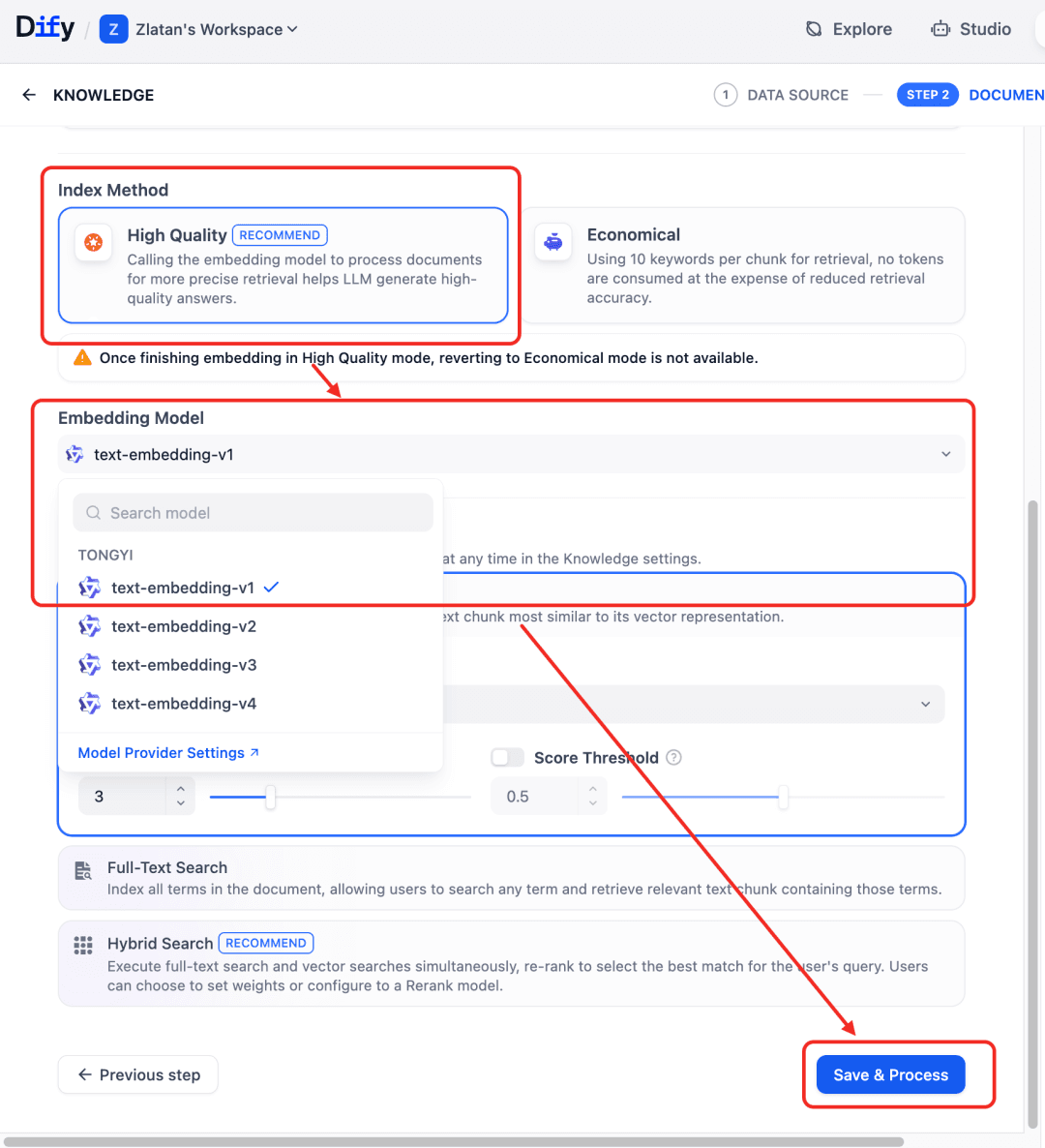
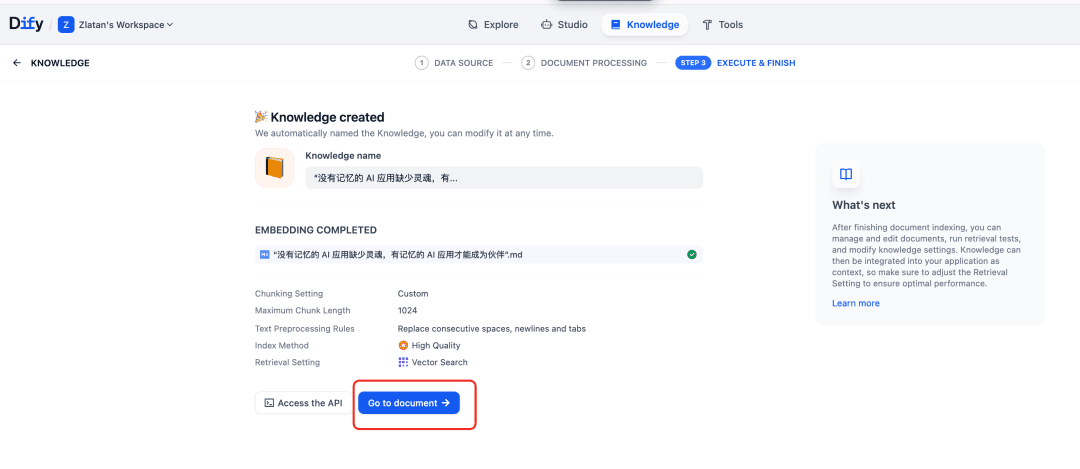
The document will be embedded here.
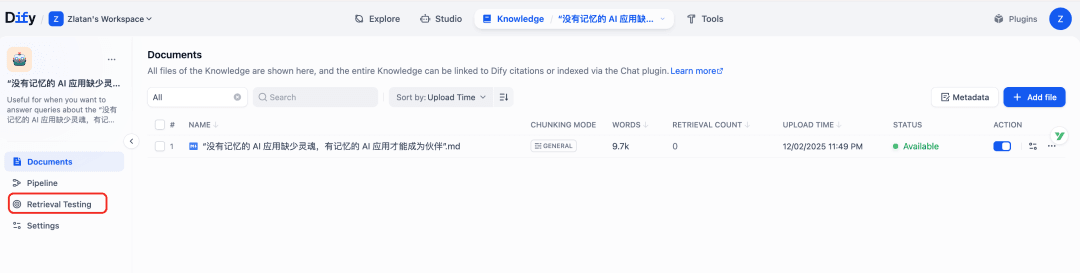
After the knowledge base is created, click “Go to Documents” to see the list of documents in this knowledge base.
Then you can test the retrieval results.
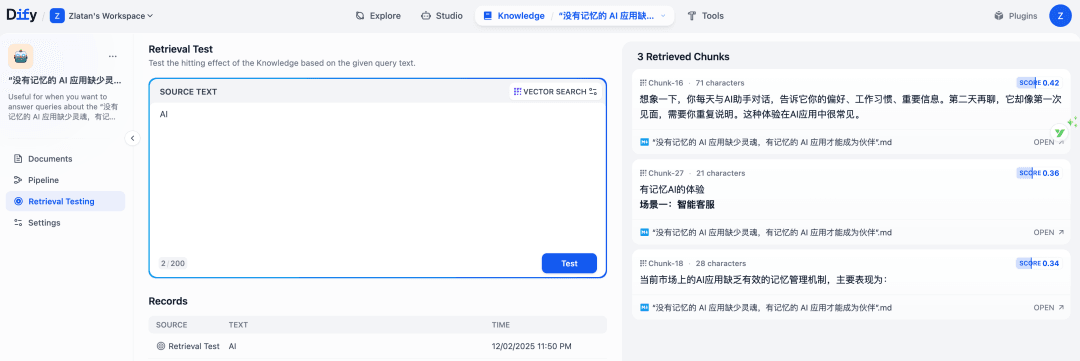
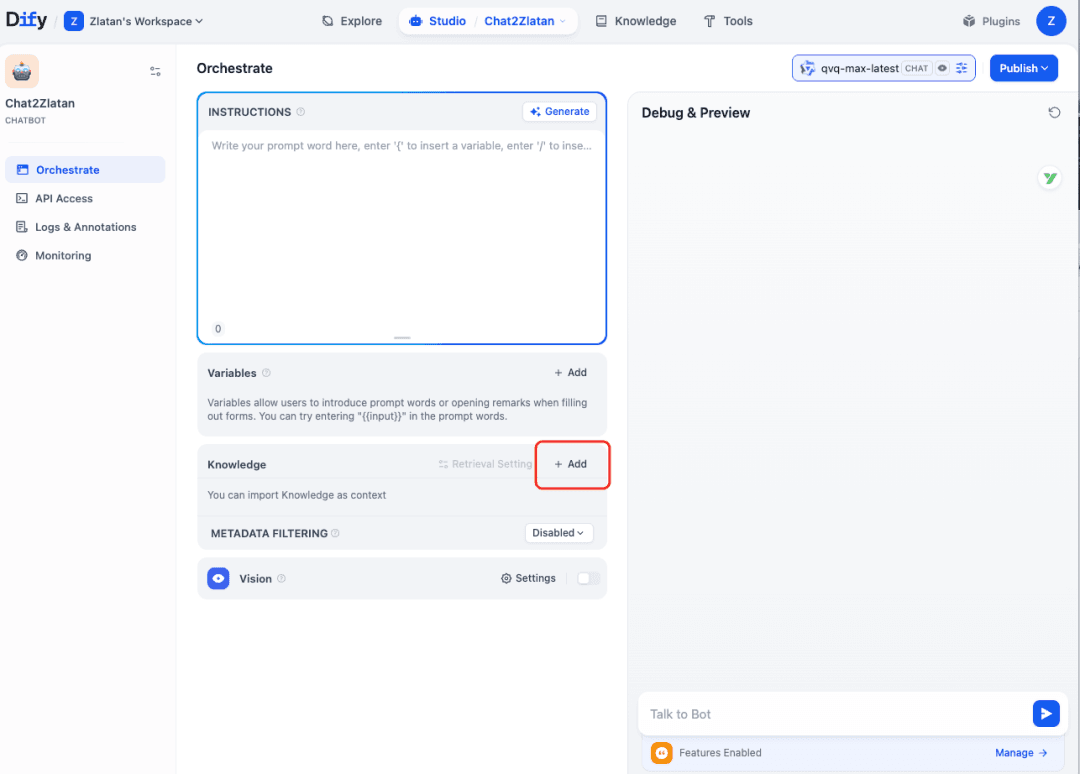
Create a ChatBot (Conversational Application)
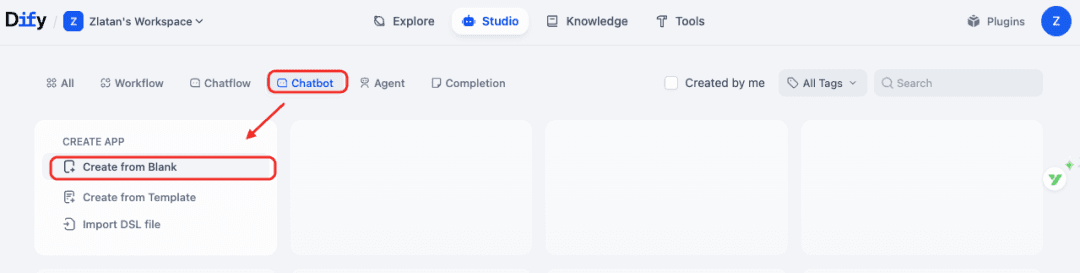
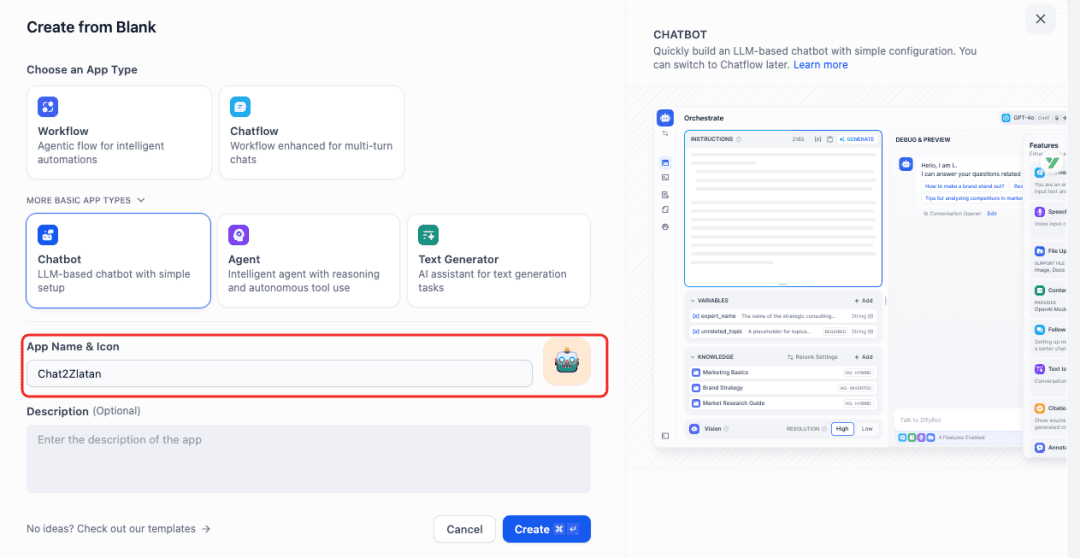
In the application, you can choose to add the knowledge base you just created.
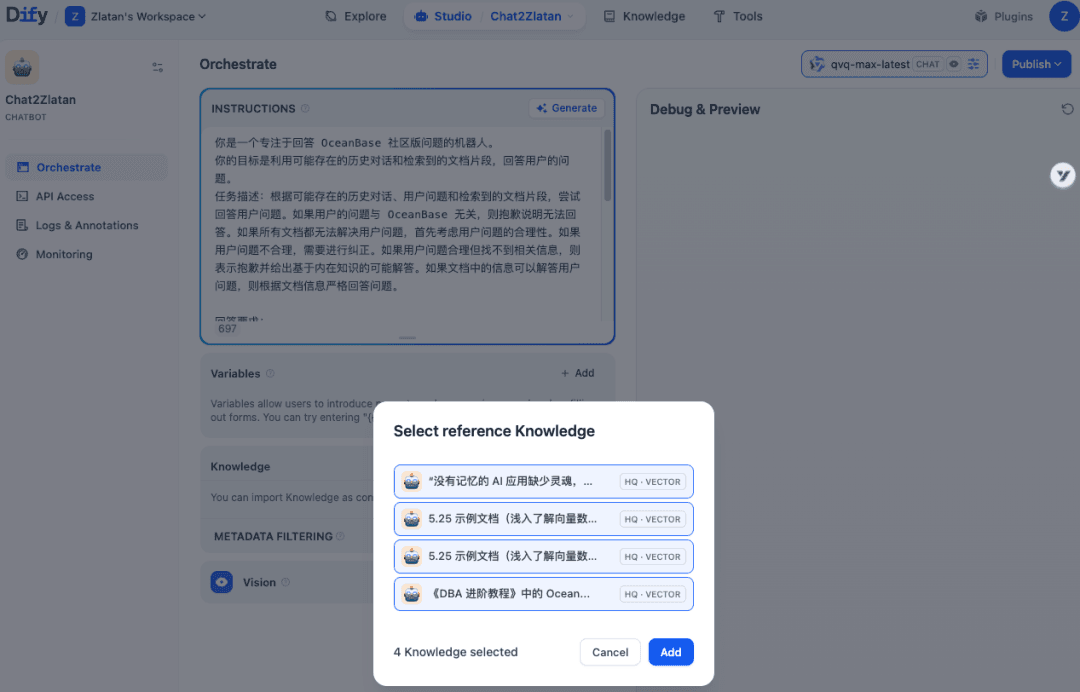
After that, you can debug and preview it.
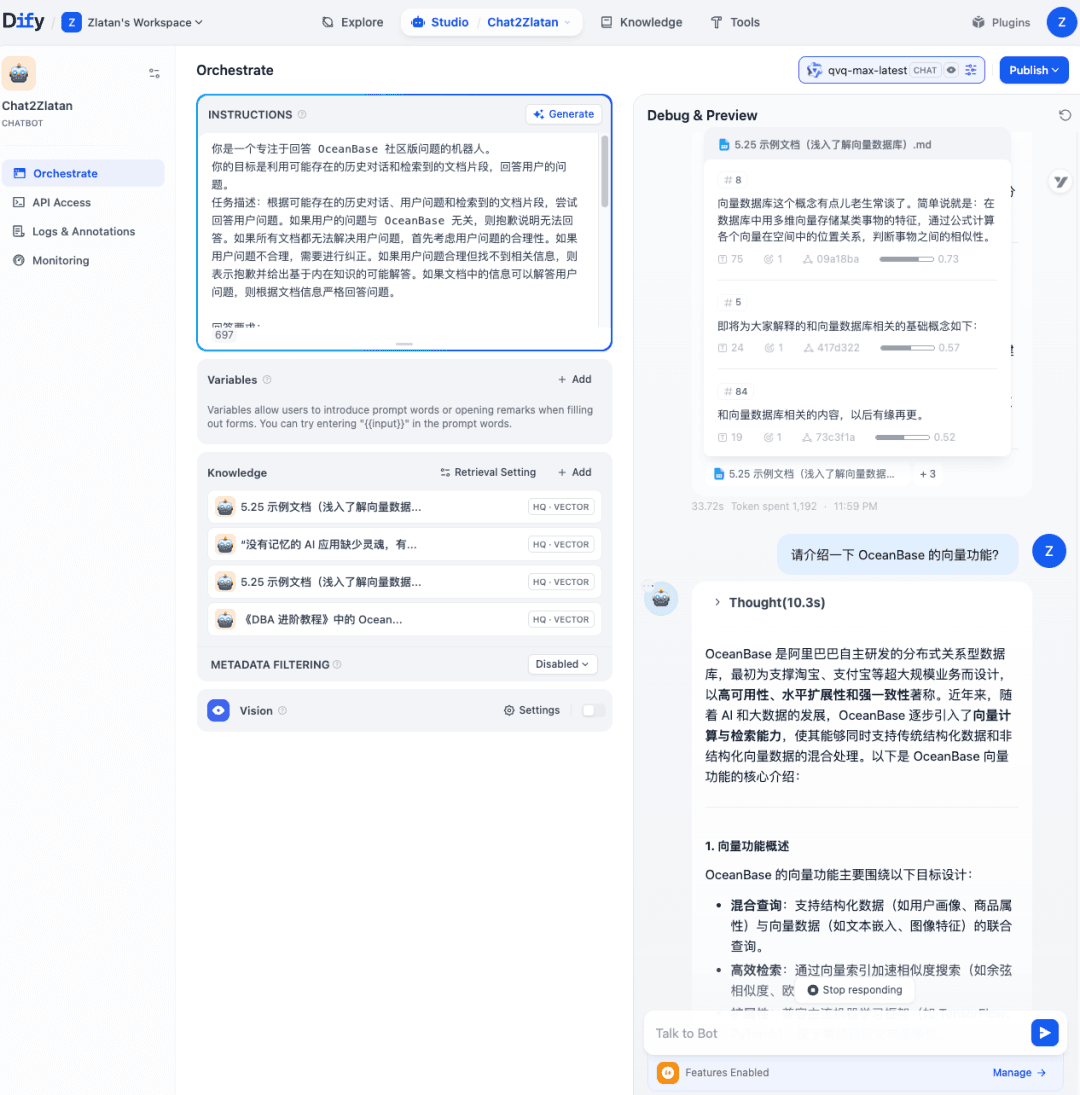
Publish the Application
Click the “Run” button under “Publish” in the upper-right corner of the application details page to open the application’s dedicated page.
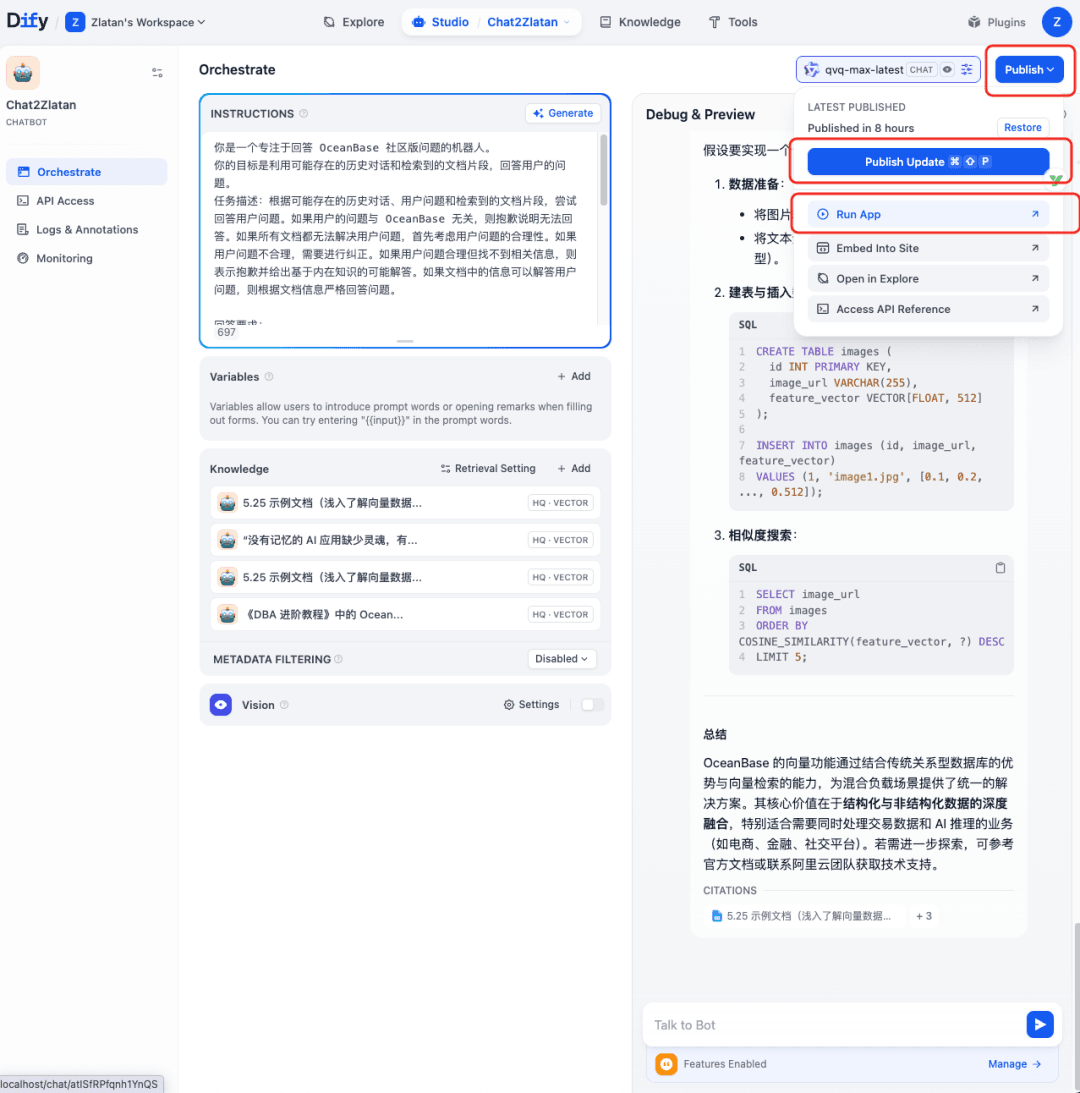
At this point, you’ve built your own LLM application platform and agent application with Dify + OceanBase seekdb.
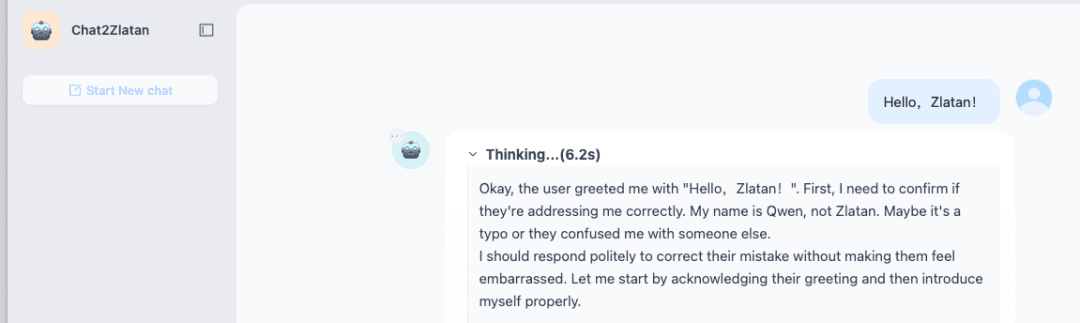
If you deployed Dify on a server, you can also share the application’s link with friends around you so they can try it out too.
What’s more?
If the AI application you build needs to depend on OceanBase’s distributed, high-availability, and other capabilities, you can replace the database that Dify depends on—switching from seekdb to OceanBase.
The configuration is as follows:
Clone the Dify Code
1 | git clone https://github.com/langgenius/dify.git |
Configure OceanBase as the Database Dify Depends On (Apply Configuration)
Case 1: Use oceanbase as the metadata database only
Modify the .env file:
1 | DB_TYPE=mysql |
Case 2: Use oceanbase as the vector database only
Modify the .env file:
1 | VECTOR_STORE=oceanbase |
Case 3: Use oceanbase as both the metadata database and the vector database
Modify the .env file:
1 | DB_TYPE=mysql |
References
[1] Dify v1.10.1: https://github.com/langgenius/dify/releases/tag/1.10.1
[2] Alibaba Cloud Bailian: https://bailian.console.aliyun.com/#/home