Why Does OpenClaw Get Better the More You Use It?
The OceanBase community will launch an online course, “Easy Data x AI,” on March 23. Before the first lesson begins, we’d like to have a pre-class chat with everyone.
I’ve been using OpenClaw heavily lately, talking to it for a few hours nearly every day, and I’ve gradually figured out a few things.
I’ve seen quite a few people say OpenClaw isn’t good to use, so I want to first talk about the reasons behind “not good to use,” and then dig into a core issue that I think most people overlook: what exactly is the essence of OpenClaw getting better the more you use it?
Let me cut to the chase and state the conclusion: it’s the data.
This isn’t a quip; it’s the judgment I reached after reading its source code. Let me explain below.
Everyone is welcome to follow the OceanBase community WeChat account “Lao Ji’s Tech Talk,” where we’ll keep updating fun, #AI-related technical content for you!
Why Do Many People Find OpenClaw Hard to Use?
Before discussing OpenClaw’s core mechanism, let’s first rule out a few common “usage problems.” Many people say it’s hard to use, but it’s actually not the product’s fault; in most cases, the way it’s being used is just wrong.
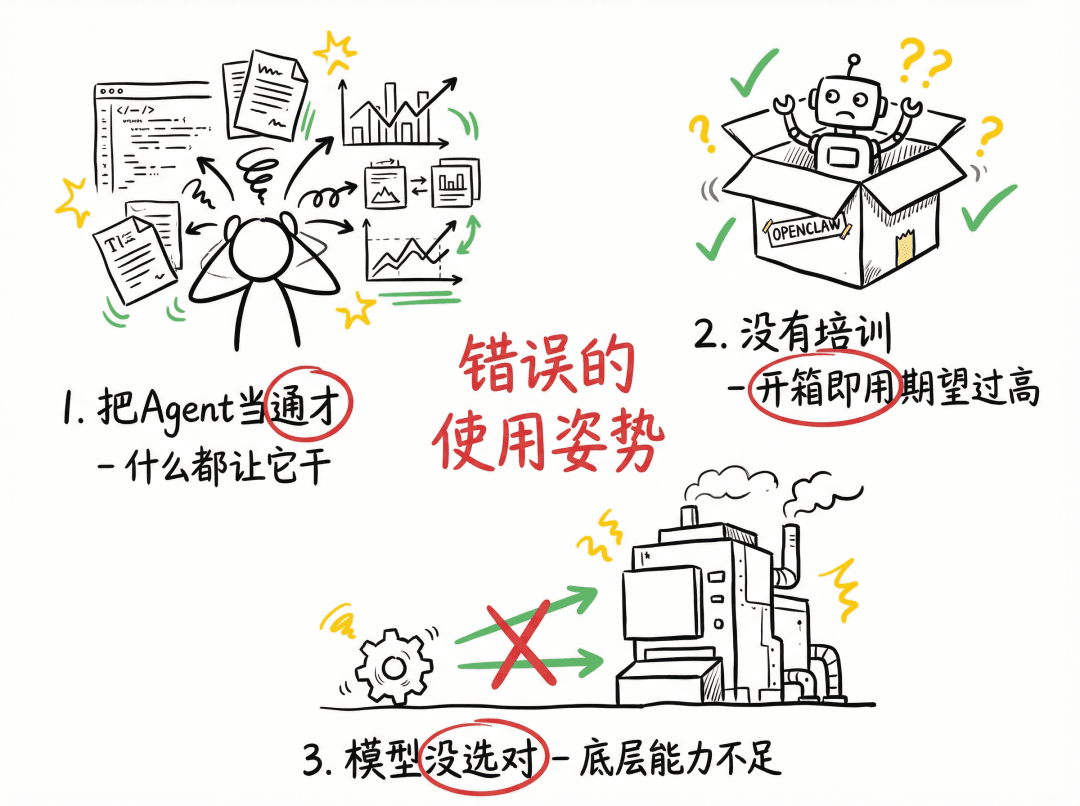
Wrong Usage Posture One: Treating the Agent as a Generalist
Many people’s usage is: configure one agent and let it do everything. Writing code? Find it. Writing copy? Find it. Doing data analysis? Still find it.
Think about it: in the real world, doesn’t every company divide roles? Doesn’t every expert specialize in one or a few domains? AI agents are the same.
OpenClaw supports a multi-Agent architecture; you can configure multiple agents, each responsible for one domain. And from the code’s perspective, this isn’t just “division of labor”, each agent has an independent workspace directory, an independent memory database, and an independent session history.
In other words, an agent dedicated to code review accumulates all its experience around code review, and it won’t be polluted by the conversations where you ask it to write your weekly report.
It’s like a company where each employee focuses on one domain: their experience accumulation is vertical and deep, not horizontal and thin.
Wrong Usage Posture Two: Not “Training” Your Agent
This is the part I want to expand on today.
Many people install OpenClaw, use it out of the box, feel it’s mediocre, and then conclude that it’s hard to use. But think about it: when you hire a new employee, do you expect them on day one to be as useful as a three-year veteran?
An Agent needs training. You need to talk to it more, tell it your preferences, let it understand your work scenarios, hit pitfalls together with it, and then harden the lessons.
This process, in OpenClaw’s terms, is called “forming SOPs,” and in more technical terms, it’s accumulating workspace data files.
This is the core mechanism of OpenClaw getting better the more you use it, and the focus of this topic.
Wrong Usage Posture Three: The Wrong Model
The key insight here is: OpenClaw itself doesn’t produce intelligence; it’s a framework that helps AI models perform better. No matter how good the framework is, if the underlying model is weak, the ceiling is right there.
It’s like writing an extremely detailed operating manual for an intern, they might still do it poorly; but give the same manual to a senior engineer, and they’ll perform far beyond your expectations.
OpenClaw’s Core Mechanism: A Self-Evolving Data System
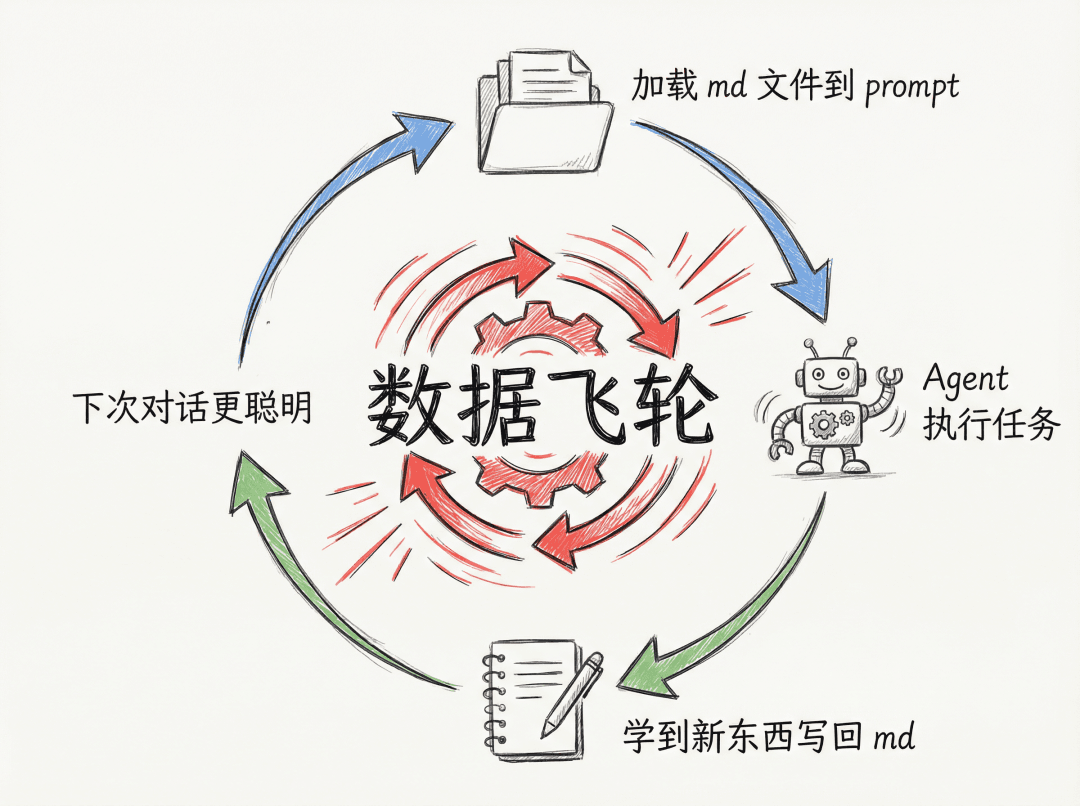
I went and read OpenClaw’s source code and took apart the whole “getting better the more you use it” mechanism.
To put it bluntly, its architecture can be summed up in one sentence: before each conversation, splice a pile of md data files into the prompt; after the conversation, let the agent write what it newly learned back into these md data files.
That simple. But this simple loop forms an immensely powerful flywheel.
Note:
Markdown probably never imagined it would one day be used to carry the memory data of the AI era.
Of course, using only md files also introduces some issues, for example:
- The loaded md files involve large amounts of data, which take up context length (context overload) and thus consume tokens;
- Cloud agents using md to store data make version management difficult;
- And so on.
We won’t expand on this for now.
The Skeleton: 7 Core Data Files
OpenClaw presets 7 kinds of core data in each agent’s workspace:
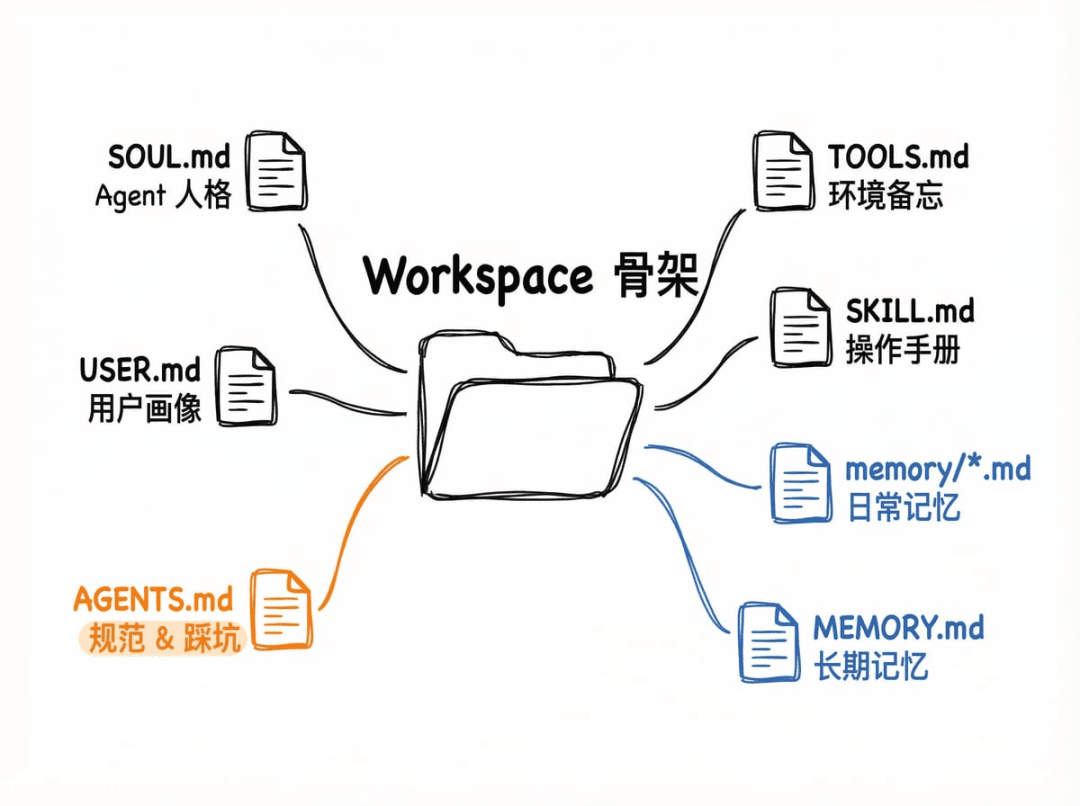
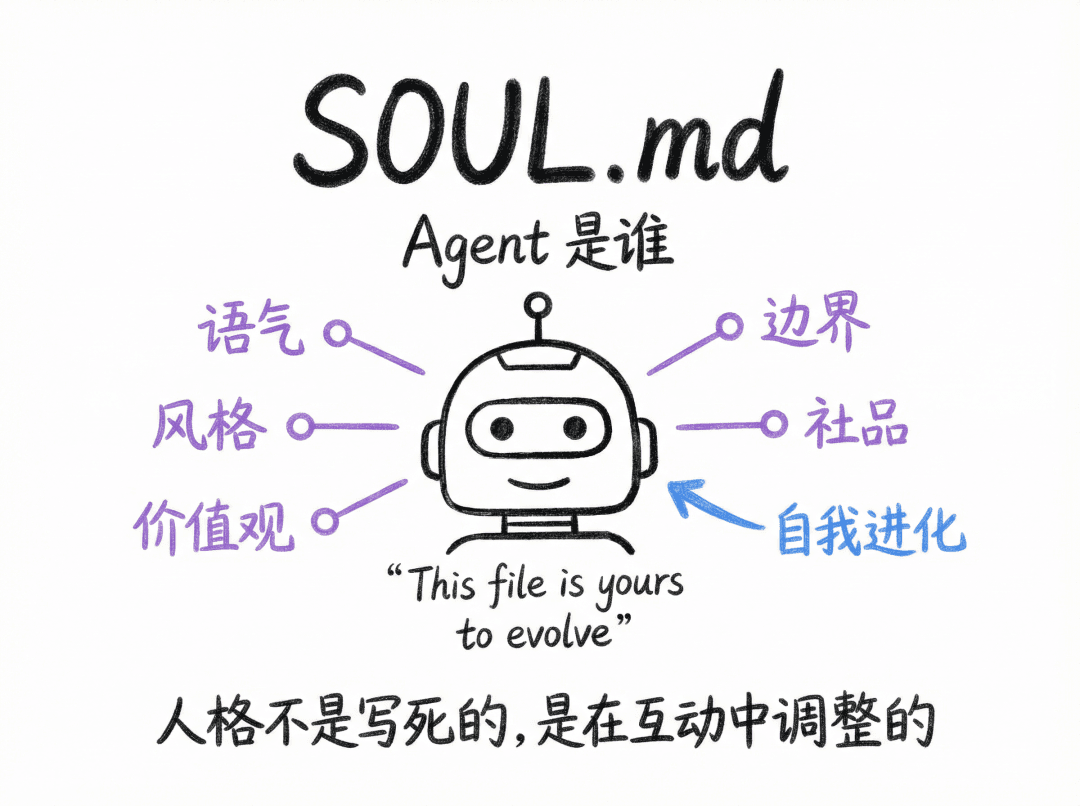
1. SOUL.md — Who the Agent Is
This file defines the agent’s personality: tone, style, boundaries, values. Interestingly, the template contains a line: “This file is yours to evolve. As you learn who you are, update it.”
In other words, the agent’s “personality” isn’t something you hard-code once; it’s something it gradually adjusts on its own through interacting with you. When it discovers you prefer concise, direct answers, it writes that preference into its own soul file.
2. USER.md — Who the User Is
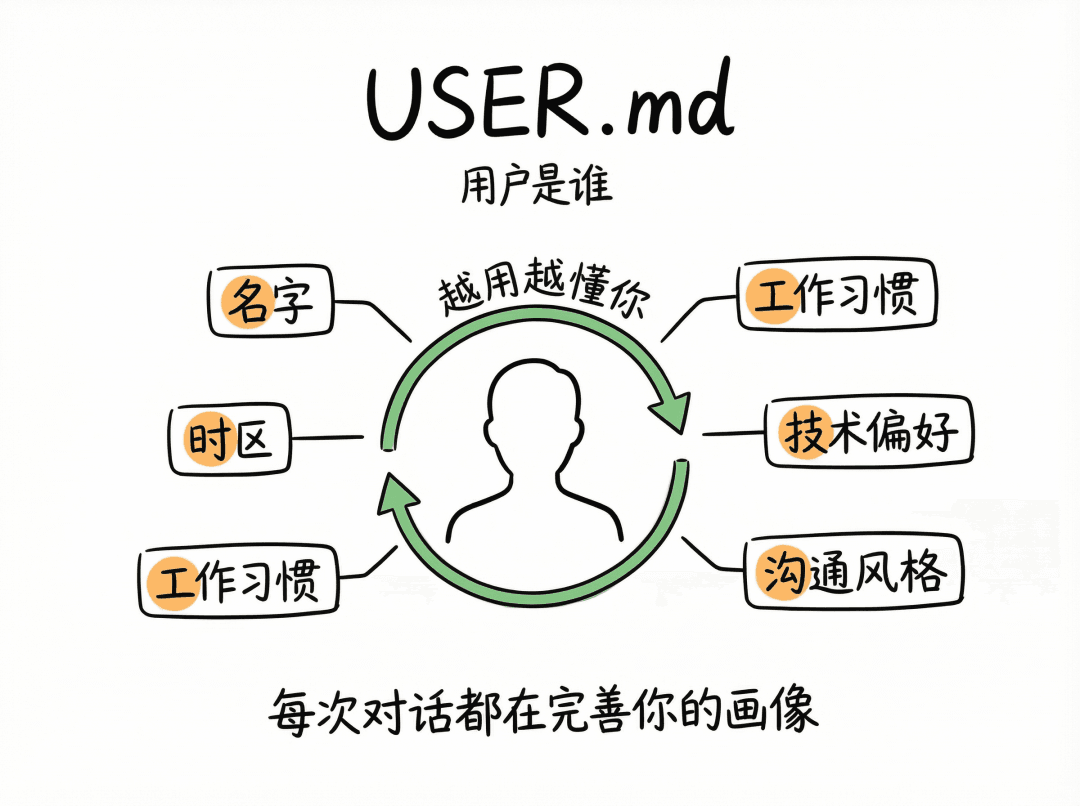
This is the agent’s portrait of you: your name, time zone, work habits, technical preferences, communication style. Each time the agent learns something new about you during a conversation, it updates this file. The longer you use it, the more precise this portrait becomes, and the more the agent “gets you.”
3. AGENTS.md — The Rules of Conduct and the Pitfalls Hit
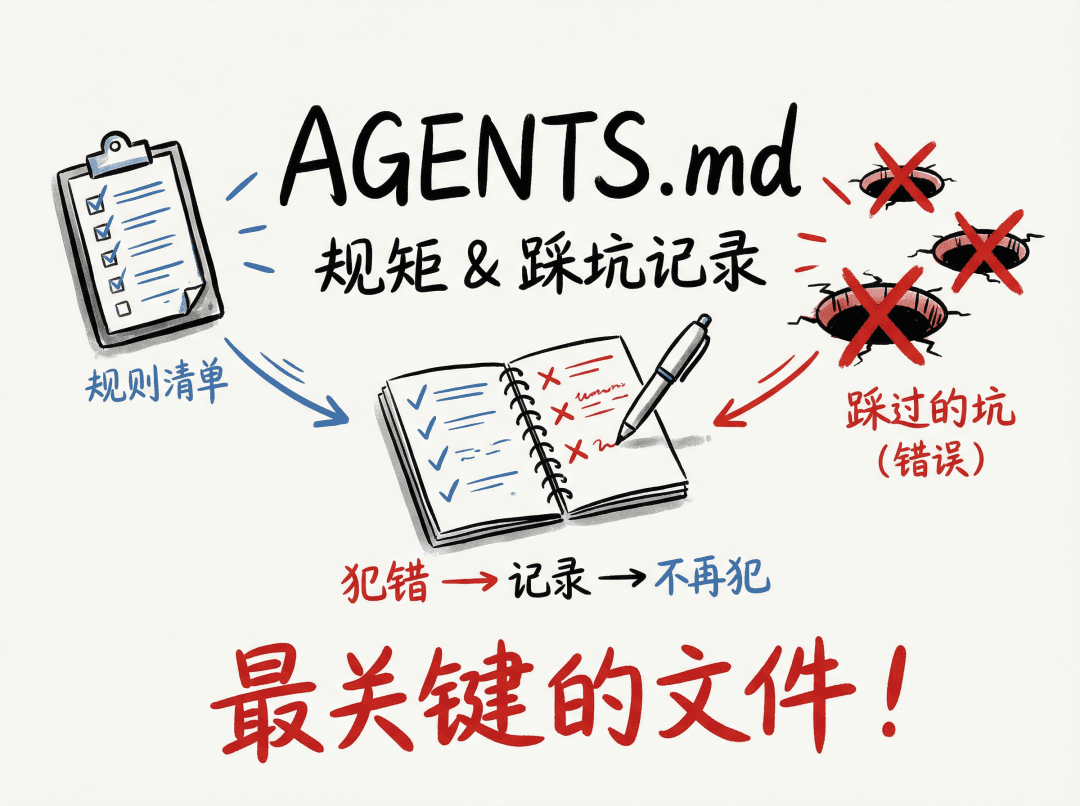
This is the most crucial file. It defines the agent’s behavioral norms, and more importantly, records all the pitfalls hit.
In the source code I saw an explicit instruction in its template: “When you learn a lesson → update AGENTS.md” and “When you make a mistake → document it so future-you doesn’t repeat it.”
Translated into plain language: when you make a mistake, write it down so that future-you won’t make it again. This is why OpenClaw gets better the more you use it, not because the model got smarter, but because the pitfall records in AGENTS.md keep growing. Each record is experience bought at the cost of a mistake, hardened into a line of text that takes effect forever after.
4. TOOLS.md — Environment Memo
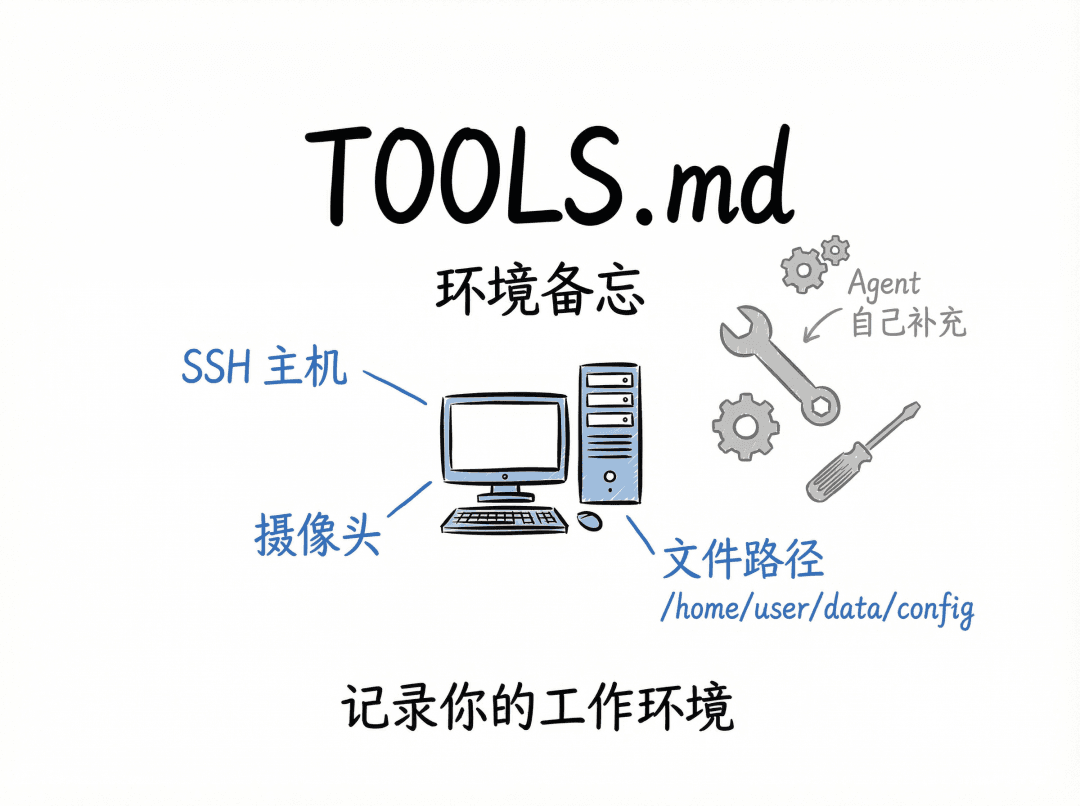
Records your work environment: SSH hostnames, camera device names, file-path habits, and so on. The agent supplements it itself after hitting a pitfall.
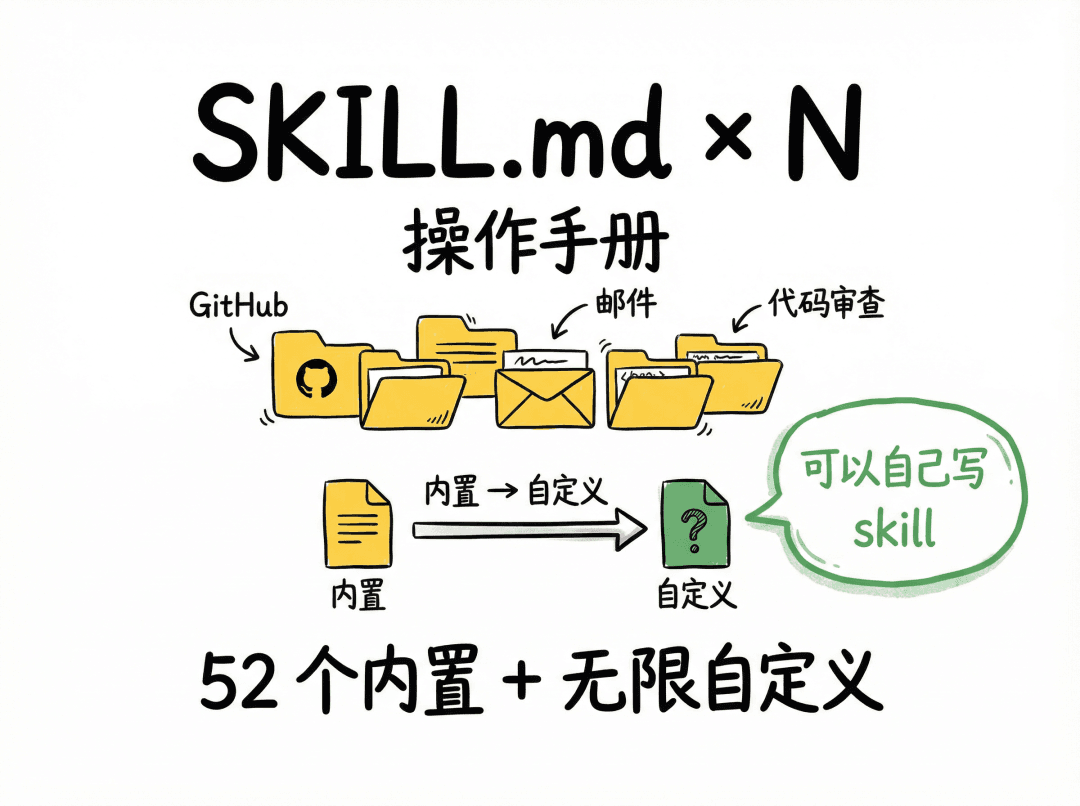
5. SKILL.md × N — Operating Manuals for Each Domain
Each SKILL.md defines the operating norms for a specific domain. OpenClaw ships with 52 built-in skills covering GitHub issue management, email handling, health checks, code review, and more.
More crucially, you can write your own skills. For example, if you have to produce a weekly report in a specific format every week, you can write the format requirements, data sources, and output template into a SKILL.md and put it in the workspace. From then on, the agent will follow this spec every time it does the weekly report, with no need for you to re-describe it each time.
Skill loading has priorities: built-in ones have the lowest priority, and user-defined ones in the workspace have the highest. That means you can override the behavior of any built-in skill.
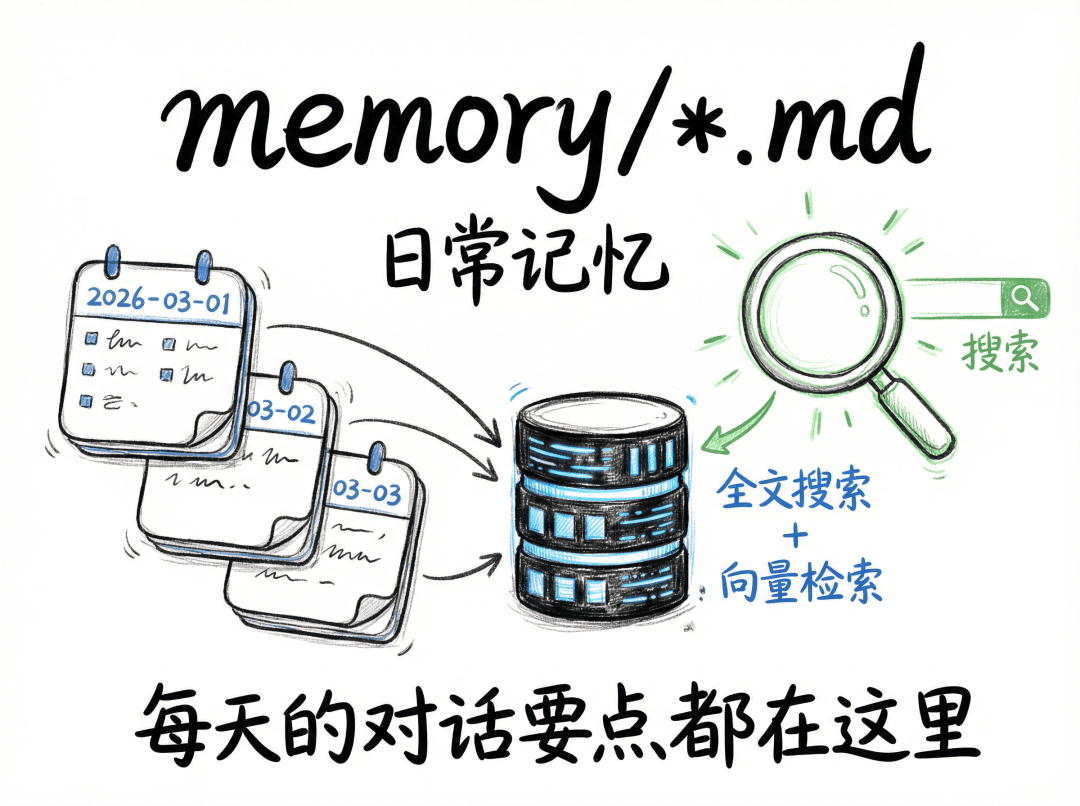
6. memory/*.md — Daily Memory
Each day the agent writes a date-named md file recording that day’s conversation highlights, what it did, and what it learned. These files are indexed into a SQLite database, supporting full-text search and vector retrieval.
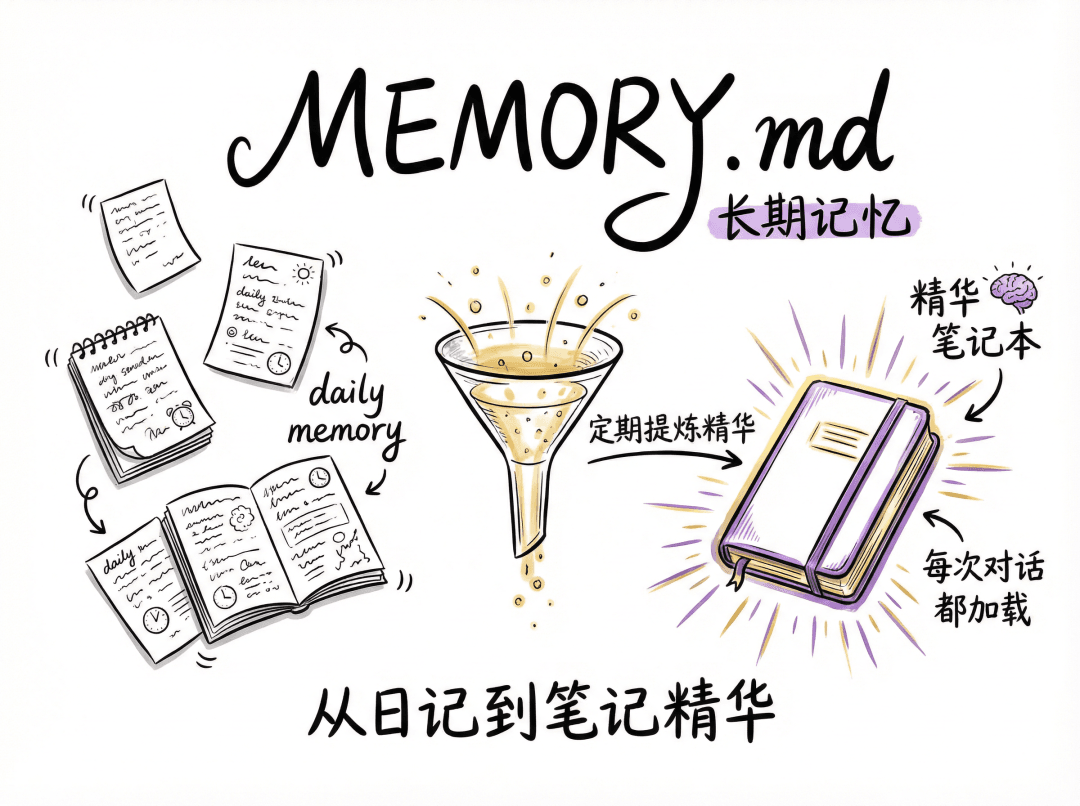
7. MEMORY.md — Distilled Long-Term Memory
The agent periodically distills the important content from daily memory into this data file. It’s like the essence of notes organized from a diary. This file is loaded into the prompt every conversation, so the agent’s “long-term memory” lives here.
Flesh and Blood: Custom Files Grown Together by the User and the Agent
The 7 kinds of data above are the skeleton preset by the framework. But the workspace is essentially just an ordinary folder, and the agent has file read-write ability, so it can create any files and directories it needs inside.
For instance, an agent that helps you manage projects might, after long use, grow a structure like this in its workspace:
1 | workspace/ |
These extra files have no schema constraints at all; they’re entirely organized by the agent itself during use. Each person’s agent ends up growing into a different shape, depending on what you chatted about, what you did, and which domains you used it in.
This means your agent is truly “bespoke”, not a few options you ticked on a settings page, but a knowledge-data system it grew for itself, fitting only you, through the data of hundreds of conversations.
The Self-Evolution Loop
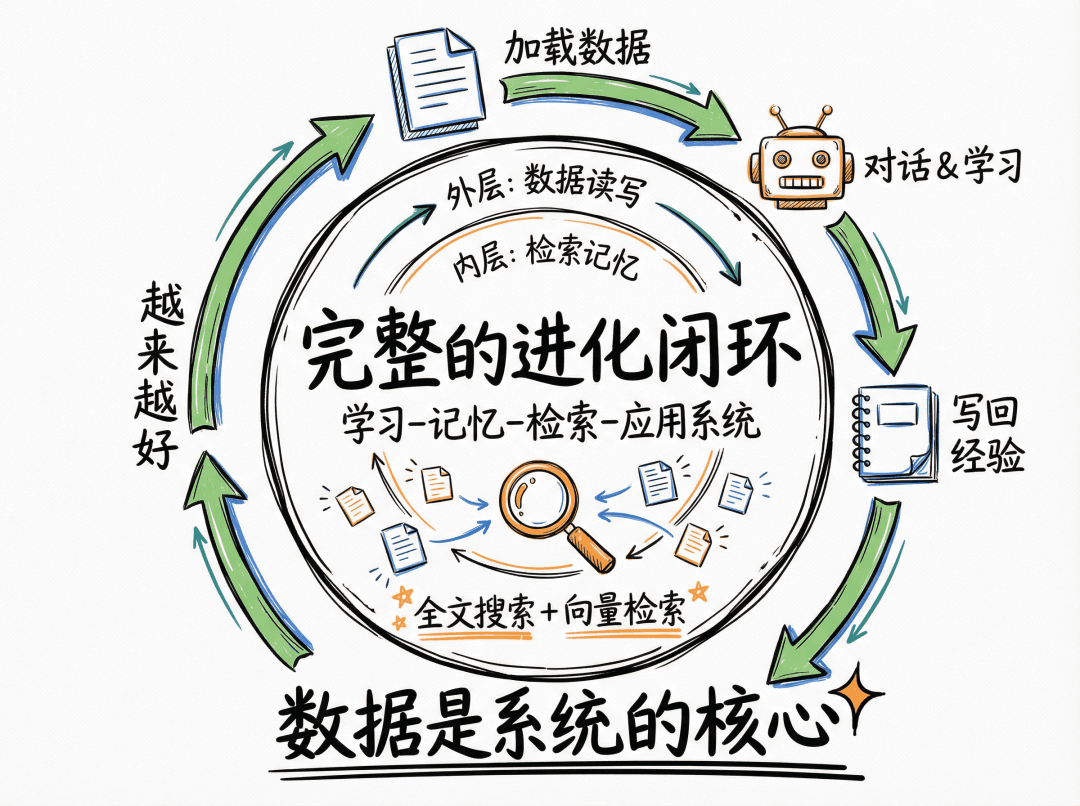
Everything above is about the static file structure. The truly interesting part is how these files are maintained and updated. OpenClaw designs a self-evolution loop for the agent:
1 | Conversation starts |
1 | Next conversation starts |
Note there are two loops here:
- Outer loop: data read-write. Loaded each conversation, updated during the conversation. This is accumulation at the “experience” level, the agent learns which things to do, which not to do, what you like, and what your environment looks like.
- Inner loop: vector index retrieval. As memory files pile up, the agent can’t stuff all the content into the prompt (token limits), so OpenClaw built a search engine using the full-text search and vector-retrieval capabilities of different databases. Before each conversation, the agent is instructed to first search for relevant memory before answering, so even after accumulating hundreds of memory files, it can find the relevant information.
The two loops together form a complete “learn-remember-retrieve-apply” system. And the most valuable thing in this system is the data stored during use.
What Does This Mean?
Once you understand this OpenClaw mechanism, you can draw a few corollaries:
- Your Agent’s value is all in the data. The code is public, the model is general-purpose. The part that truly belongs to you, irreplaceable, is that pile of data in your workspace. That data encodes your preferences, your workflows, the pitfalls you’ve hit, and your project context. Switch computers, copy the workspace folder over, and the experience is exactly the same. Delete this data, and everything starts from zero.
- Tuning the Agent is writing data. No need to learn programming, no need to understand the technical details of prompt engineering. You just write your experience, preferences, and norms into md files in natural language and put them in the workspace. OpenClaw’s code automatically injects them into the prompt at the right moment. You don’t even need to write them yourself, during your conversations with the agent, it writes what it learns into md on its own. All you have to do is correct it when it errs, and it’ll remember on its own.
- The gap between Agents is the gap in data. Two people using the same version of OpenClaw with the same model may have wildly different experiences. The difference lies in what each has accumulated in their workspace. One person used it for three months and has dozens of skills, hundreds of pitfall records, and a complete user portrait in the workspace; another just installed it, and the workspace has only the default templates. This is the same as the gap between experts in the real world, the two are about equally smart (the same model), and the gap is in accumulated experience and knowledge (the md data files).
- This may be the universal paradigm for AI Agent products. The “data as knowledge” architecture OpenClaw built is highly general. Any AI agent product that wants to “get better the more it’s used” must ultimately solve the problem of knowledge persistence and retrieval.
The data in OpenClaw carries an ever-evolving expert system, it knows who you are, what you want, how to do your work, and which pitfalls to avoid.
Hands-On Advice for OpenClaw
Finally, a few hands-on suggestions:
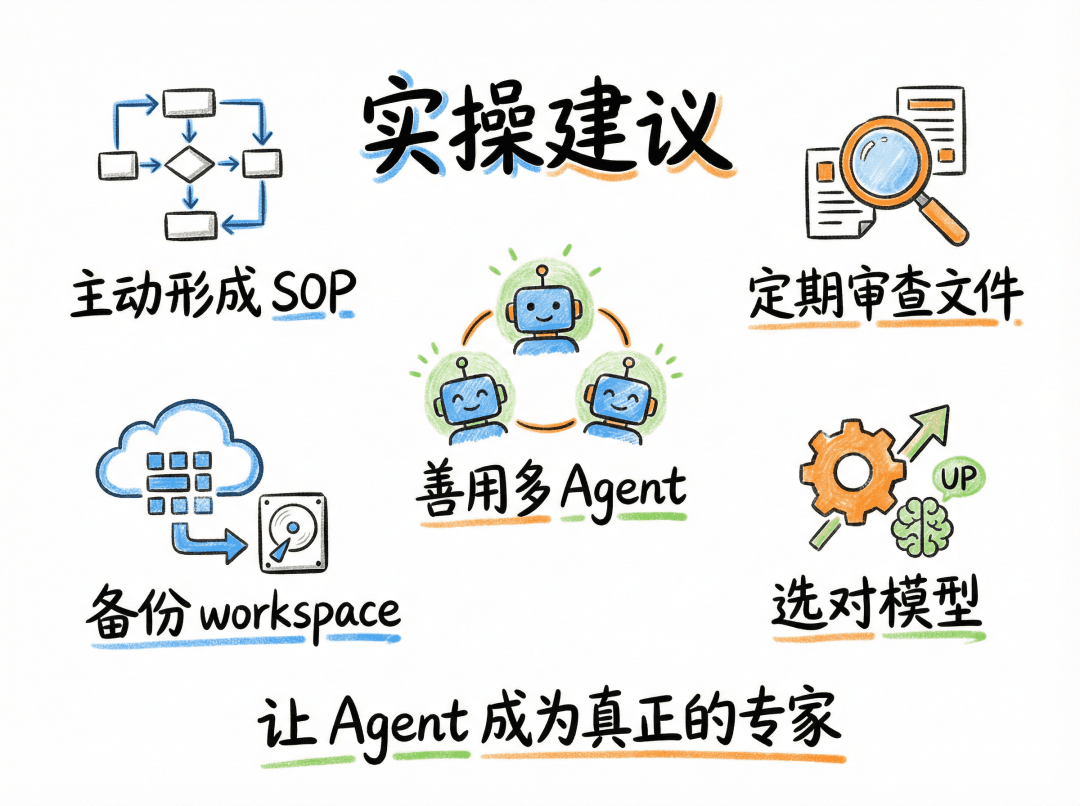
- Proactively guide the Agent to form SOPs. Don’t wait for the agent to fumble its way there. In domains where you already have a mature workflow, tell it directly “from now on, handle this kind of task according to this process,” and have it write it into a SKILL.md.
- Review workspace files regularly. What the agent writes itself isn’t always correct. Check AGENTS.md and USER.md periodically for outdated or inaccurate data, and fix it promptly.
- Make good use of multiple Agents. Configure different agents for different domains, keeping each agent’s knowledge accumulation vertical and pure. An agent dedicated to code is far more useful than one that does everything.
- Back up your workspace. This is one of your most valuable digital assets. I recommend managing it with Git (OpenClaw is Git-tracked by default) and pushing it to a remote repo periodically.
- Pick the right model. Feeding a pile of carefully polished md files to a weak model yields limited results.
Closing
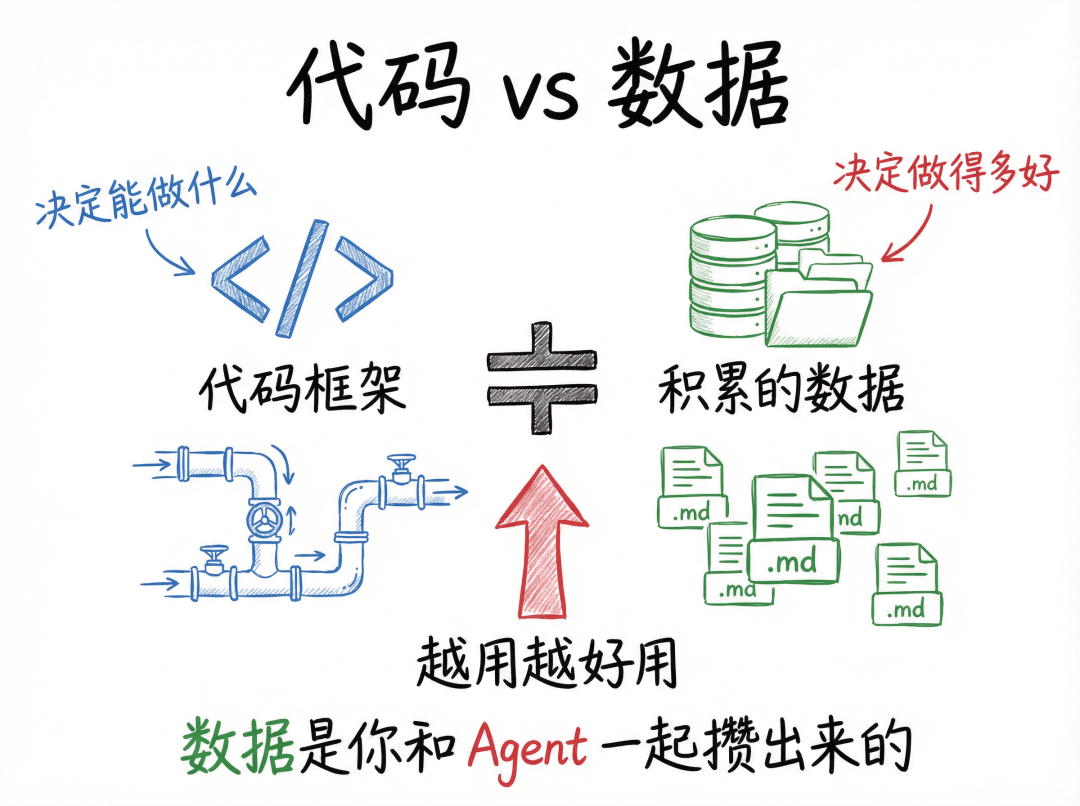
OpenClaw’s source code runs to hundreds of thousands of lines, but the core mechanism that makes it “get better the more you use it,” at its essence, is a read-write loop over data. The code provides the pipes, channel access, model invocation, tool execution, memory indexing. But the water flowing through the pipes is the data that keeps accumulating.
In other words: OpenClaw’s code framework decides what it can do; the data decides how well it does it. And the latter is something you and your agent build up together, conversation by conversation.
What’s More?
Behind OpenClaw’s mechanics, data is the key of keys.
The community course we’re about to launch will expand further from this “data” perspective.
OceanBase Community Course “Easy Data X AI” Launch Preview
Why Bring You This Course?
Chatting with colleagues and friends recently, almost everyone is discussing models, which model is stronger, which is cheaper, which has better multimodal abilities.
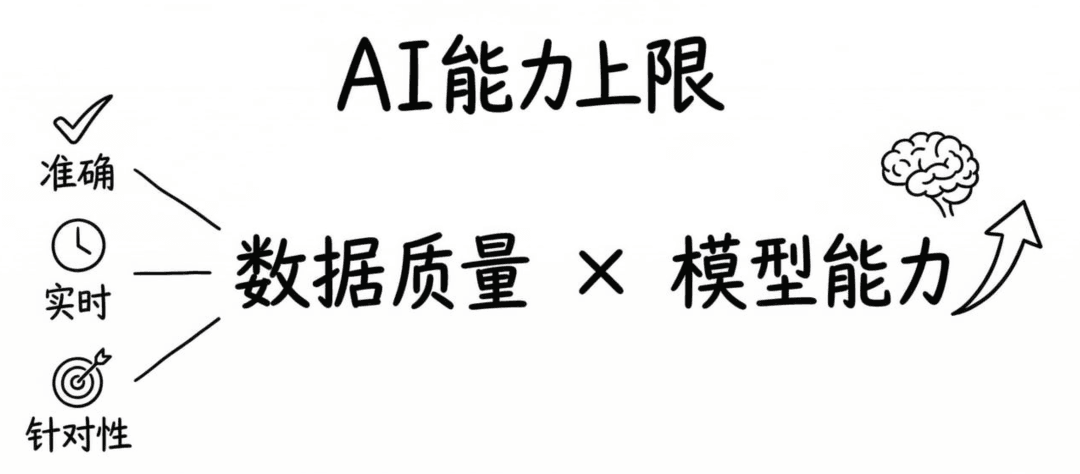
But from our conversations with users, we’ve found that when a model’s answer is inaccurate in a real business scenario, in the vast majority of cases it isn’t that the model is weak, but that it simply didn’t get the right data.
An AI assistant isn’t personalized enough not because the model doesn’t understand you, but because it has no data about you at all.
An Agent can’t handle complex tasks not because its reasoning is insufficient, but because the data foundation of the knowledge and skills it calls is flawed…
The current blind spot in AI enthusiasts’ understanding is mainly: many people haven’t seen the other half of AI’s capability, data.
Most people fixate only on the former; this course combines the latter (Data) and makes clear the role Data plays in GenAI/Agent, presenting a complete cognitive framework from a data-centric perspective.
With this Easy Data x AI course, we hope to build for everyone a cognitive foundation for the AI era: the capability ceiling of an AI product = data quality × model capability.
Why “Easy”?
This is a popular-science course aimed at the general public, not traditional engineering training.
The course is named “Easy Data x AI.” “Easy” is a promise to learners, lightweight, clear, with immediate takeaways; “Data x AI” is the course’s perspective, explaining the differences in AI application effectiveness from the angle of data.
The precise meaning of “Easy”: Easy means a low cognitive barrier, not shallow content.
The course references industry-frontier concepts such as the CoALA paper framework and the ReAct pattern, but explains each one thoroughly with everyday analogies and intuitive cases, requiring no prior academic background from the learner.
Who Is This Course For?
Dual tracks in parallel, discussing the “Way” and practicing the “Craft”
To meet the learning needs of different roles, we’ve carefully designed the course into two paths: the “Way” track and the “Craft” track.
The Way Track
Grasp the Way (the “mindset” track for zero-foundation AI enthusiasts and product decision-makers)
The “Way” track: here, we don’t talk about code, only the Way, building judgment, understanding basic principles, and learning to make correct judgments and choices.
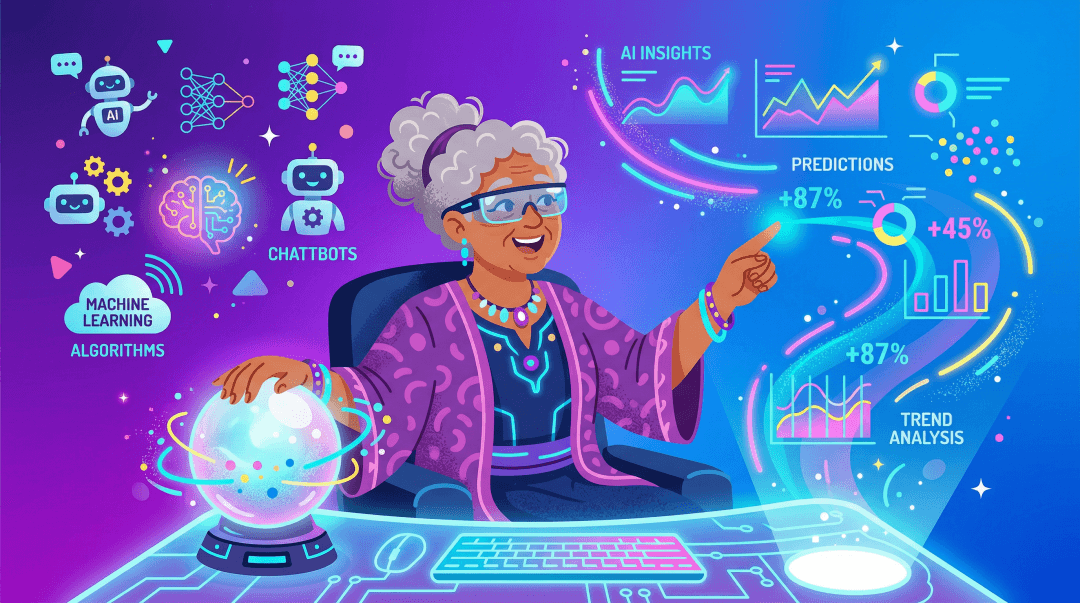
Students taking the “Way” track don’t need to write code day to day, but they do need enough cognitive depth to make certain judgments and decisions.
This path suits enthusiasts who want to understand AI technology, as well as product decision-makers who need to converse with AI technical teams, understand what concepts like Agent, RAG, Memory, Skill, and MCP mean in product design, assess the feasibility of an AI feature, and know how choices at the data layer affect product experience.
The Craft Track
Apply the Craft (the “technique” track for developers)
The “Craft” track: here, we center on runnable code and observable results, letting you build engineering intuition through hands-on practice.
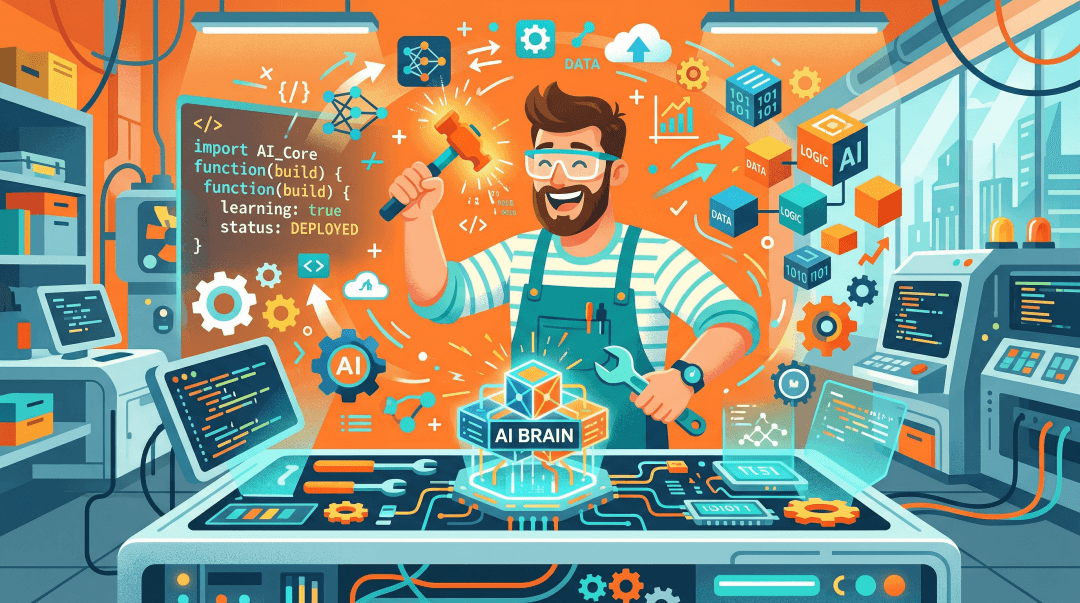
Don’t worry, we’ll keep the code experience at a “run it in five minutes” scale. All deep engineering details go into “further reading” so the main line never gets overloaded.
This path suits developers who can already call LLM APIs but lack systematic understanding of how to build a complete AI application (knowledge base, memory, Agent), and who want tools and a clear architectural reference they can pick up immediately and see results with, rather than a theoretical framework.
Overall Course Structure
1 | Common Foundations |
Course release window: 2026 / 3 / 23 ~ 2026 / 5 / 20.
A total of 12 lessons: 2 Common Foundations + 5 Way Track + 5 Craft Track.
The Way Track and the Craft Track each release one episode per week.
| Track | Course No. | Launch Date | Course Title |
|---|---|---|---|
| Common Foundations | F1 | 3 / 23 | The Nature and Boundaries of Large Models |
| Common Foundations | F2 | 3 / 30 | The Complete Picture of an AI Agent |
| Way Track | P1 | 4 / 8 | Finding Where Agents Shine — AI Agent scenario identification |
| Way Track | P2 | 4 / 15 | Letting the Agent Look Things Up — RAG product design |
| Way Track | P3 | 4 / 22 | Letting the Agent Truly Remember You — memory system design |
| Way Track | P4 | 4 / 29 | Turning Experience into Reusable Assets — Skill and knowledge management |
| Way Track | P5 | 5 / 11 | Validating Value with Data — cases and metrics |
| Craft Track | D1 | 4 / 13 | Connecting Agent and Data — getting started with large-model APIs |
| Craft Track | D2 | 4 / 20 | One System Handles It All — a unified AI-Native data layer in practice |
| Craft Track | D3 | 4 / 27 | Practice Reveals the Truth — Agentic RAG in practice |
| Craft Track | D4 | 5 / 6 | What to Remember, What to Forget? — Agent memory system development |
| Craft Track | D5 | 5 / 13 | Teach AI to Fish — comprehensive practice, from Skill development to MCP standardization |
| Closing Ceremony | - | 5 / 20 | Closing Ceremony |
Insight First
We believe that only when you understand data do you truly understand the future of AI. The core philosophy of “Easy Data x AI” is “insight first,” and every lesson strives to convey one core insight. We hope these distilled viewpoints become part of your cognitive toolbox.
Whether you’re a zero-foundation AI enthusiast, a product decision-maker who needs to build AI judgment, or an engineer eager for hands-on practice, we sincerely invite you to join the first season of “Easy Data x AI.”
Here, you’ll gain not only knowledge and skills, but also a fresh perspective for viewing AI products.
Finally, all teachers interested in AI are welcome to join the Data x AI discussion group, to learn and have fun with us.

This course will also be updated on GitHub later. All teachers are welcome to take part in discussing and co-building the course by filing issues and PRs.
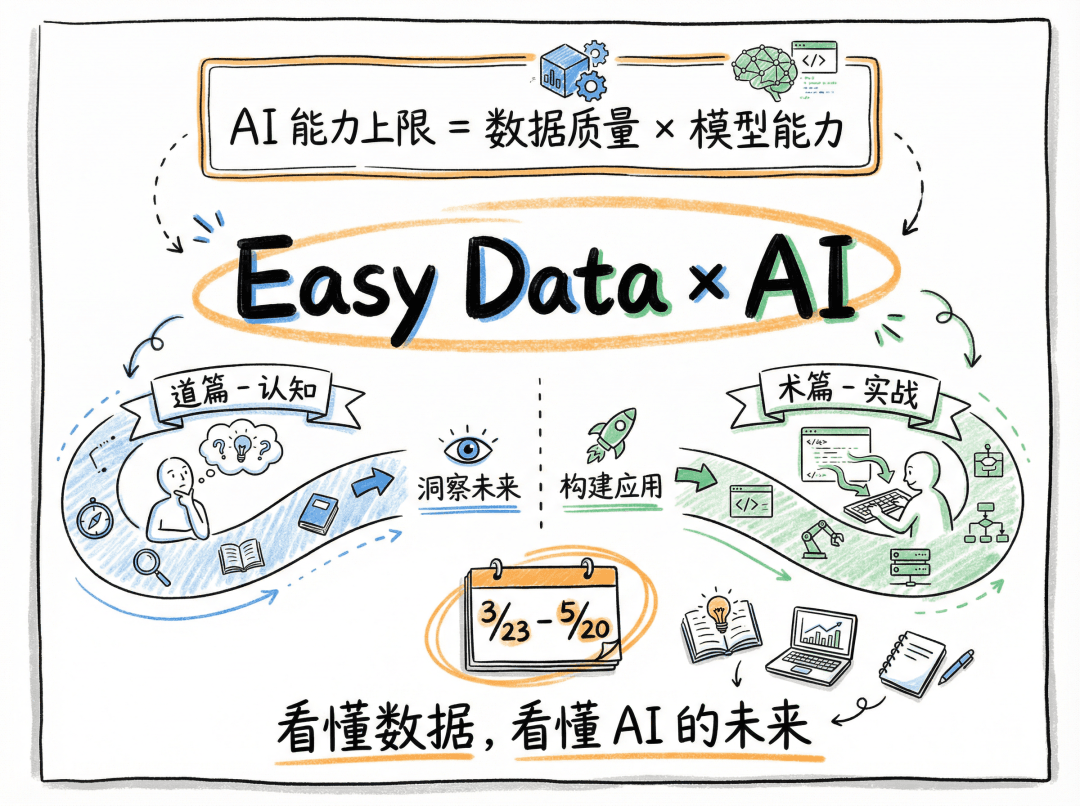
Teachers interested in the course are also welcome to click the link at the end of the article to register for our community course.