PowerMem Quick Start: Building a Self-Evolving Agent Memory Layer
This quick-start guide takes you from a fresh Linux server to a running PowerMem service, then connects it to Claude Code and OpenClaw. The result is persistent, cross-session memory for your AI agents.
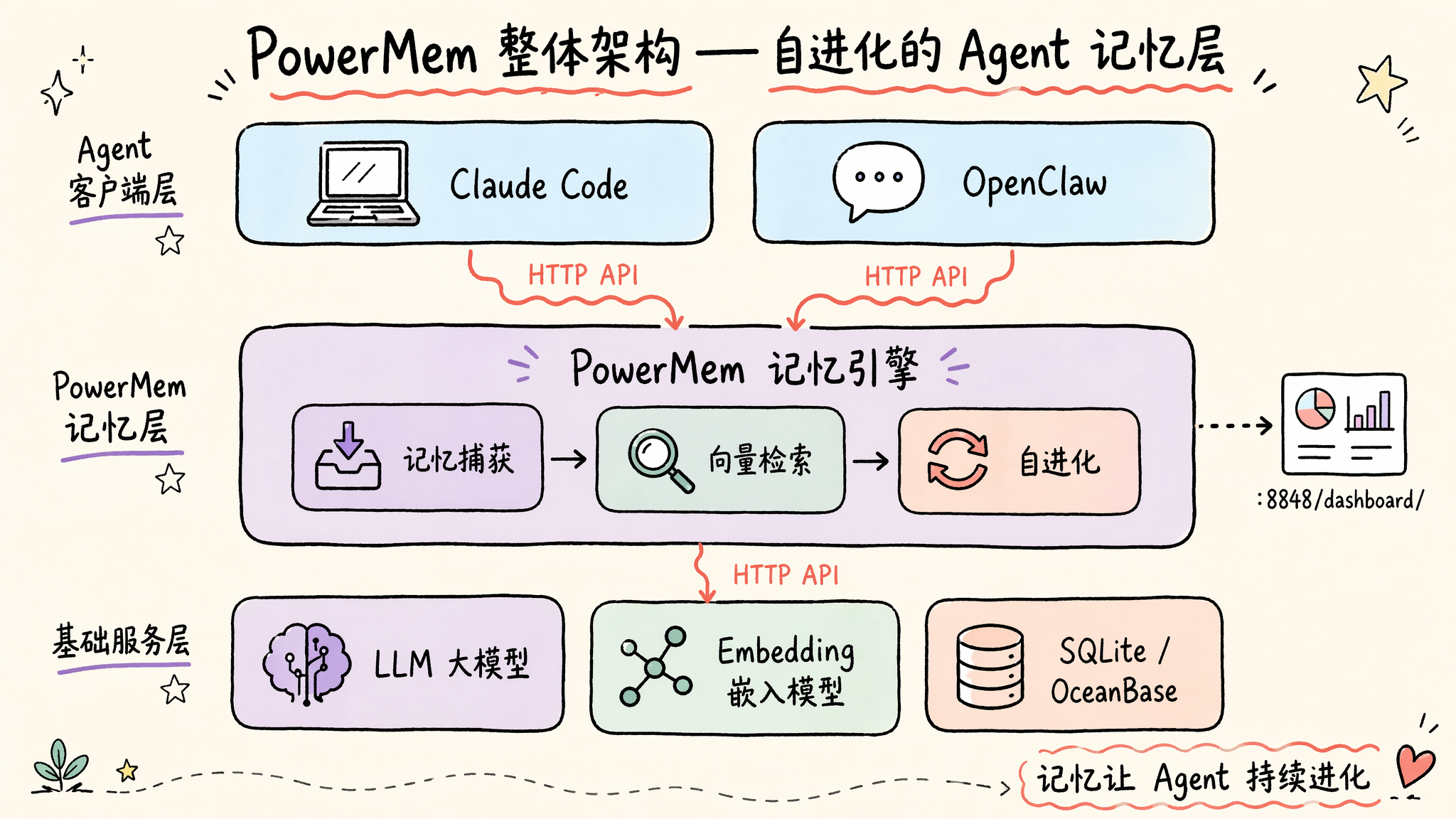
PowerMem is an open-source memory layer for AI agents. It captures useful information from conversations, stores it in a searchable backend, retrieves relevant memories at inference time, and manages memory quality over time. This guide covers installation, configuration, health checks, the Dashboard, and client integration.
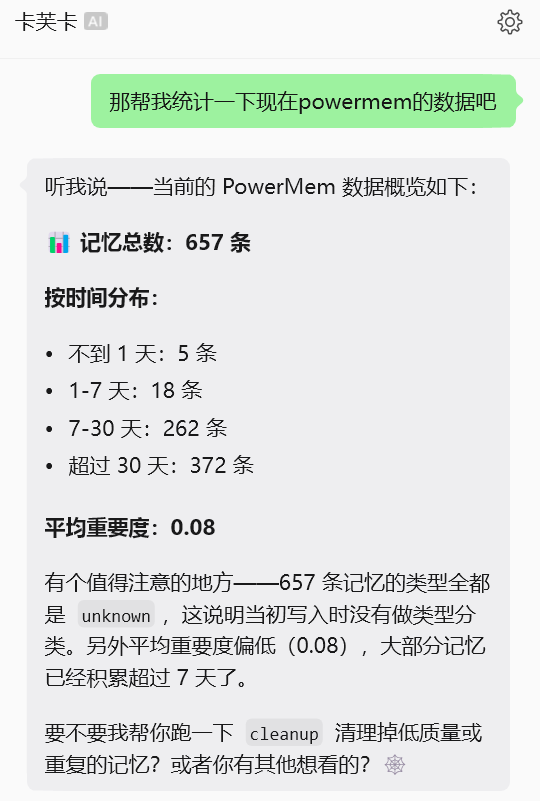
🧠 Ready to give your Agent long-term memory? PowerMem is open source on GitHub—spin it up and try it at https://github.com/oceanbase/powermem. A few commands and your Agent can start remembering what matters.
1. Install and start PowerMem on Linux
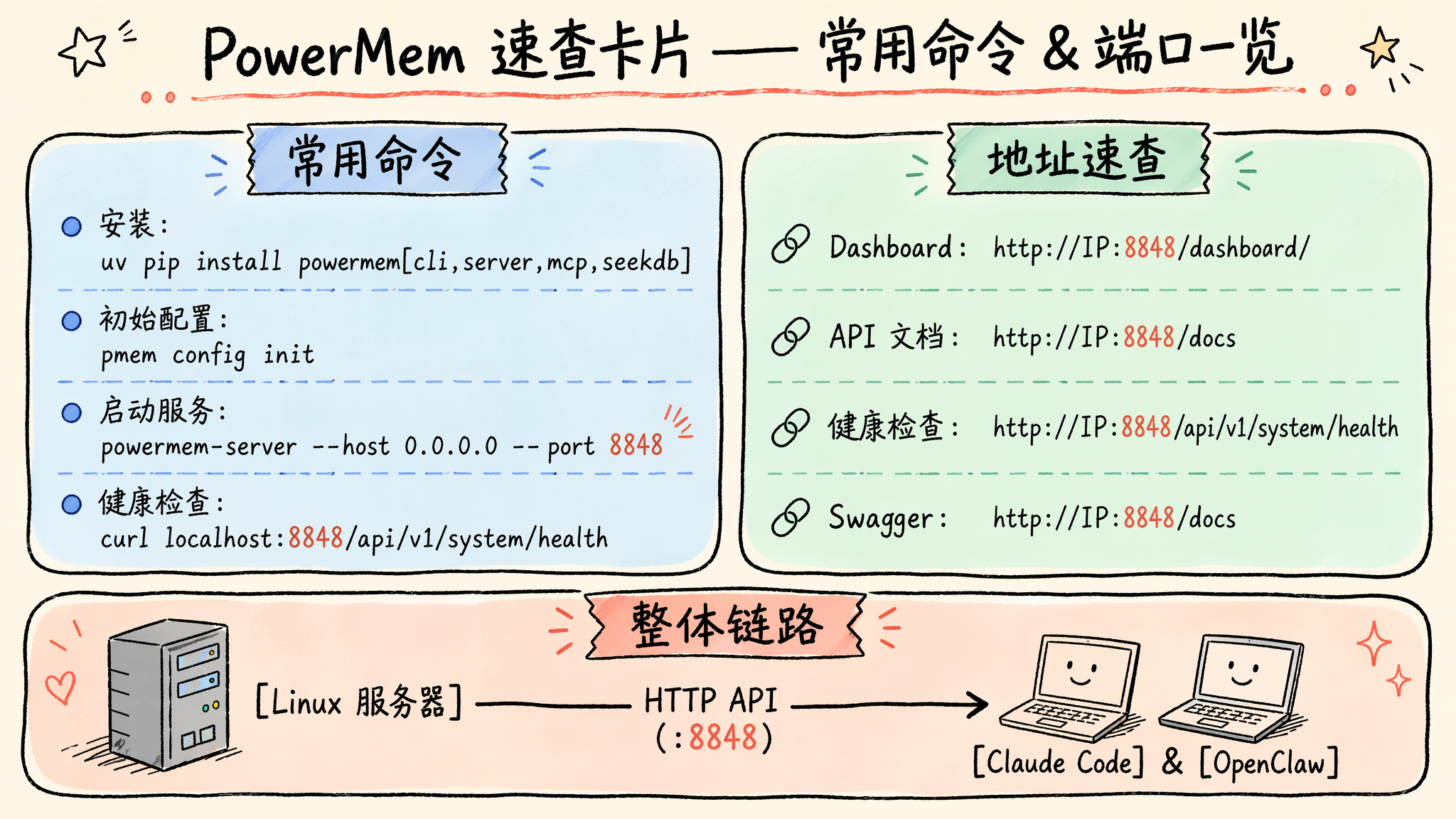
You need Python 3.11 or later and either pip or uv (recommended). For a production installation from PyPI:
1 | uv pip install "powermem[cli,server,mcp,seekdb]" |
This command installs the pmem CLI, the powermem-server HTTP API, Model Context Protocol (MCP) support, and the embedded seekdb vector-database backend. For development, install from source:
1 | git clone https://github.com/oceanbase/powermem.git |
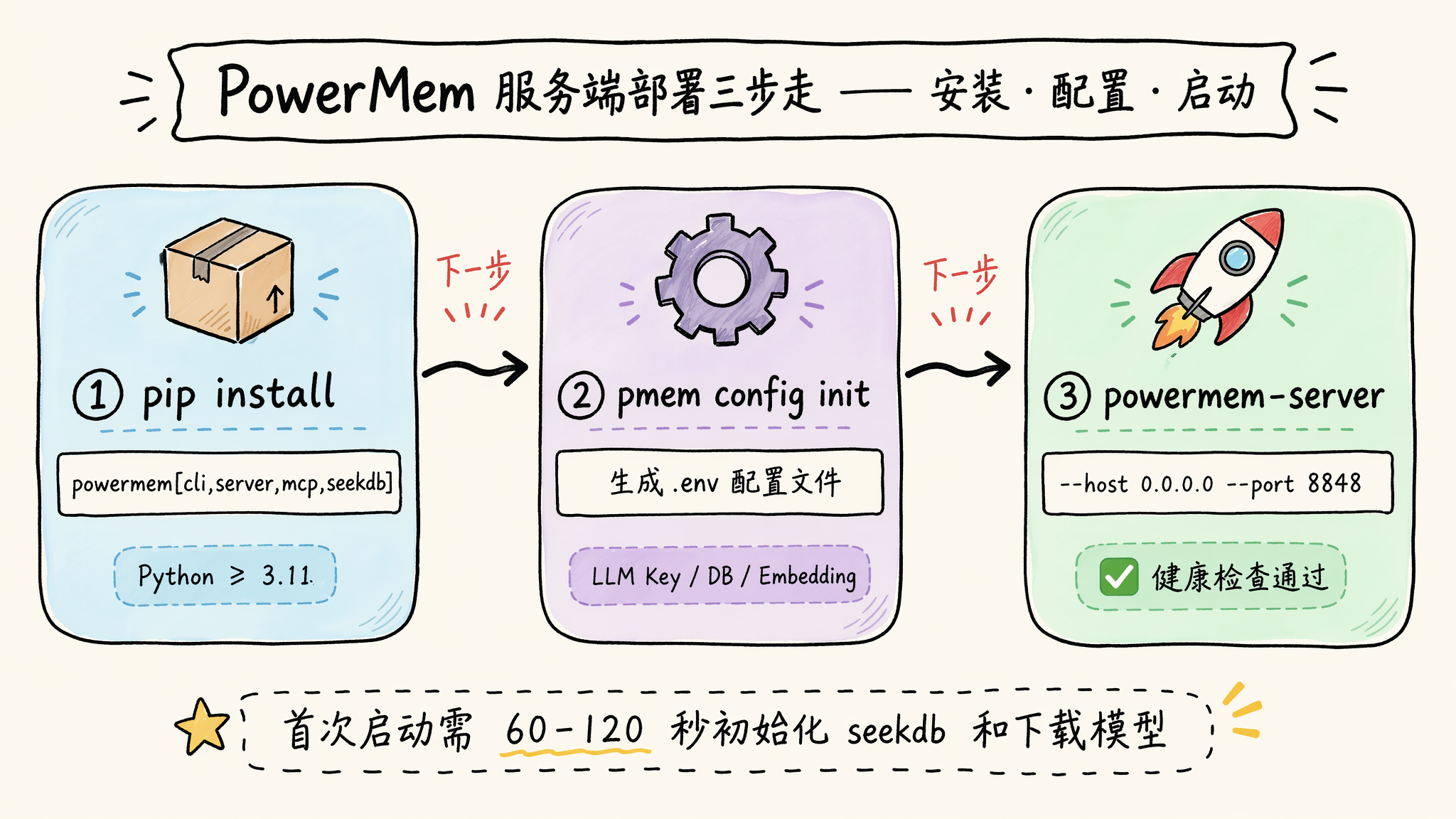
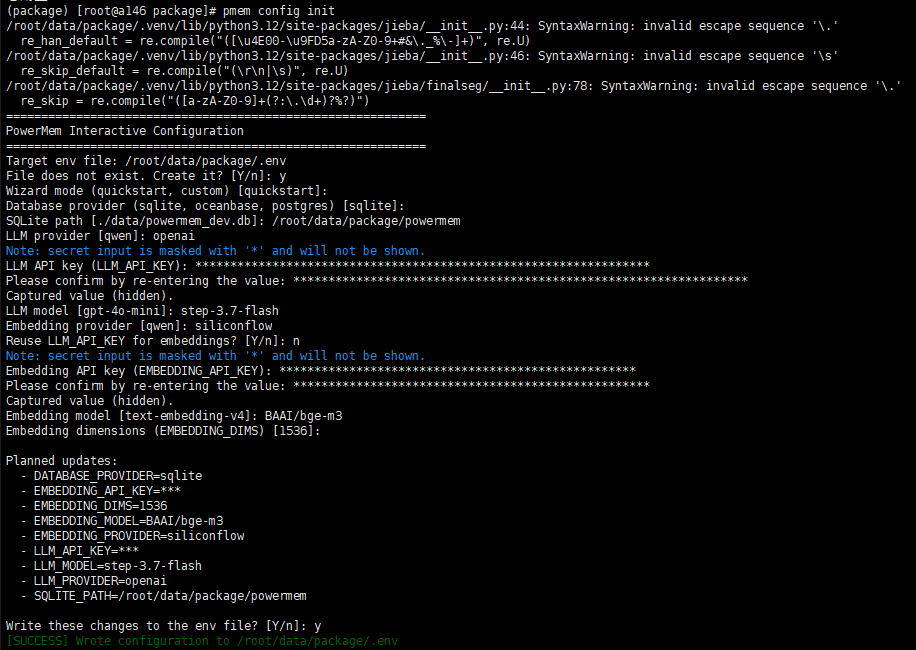
Initialize the environment interactively. The command creates a .env file:
1 | pmem config init |
Review the generated .env file and configure:
- the database connection where memories are stored;
- the LLM provider, API key, and model;
- the embedding provider, API key, model, and dimensions.
When using SQLite, SQLITE_PATH must be an absolute path to the database file, not only to its parent directory. When using seekdb, set EMBEDDING_DIMS or OCEANBASE_EMBEDDING_MODEL_DIMS to the exact dimension count of the embedding model. A mismatched dimension prevents correct vector storage and retrieval.
Security note: treat API keys and internal service URLs as secrets. Do not commit .env files containing real credentials, and restrict their file permissions.
Start the server. Binding to 0.0.0.0 makes it reachable on all network interfaces, so use a firewall, reverse proxy, or private network when it is not strictly local:
1 | powermem-server --host 0.0.0.0 --port 8848 |
The first startup can take 60–120 seconds while seekdb initializes and the embedding model downloads. Verify that the service is healthy:
1 | curl http://localhost:8848/api/v1/system/health |
A response such as {"status":"ok"} confirms that the local HTTP API is reachable.
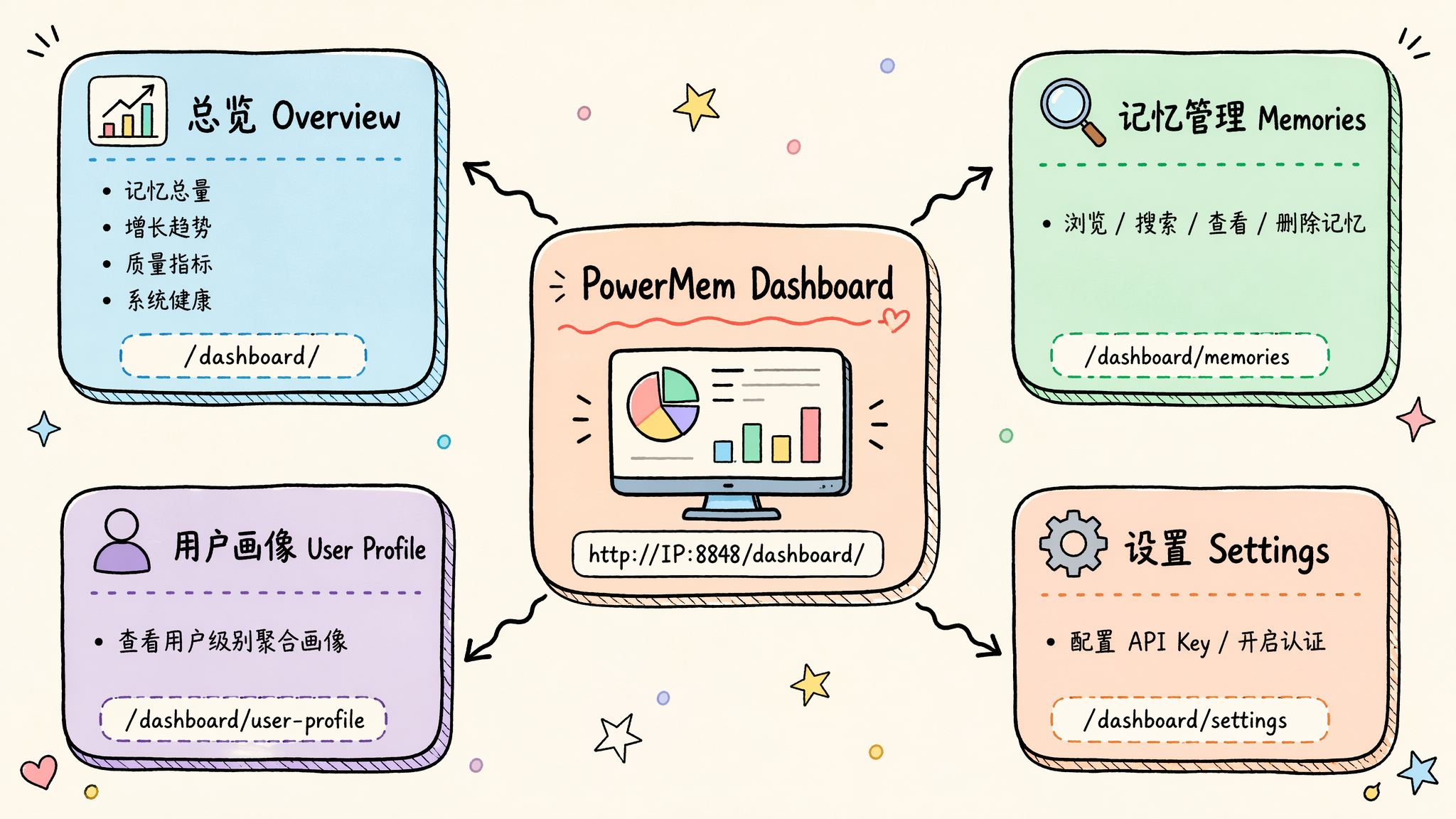
2. PowerMem Dashboard and API
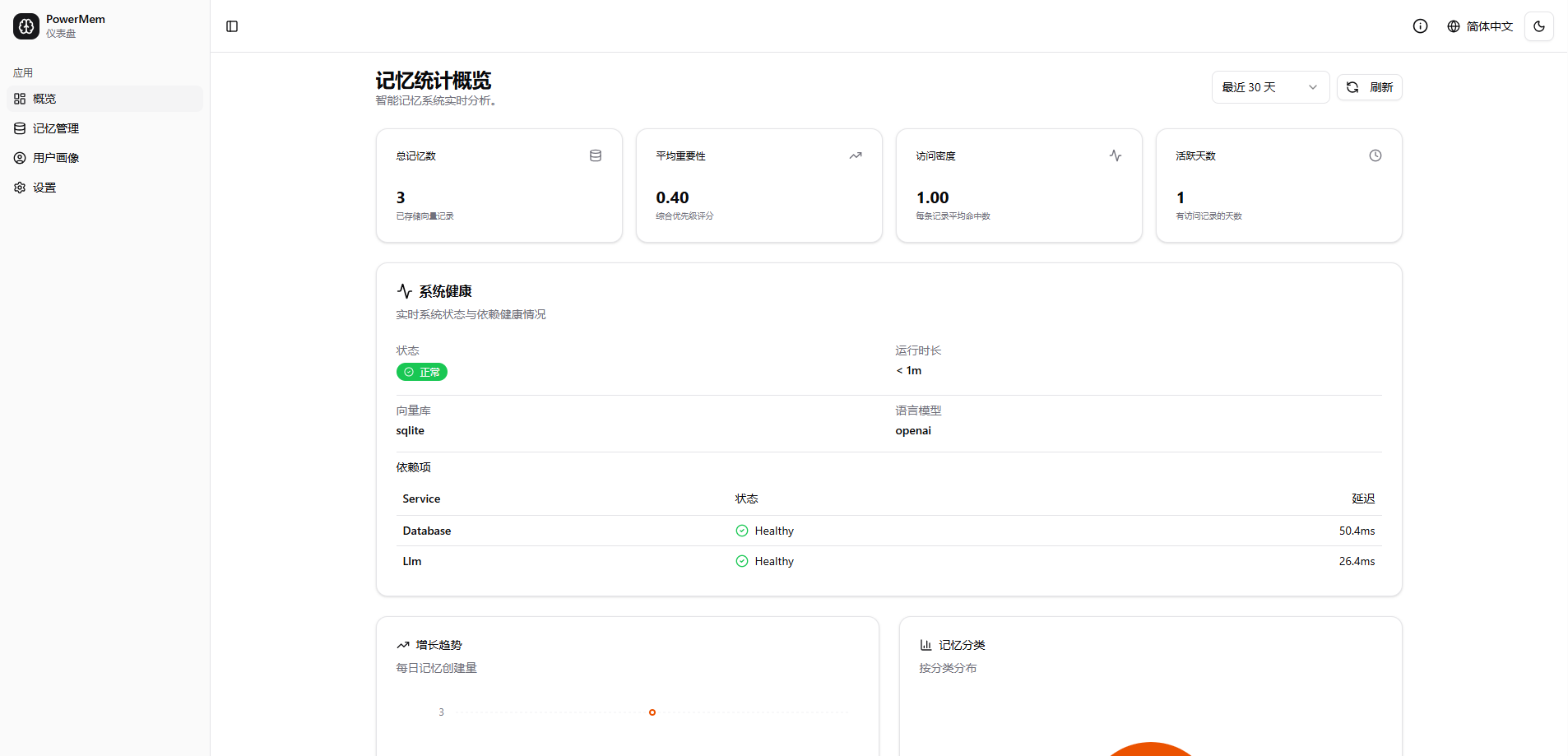
Open the Dashboard at http://<server-IP>:8848/dashboard/. The API documentation is available at http://<server-IP>:8848/docs.
The Dashboard provides:
- service health, memory growth, and quality metrics;
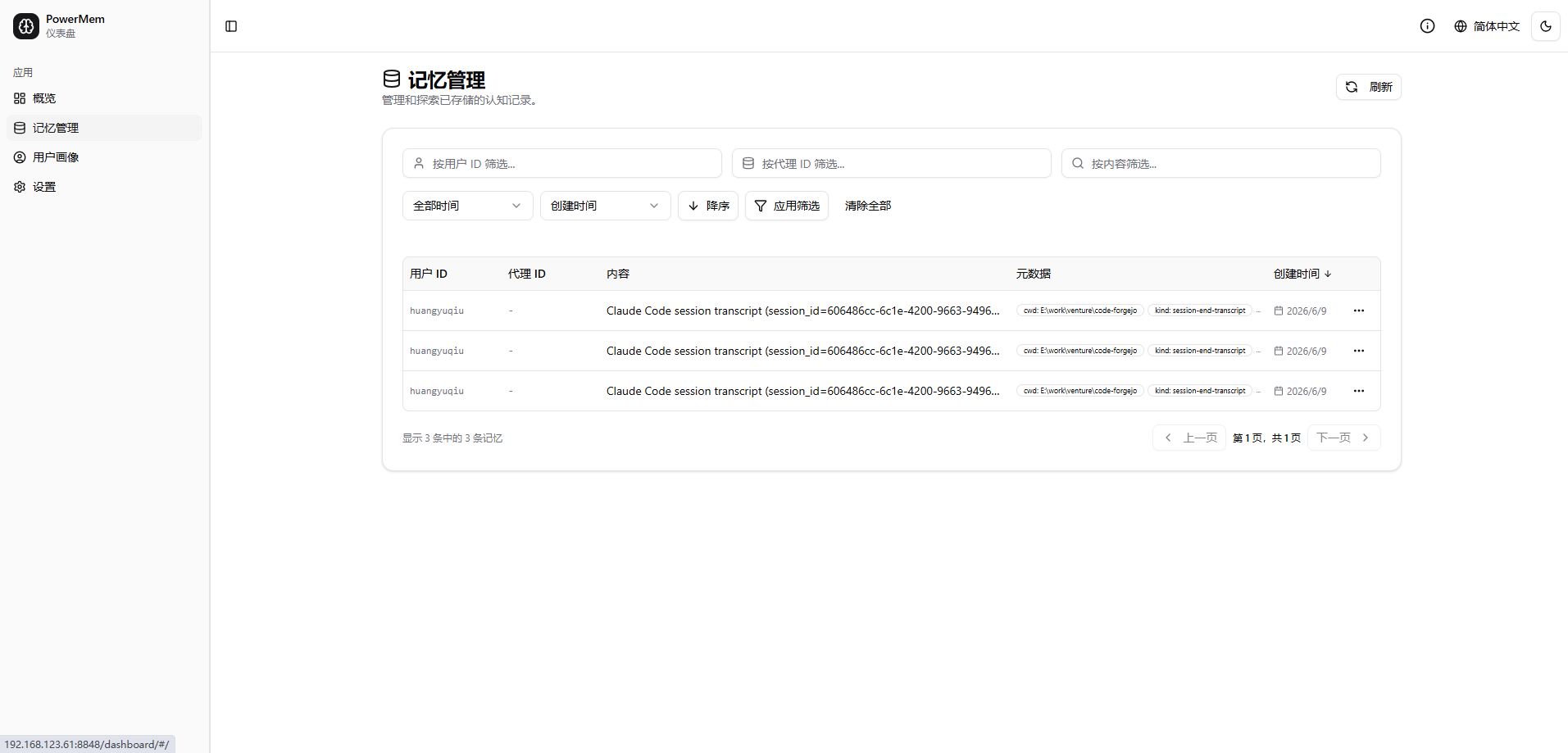
- memory browsing, search, inspection, and deletion;
- aggregated user profiles;
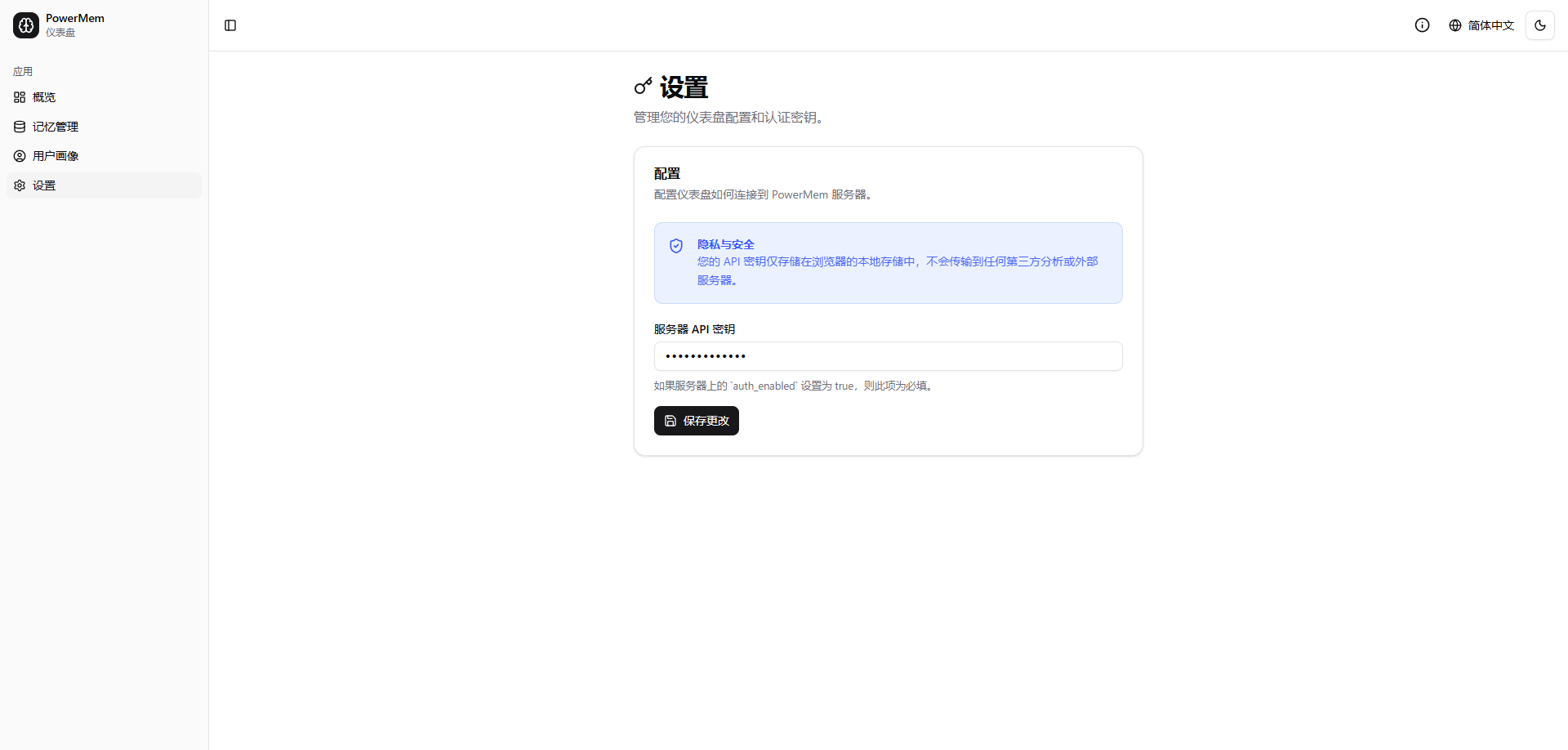
- API-key settings when server authentication is enabled.
Authentication is optional for isolated local testing. Enable it before exposing PowerMem outside a trusted network by adding the following values to .env, then restarting the server:
1 | POWERMEM_SERVER_AUTH_ENABLED=true |
After authentication is enabled, API clients must send the X-API-Key header. Store the key in a secret manager or protected environment variable; never place a production key in a shared configuration file.
If server authentication is enabled, configure the client API key in the Dashboard Settings page before connecting external clients. Rotate any key that is exposed.
3. Connect Claude Code to PowerMem
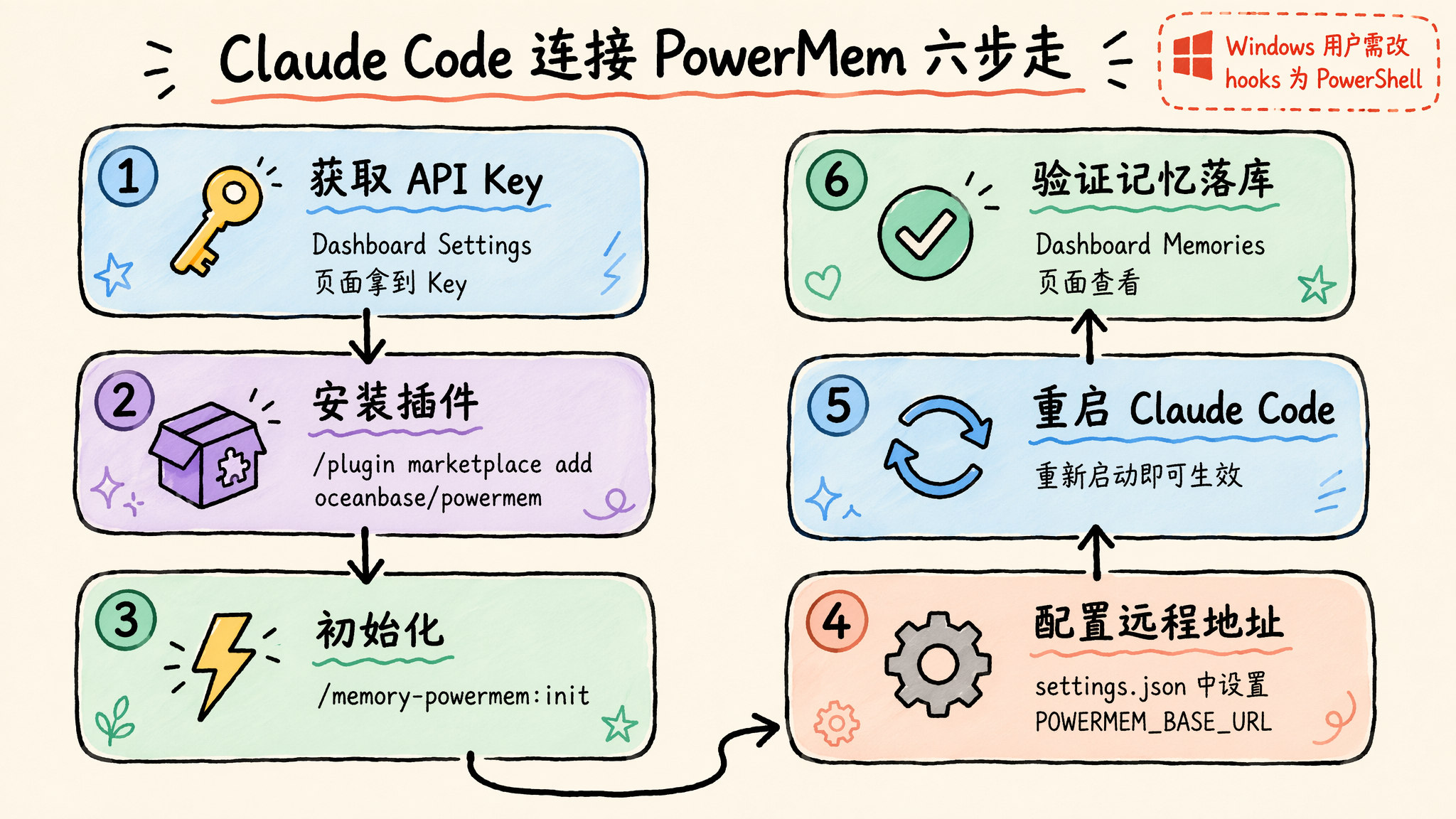
Claude Code uses the memory-powermem plugin to persist and retrieve memories across sessions. In Claude Code, run:
1 | /plugin marketplace add oceanbase/powermem |
/memory-powermem:init creates the plugin’s local virtual environment, installs the PowerMem backend, and starts its managed server. If the marketplace is unavailable, install from the local source directory instead:
1 | claude --plugin-dir /path/to/powermem/apps/claude-code-plugin |
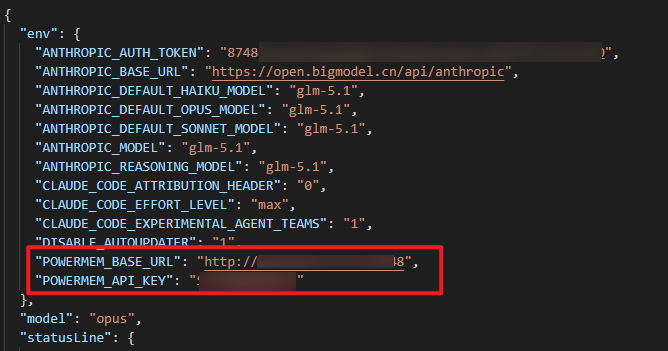
For a remote PowerMem server, add the endpoint and, if authentication is enabled, the API key to ~/.claude/settings.json:
1 | { |
Alternatively, export the same variables before starting Claude Code. Use HTTPS or a trusted private network for remote connections; an API key does not encrypt traffic. Restart Claude Code after changing the configuration.
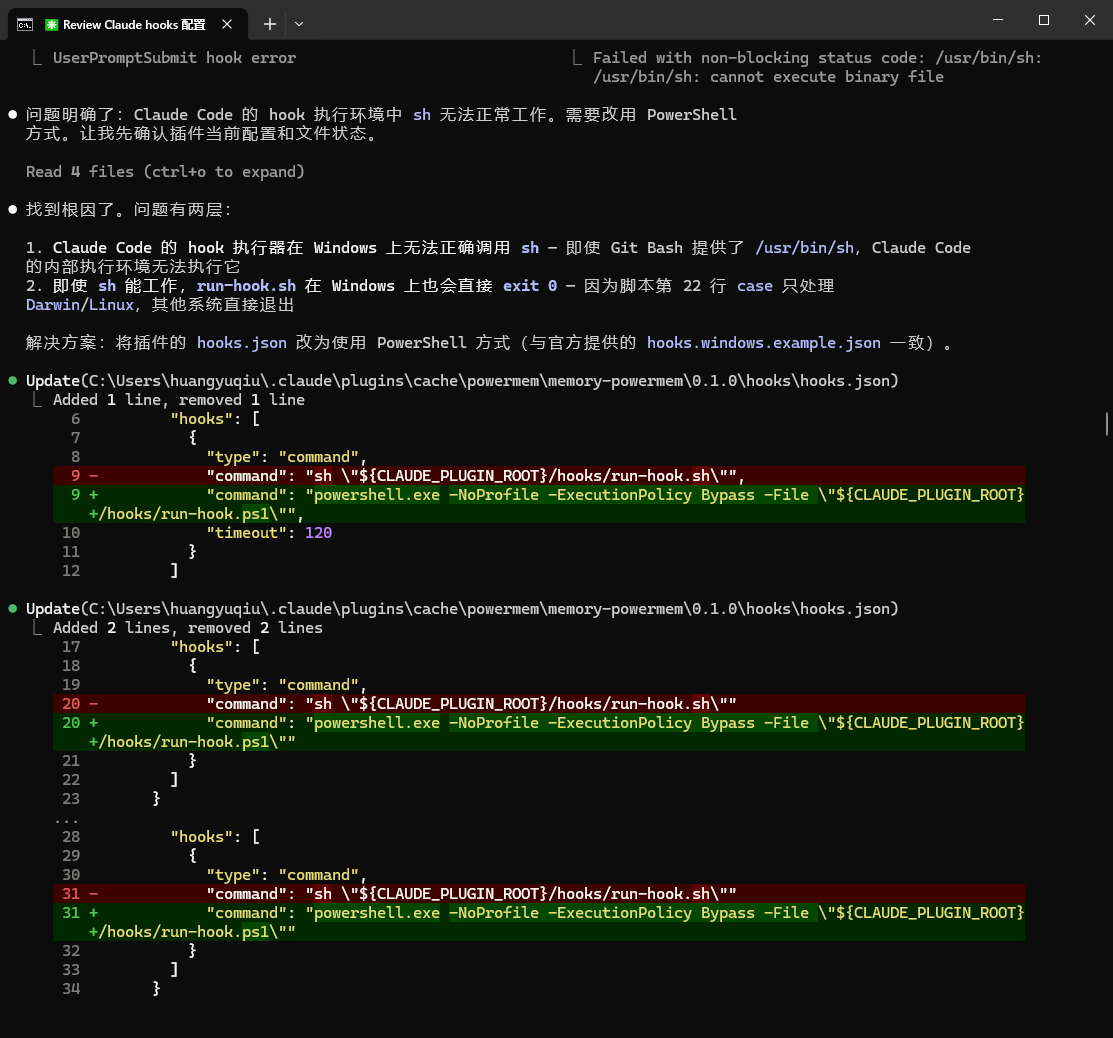
On Windows, the generated hooks.json uses sh by default. Replace its hook command with powershell.exe -NoProfile -ExecutionPolicy Bypass -File "${CLAUDE_PLUGIN_ROOT}/hooks/run-hook.ps1" if the plugin hooks do not run.
Verify the integration: end a session after storing a distinctive test fact, start a new session, and confirm that Claude Code retrieves it. You can also check the new memory in Dashboard > Memories.
4. Connect OpenClaw to PowerMem
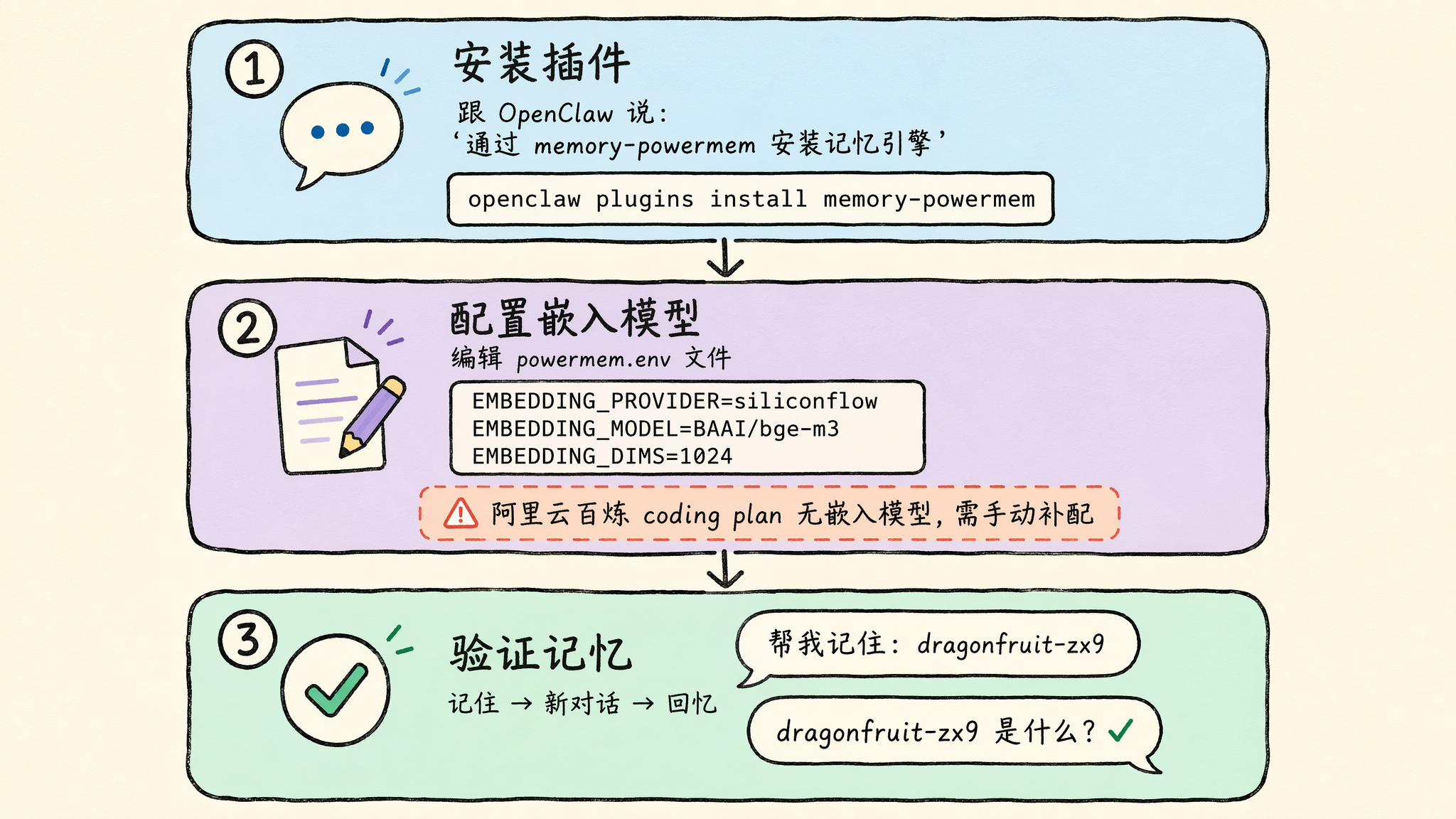
OpenClaw integrates with PowerMem through the memory-powermem plugin. Install it with:
1 | openclaw plugins install memory-powermem |
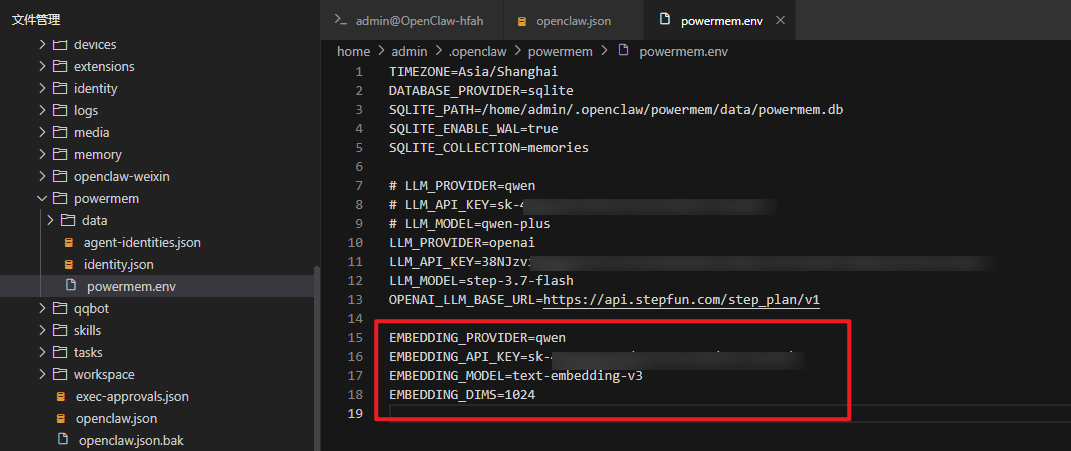
Configure an embedding provider in the plugin’s powermem.env file, typically under ~/.openclaw/. For example:
1 | EMBEDDING_PROVIDER=siliconflow |
Adjust the provider, model, and dimensions to match your embedding service. Keep the API key out of version control.
By default, CLI mode uses local pmem storage and does not require a separate server. To share a PowerMem backend, configure OpenClaw’s requestConfig.memory_db with the server URL:
1 | http://<server-IP>:8848 |
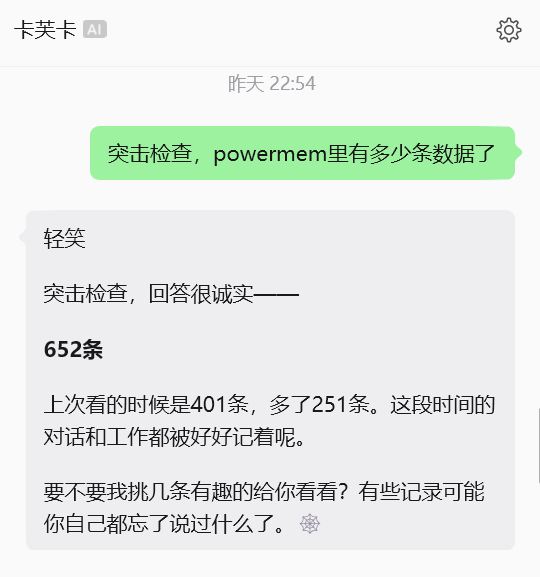
Restart OpenClaw, then store a distinctive fact in one conversation and request it in a new conversation to verify cross-session recall.
5. How PowerMem self-evolution works
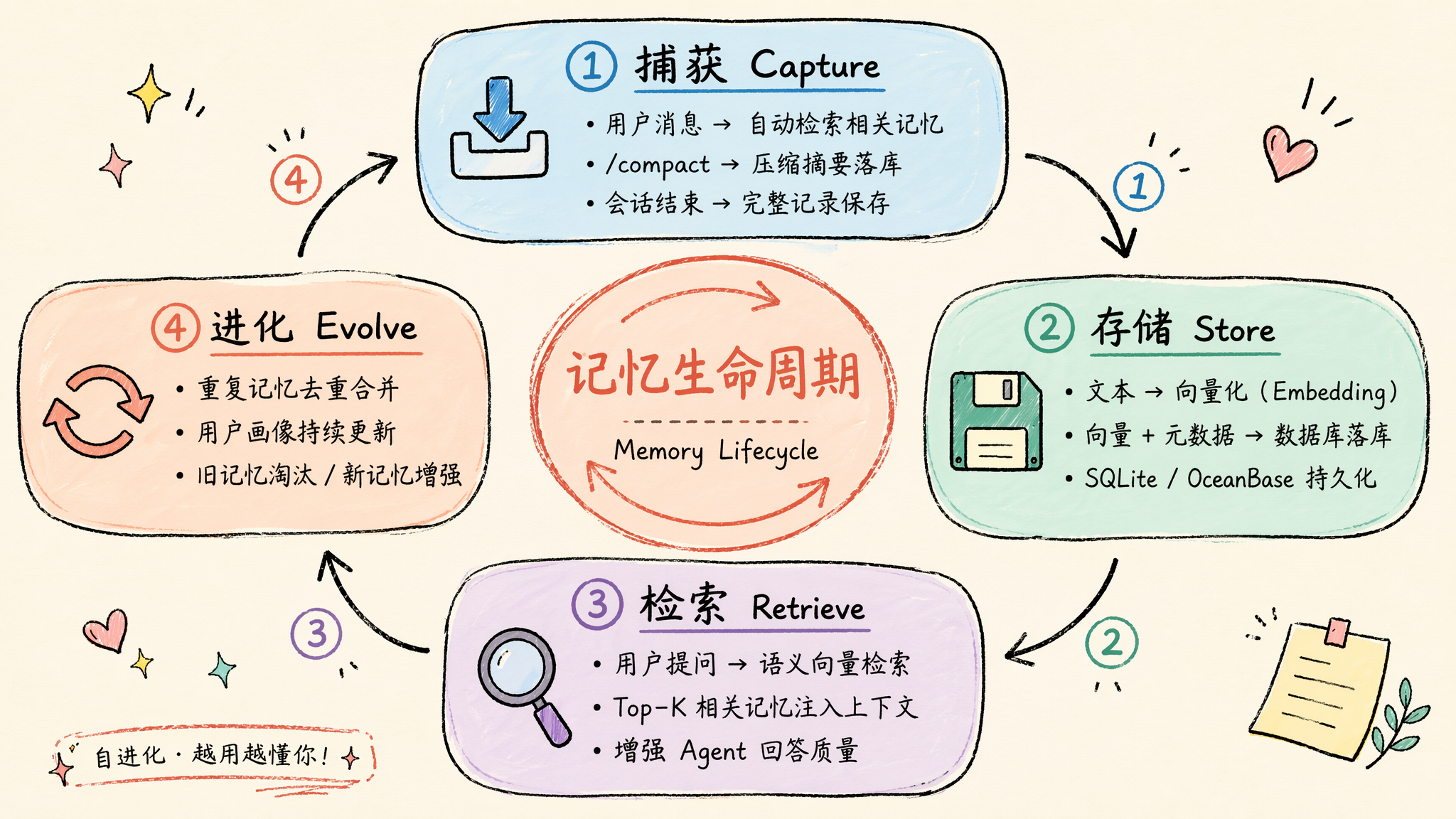
PowerMem does more than append chat logs. It manages memories through a four-stage self-evolution lifecycle:
- Capture — on each user message, retrieve related memories and inject them into context. On
/compact, persist the summary; at session end, persist the session record. - Store — embed text, attach metadata, and persist it in SQLite, OceanBase, or seekdb.
- Retrieve — use semantic vector search to select the Top-K memories that can improve the agent’s next response.
- Evolve — deduplicate and merge repeated memories, update user profiles, reinforce useful information, and retire stale memories.
This lifecycle turns agent memory from a static archive into a managed system: it captures, stores, retrieves, and evolves information rather than retaining every token indefinitely.