uv × pyseekdb: Driving the Cost of a RAG Environment and Retrieval to a Minimum
🌟 Tip: The seekdb used in this article is the AI-native database open-sourced by OceanBase. You are welcome to try it out at https://github.com/oceanbase/seekdb — it should bring a cleaner, more efficient data management solution to your AI application development!
01 Infrastructure for AI Developers
In the past, many teams put most of their energy into the algorithms themselves. Now that the LLM ecosystem has matured, the more common bottlenecks on the engineering side fall into two categories: first, the reproducibility of environments and dependencies, and second, the cost of landing data import, retrieval, and storage. AI projects often carry a heavy set of dependencies (such as PyTorch, Transformers, and various RAG frameworks). If every collaboration, machine switch, or CI run requires reprocessing the Python version, virtual environment, lock files, and dependency conflicts, the cost is amplified.
This article introduces two tools, with the goal of lowering both the environment cost and the cost of landing retrieval data:
uv: a Rust-based Python package manager from the Astral team, optimizing the Python workflow for speed and consistency.pyseekdb: a Python SDK for seekdb and OceanBase AI search, supporting both embedded and remote deployment modes, and covering vector, full-text, and hybrid search capabilities.
02 What Is uv
In the Python ecosystem, installing packages itself isn’t hard — the difficulty lies in consistency when collaborating as a team. Different people use different tools (pip+venv / poetry), layered with different OSes, proxies, and CPU architectures, and the common result is that the code is fine but it won’t run on someone else’s machine.
uv’s project mode manages dependencies around pyproject.toml, locks the resolution result with uv.lock, and keeps the environment and lock file in sync through uv sync / uv run. Its positioning is clear: use a single command-line tool to connect the entire workflow of project, dependencies, lock versions, environment synchronization, and run commands, with an emphasis on performance and engineering consistency.
03 Introducing pyseekdb
In RAG scenarios, developers typically need to get an entire pipeline working: text chunking, vectorization, ingestion, retrieval, filtering, and ranking. pyseekdb provides an application-side SDK: it organizes data and retrieval logic around collections, covers vector, full-text, and hybrid search, and supports both embedded and remote modes.
3.1 Two Connection Modes
pyseekdb supports:
- Embedded: persists data to a local path within the Python process, suitable for local experiments, testing, or lightweight applications.
- Remote: connects to a remote seekdb service or an OceanBase cluster.
3.2 Hybrid Search
In pyseekdb, you can perform vector search or hybrid search through a query call (determined by backend capabilities and configuration), returning a result set that contains similarity scores and document fragments. Compared with directly manipulating the underlying index, this approach is better suited for fast application-side delivery.
04 Why pyseekdb Needs uv
pyseekdb itself isn’t necessarily heavy, but it’s often used in combination with LangChain, LlamaIndex, Dify, and the like. Once dependencies start to grow heavy, environment initialization and reproducibility more easily slow down collaboration.
The value of uv here comes down to two points:
- Use
uv.lockto explicitly lock the resolution result, and useuv sync/uv runto converge installation/synchronization/execution into fewer steps. - When sharing a demo, use
uv syncoruv runto reproduce the same environment as closely as possible.
pyseekdb’s embedded capability, paired with uv’s lightweight environment, lets developers complete the full workflow — from data import and index building to RAG Q&A — on an ordinary laptop.
05 A Hands-on Walkthrough to Build It Easily
Below, we’ll use pyseekdb’s official GitHub demo (demo/rag) to run a complete pipeline, with the goal of taking you from “environment setup” to “a queryable knowledge base interface” within five minutes.
Prerequisites:
- Python 3.11+
- uv installed
- An LLM API Key ready (used to generate answers)
- pyseekdb
Step 1: Prepare the environment
1 | git clone https://github.com/oceanbase/pyseekdb.git |
If you need a local model (sentence-transformers):
1 | uv sync --extra local |
Step 2: Configure .env
1 | cp .env.example .env |
We recommend starting with the default embedding (no extra API Key required):
1 | EMBEDDING_FUNCTION_TYPE=default |
Notes:
defaultautomatically downloads a built-in ONNX model, suitable for first validating the workflow.- If you switch to
api, fill in the relatedEMBEDDING_*configuration. - If you switch to
local, configureSENTENCE_TRANSFORMERS_*and make sure the--extra localdependencies are installed.
Step 3: Import data
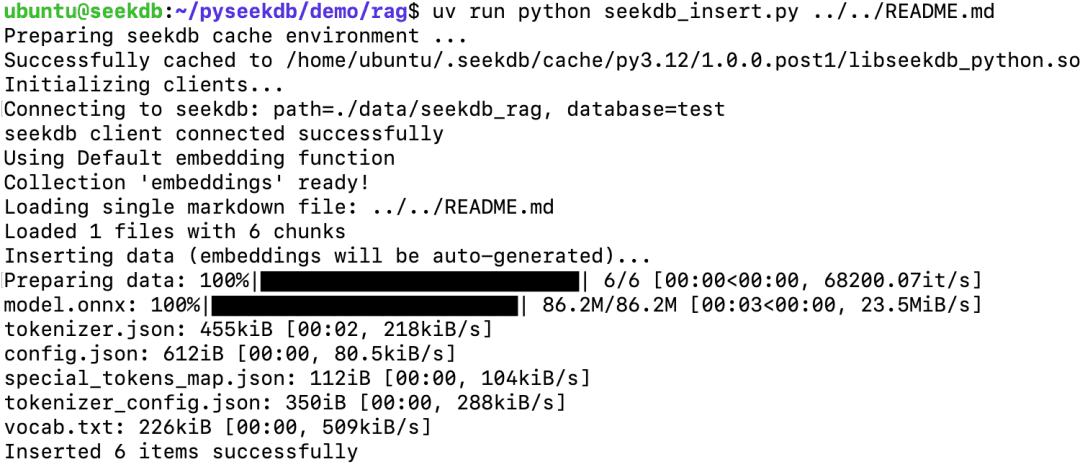
1 | uv run python seekdb_insert.py ../../README.md |
You can also import a directory:
1 | uv run python seekdb_insert.py path/to/your_dir |
You’ll see the script print the number of imported chunks and the progress. Once successful, the data lands in the directory specified by SEEKDB_DIR.
Step 4: Launch the interface
1 | uv run streamlit run seekdb_app.py |
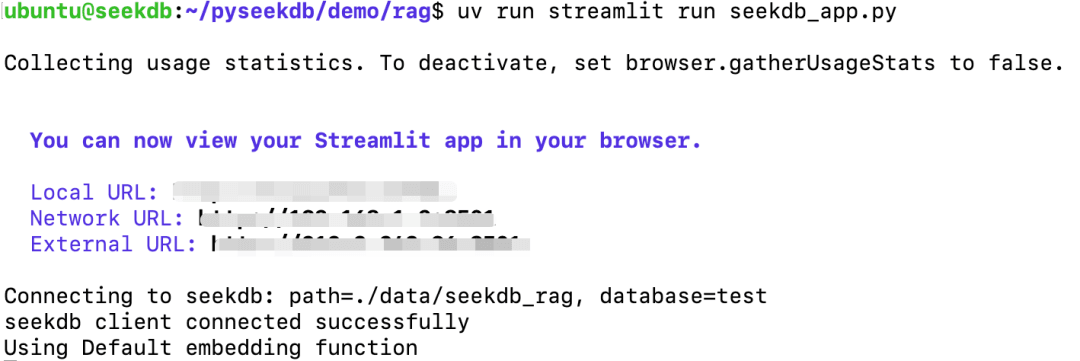
After launching, open your browser and ask a question in the input box to see:
- The relevant fragments retrieved
- The LLM-generated answer (depending on the LLM you configured in
.env)
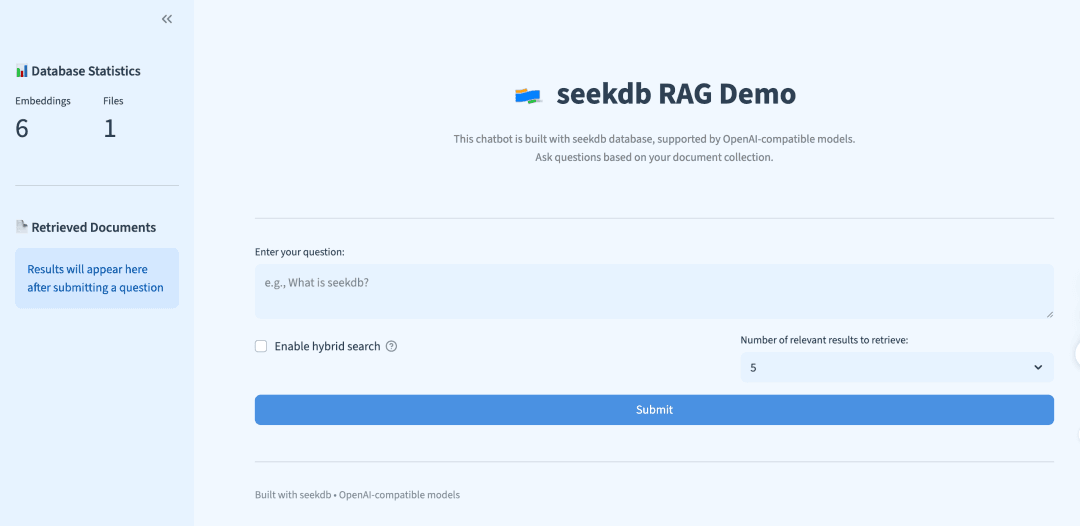
Result:
- Documents are chunked, vectorized, and written into seekdb
- Vector/hybrid search is performed at query time
- The UI displays both the retrieval results and the LLM-generated answer
06 Returning to the Essence of Development
uv solves project environment reproducibility and workflow convergence, while pyseekdb solves the storage and retrieval cost and usability in RAG scenarios. Putting the two together shrinks the friction in demo delivery and collaboration: project structure, dependencies, and run methods become more uniform; local embedded mode lets you get started quickly, and you can switch to a remote service later as needed.