Context Engineering: A Code Documentation Retrieval Engine Built on OceanBase
01 Project Background
Over the past two years, AI has spread into every industry, and AI coding assistants have emerged along with it. These assistants generate code remarkably fast, but the quality isn’t always good. As a result, we run into plenty of problems in our day-to-day use of AI coding assistants.
The Documentation Challenges Developers Face
1. Inventing APIs that don’t exist at all
Because large language models suffer from code hallucinations, they sometimes invent APIs that don’t exist, which means the code generated by an AI coding assistant can have serious problems.
2. LLM training data often lags behind technology updates, so the generated code is frequently based on deprecated, outdated APIs
An LLM’s corpus only contains the code documentation that was imported at training time. By the time the model generates code, the technology may have moved on and the documentation may already have been updated, yet the model may still generate code based on deprecated APIs from its corpus, reducing the accuracy of the generated code.
3. AI can generate code quickly, but it’s often not the official best practice
Although LLMs can generate code quickly, that code usually isn’t the official best practice, which also affects development efficiency.
Limitations of Existing Solutions
1. The inefficiency of traditional documentation lookup
When the code generated from documentation isn’t of high quality, we have to search the documentation ourselves and feed the documentation links or copied content into the LLM as a reference for generating code — a fairly inefficient process.
2. The disconnect between AI coding assistants and documentation systems
AI coding assistants sometimes call Google or fetch APIs to search, but because the relevant code documentation may be hard to find inside the official docs, or because the docs offer no navigation, the assistant can’t locate the right reference material and can’t integrate well with the official documentation.
3. Keyword search without semantic understanding
When a model calls a search-engine-style API, it generally searches by keyword. Because keyword search lacks semantic understanding, the results may not be very accurate, and using those results as reference material leads to poorly generated code.
An Example of AI Code Hallucination
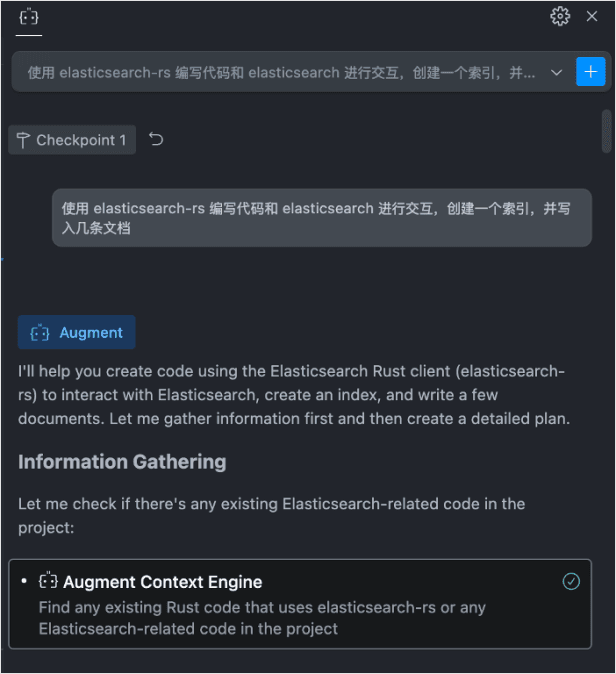
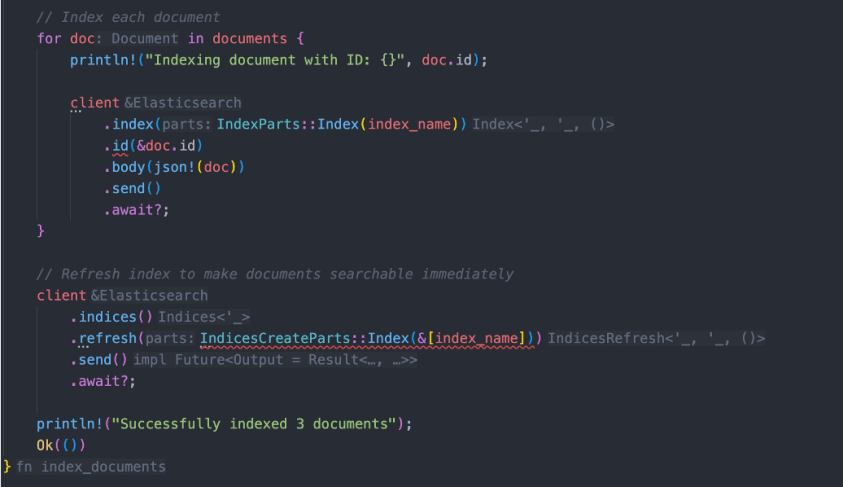
Because the AI isn’t familiar with the documentation, it may pass incorrect parameters. For example, suppose you give an AI coding assistant the following instruction: use elasticsearch-rs to write code that interacts with elasticsearch, create an index, and write a few documents. But because there is relatively little existing experience with elasticsearch-rs and the reference material available when training the AI is limited, the result may contain hallucinations. As you can see in the figure below, the generated code’s parameters are inaccurate — the code lights up red and won’t run.
02 Introducing Doc2Dev
Core Features
Let’s look at how the Doc2Dev project solves the problems and challenges above.
- The latest, most accurate code: by providing a Git repository URL, you let the search engine fetch the latest library version and best-practice recommendations.
- Less debugging time: reduce the time spent fixing errors caused by outdated AI knowledge.
- No code hallucinations: rely on documented, existing functions and APIs.
- Seamless workflow: integrate directly into your existing AI coding assistant, with no need to keep switching to documentation websites.
- Semantic understanding: vector-embedding-based search goes beyond traditional keyword matching and can understand the semantic content of a query.
GitHub: https://github.com/cr7258/doc2dev
Live demo: https://doc2dev.top
Overall Architecture
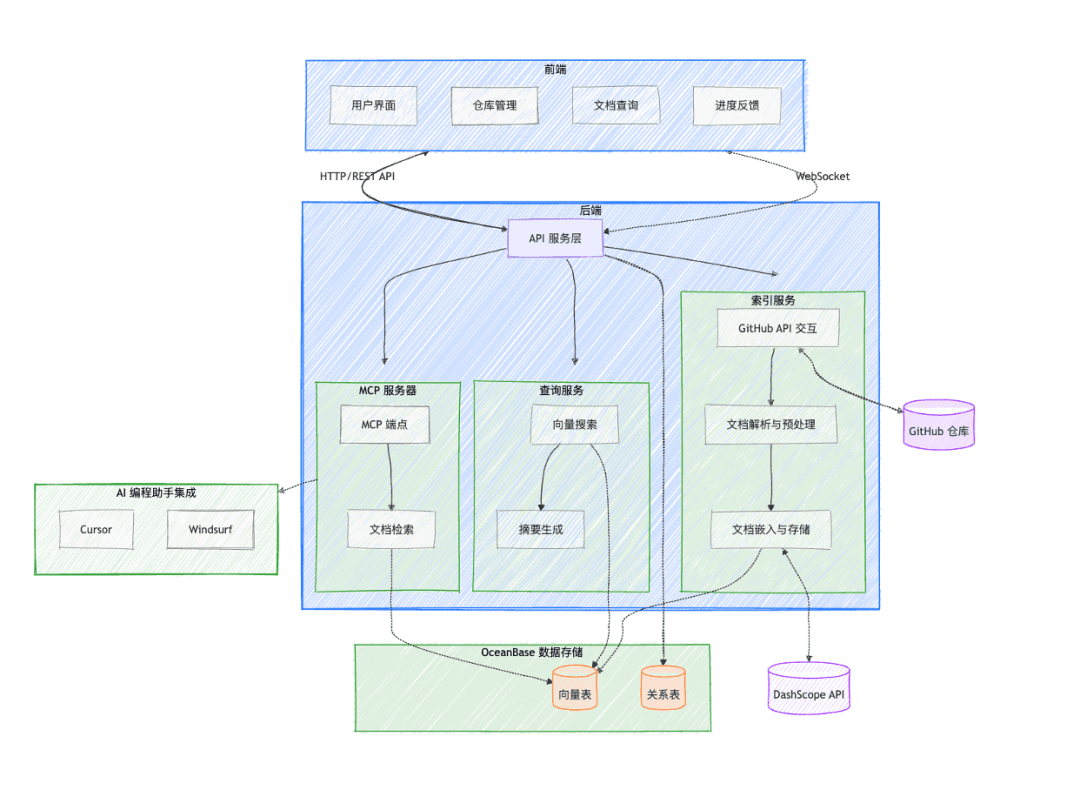
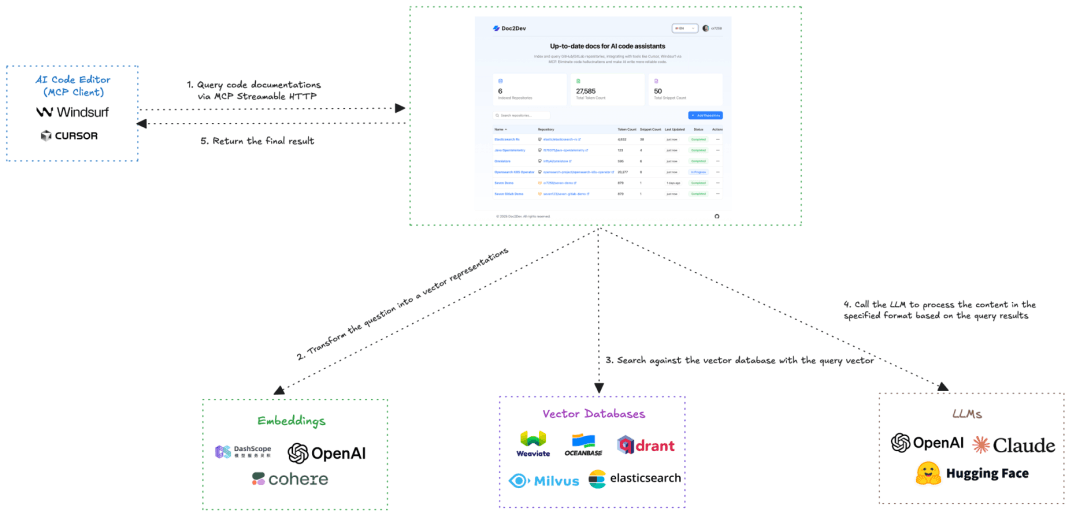
The project’s overall architecture consists of four parts: the frontend, the backend, OceanBase data storage, and AI coding assistant integration. The most complex part to design is the backend API service layer, shown below. On the far right is the indexing service: when a user provides a GitHub or GitLab repository URL, Doc2Dev fetches the documentation content from the Git repository, parses and preprocesses it, then calls an Embedding service to turn the documents into vectors, and finally stores the data in OceanBase. In the middle is the query service: a user’s question is likewise embedded, then matched against the content in OceanBase, and the matched content is sent to an LLM to generate a summary that is returned, making it easy for the Agent to reference the code structure. On the far left is the MCP server, which provides an MCP interface for easy integration with Cursor and Windsurf.
Tech Stack
The tech stack for each of the parts mentioned above is as follows:
- Frontend: Next.js, React, TypeScript, Tailwind CSS, shadcn/ui
- Backend: Python, FastAPI, WebSockets
- AI models:
- Embedding model: used to generate vector representations of documents
- LLM: used to generate summaries of search results
- Database: OceanBase handles vector storage, metadata management, and similarity retrieval
- MCP: exposes a documentation-query interface to AI coding assistants via an MCP Server
Data Processing Pipeline
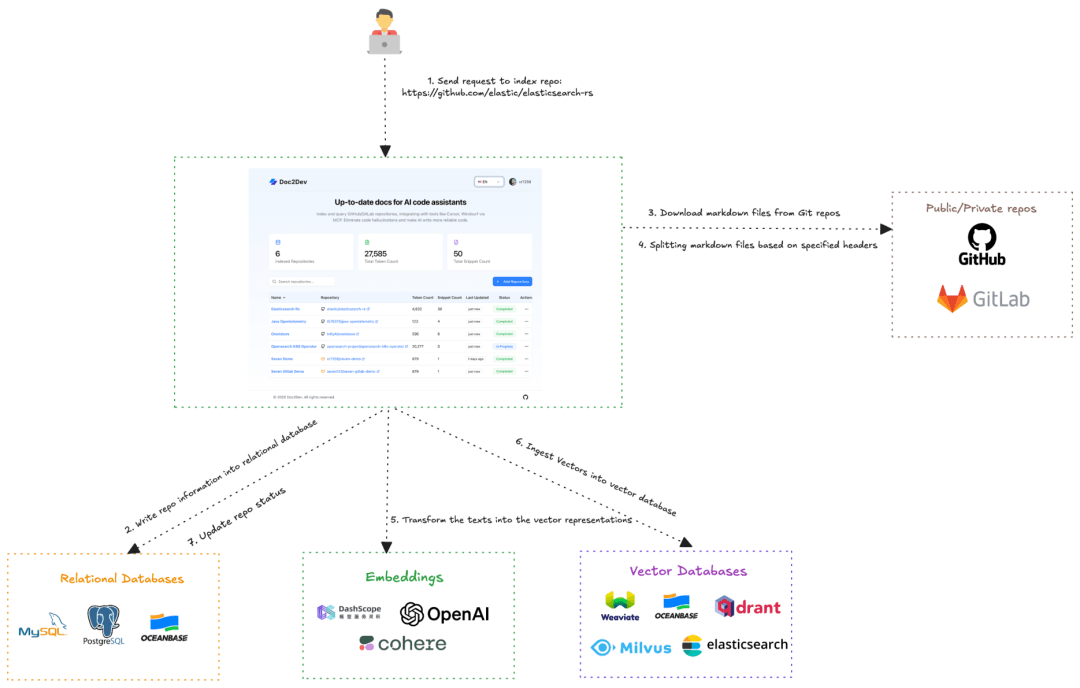
The data processing pipeline is the most critical part of the whole project, and it has the following five steps:
- Document retrieval: download the Markdown files of a specified public/private repository via the GitHub/GitLab API
- Document splitting: split the documents into embedding-friendly chunks using LangChain’s MarkdownHeaderTextSplitter
- Vector embedding: use an embedding model to convert text chunks into high-dimensional vectors
- Vector storage: store the vectors and the original text in the OceanBase vector database
- Query processing:
a. Convert the user query into a vector
b. Perform a similarity search in OceanBase
c. Use an LLM to generate a summary of the search results
03 User Interface Design
Home Page
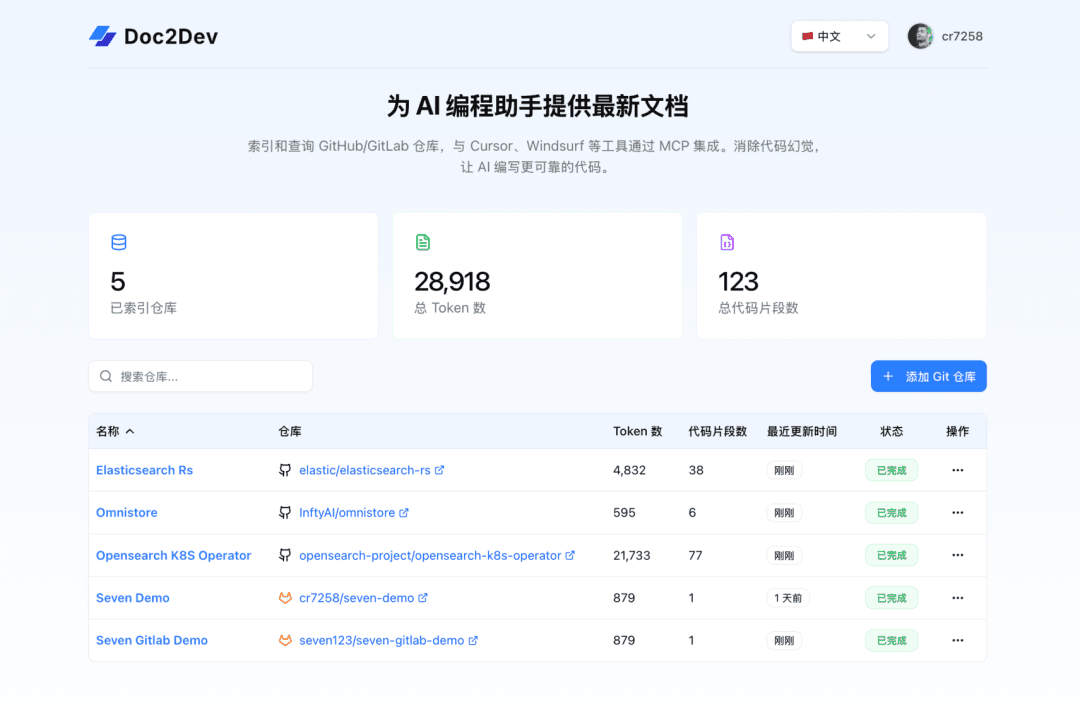
Doc2Dev’s home page shows global information such as the total number of indexed repositories, the repository list, the number of tokens consumed, and the number of code snippets. Click + to add a Git repository and enter the repository indexing page.
Indexing a Git Repository
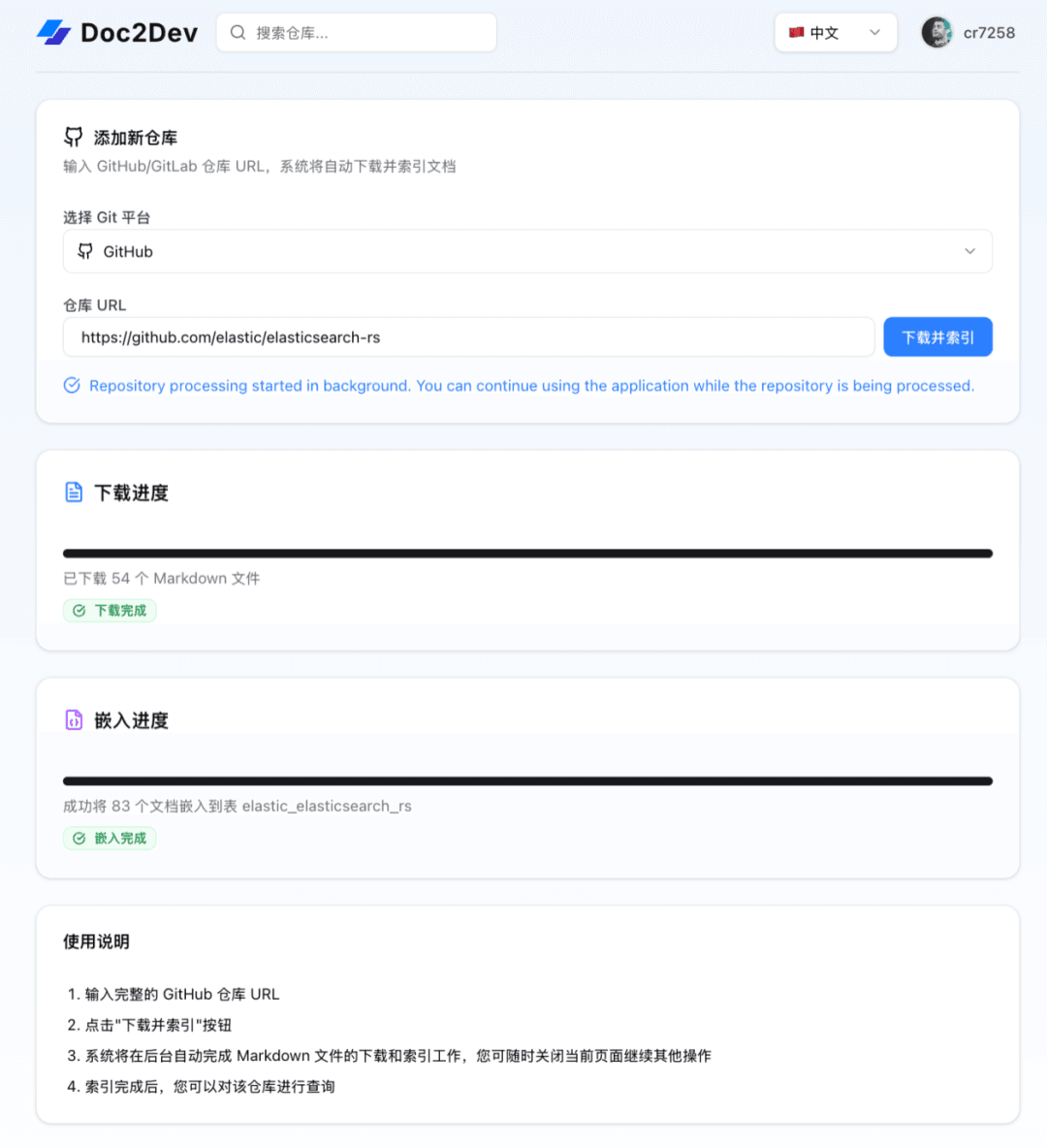
On the Git repository indexing page, the user provides a Git repository URL and specifies the Git platform, then clicks Download and Index. The system starts indexing: first it downloads the corresponding Markdown files, then embeds them and stores them in OceanBase. The operation can run asynchronously — after submitting the task, it can be processed in the background while the progress status updates in real time.
Querying
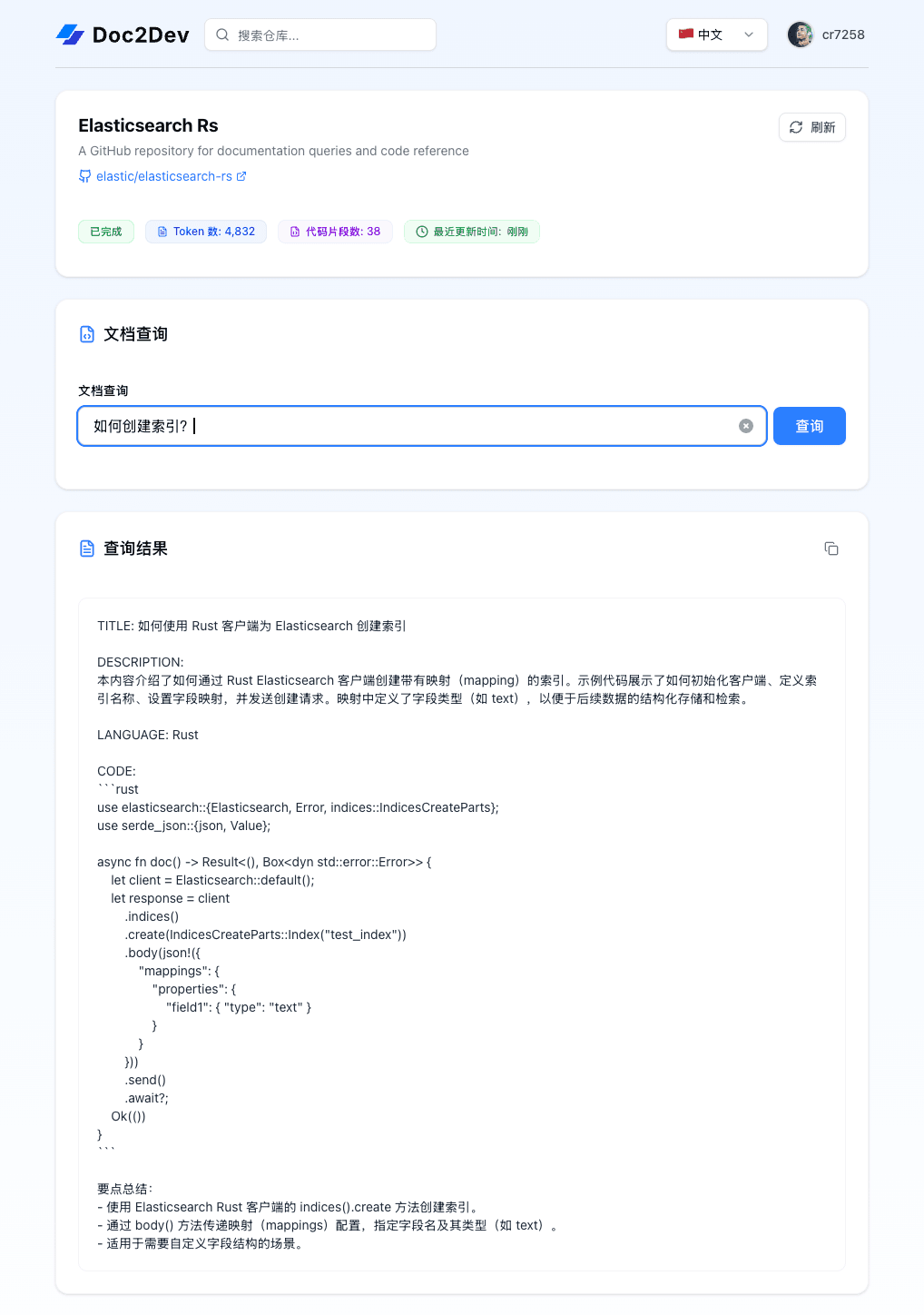
On the query page, the user can query against an already-indexed code repository, for example asking “How do I create an index?” The system performs a semantic search, then has the agent model produce a summary. The query result shows a description of the code snippet, along with how to use the elasticsearch-rs library to write that code.
04 MCP Integration
Integrating via MCP is relatively straightforward. Doc2Dev gives each user a unique MCP URL, which can be configured via MCP Streamable HTTP.
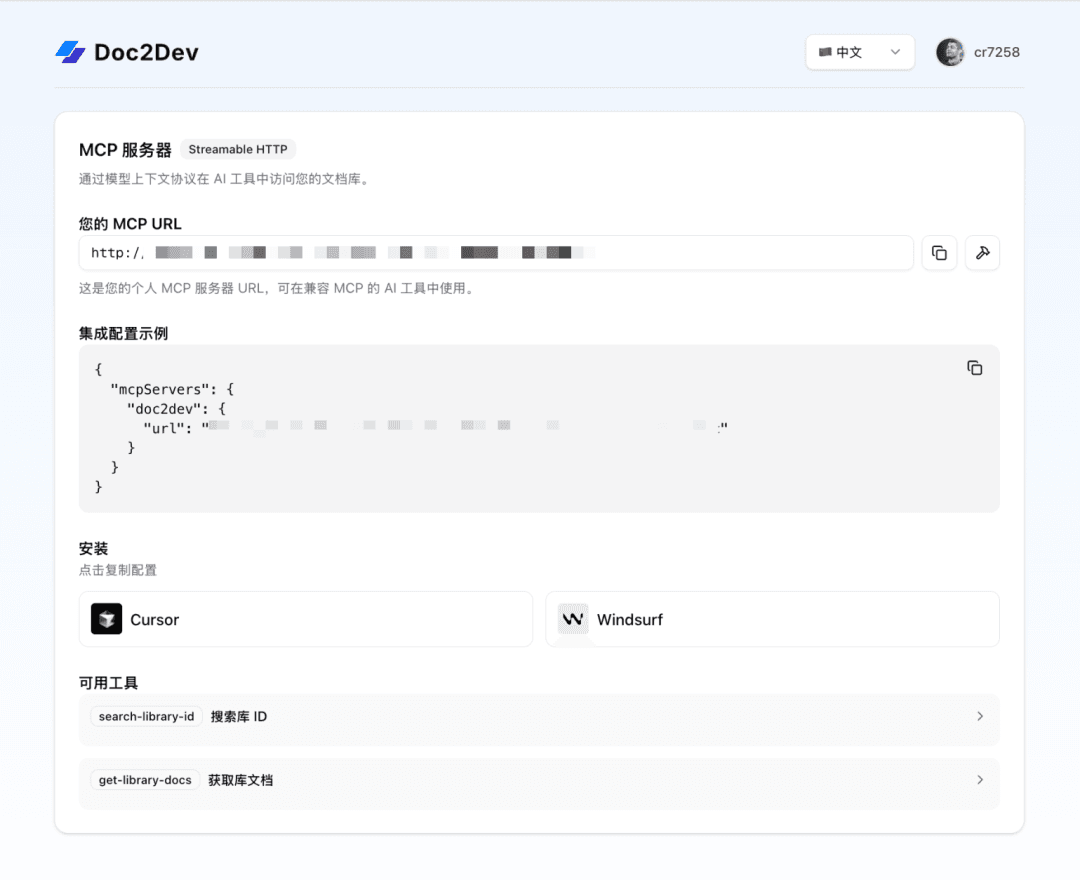
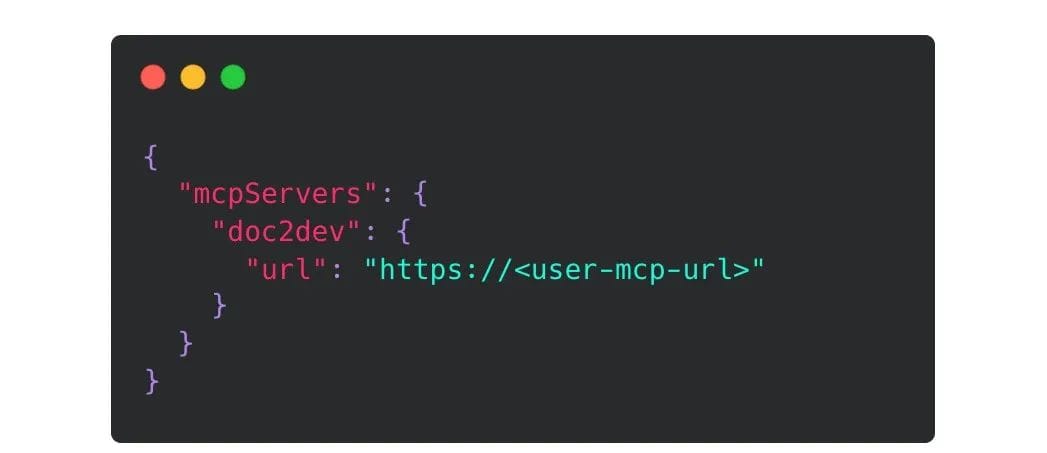
For example, in Cursor you can set it up with the following config file:
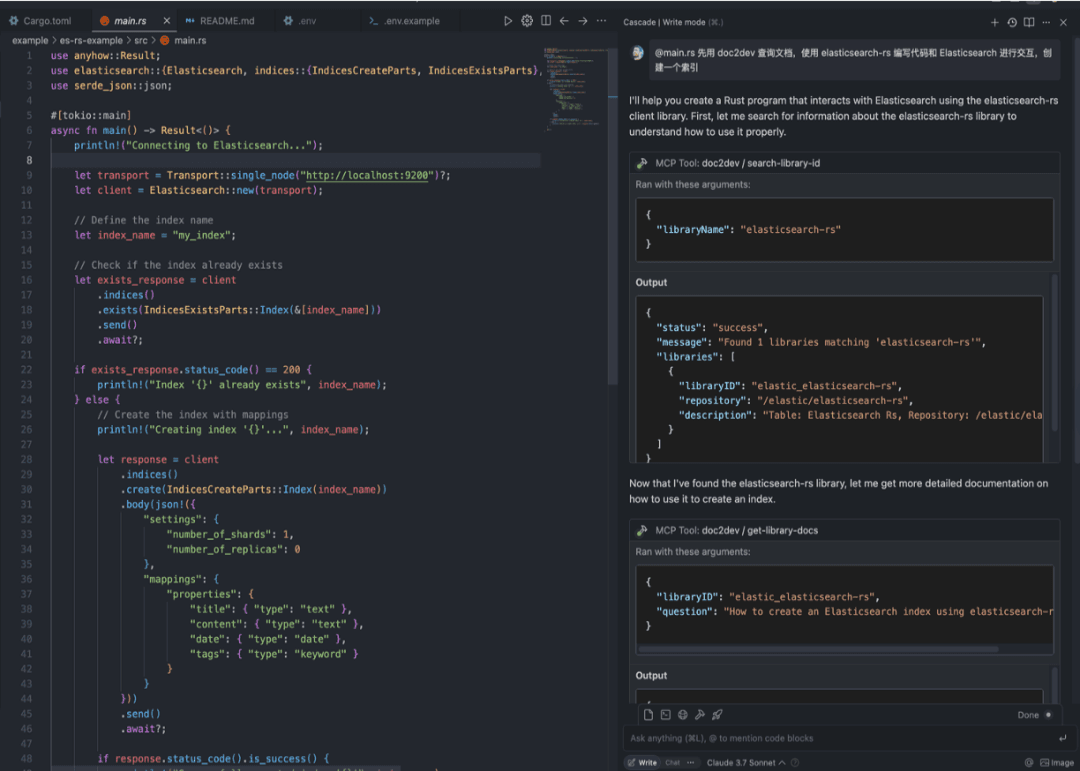
For example, ask: first use Doc2Dev to query the docs, then use elasticsearch-rs to write code that interacts with elasticsearch and create an index. You can see the system first queries the relevant code repositories; since there are multiple repositories, it first finds the relevant content by keyword, then selects a piece of relevant content to ask the corresponding question, and finally obtains the corresponding code snippet hints. Demo:
Finally, I’d like to recommend the WeChat official account “Lao Ji’s Tech Talk,” run by Lao Ji, the OceanBase open source lead. It continuously publishes all kinds of technical content related to databases, AI, and tech architecture. Friends who are interested are welcome to follow!
“Lao Ji’s Tech Talk” hopes not only to keep bringing you valuable technical insights, but also to contribute to the open source community together with you. If you appreciate the OceanBase open source community, please light up a little star ✨! Every Star you give is motivation for our efforts.